59
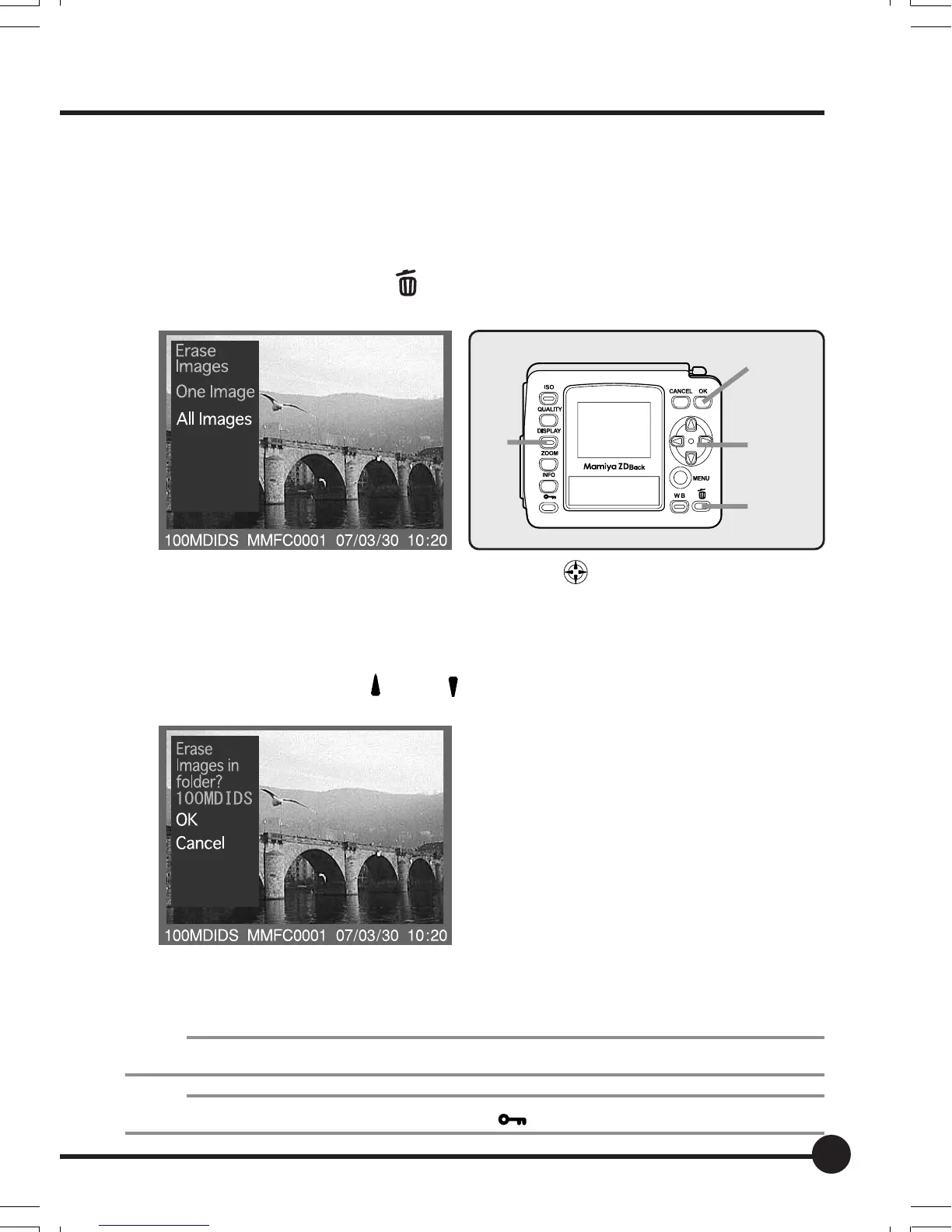
Erasing All Images (Entire Folder)
Deletes all of the images stored in a folder.
1. Press the Display button.
The most recently recorded image will be displayed on the LCD monitor.
2. Press the Delete button .
A message confirming that the image is to be deleted will be displayed.
3. Select [ALL IMAGES] with the toggle key , and then press the OK
button.
A message confirming that all images in the folder are to be deleted will be
displayed.
4. Select [OK] with the [
] and [ ] toggle keys, and then press the OK
button.
All of the images in the folder will be deleted.
• Simultaneously stored images are deleted in accordance with the pa-
rameters set on [10. Select File Type to Erase] on the playback menu.
NOTE:
Note that deleted images cannot be restored.
Memo:
Images that have been protected and display the [ ] mark cannot be deleted.
4,5
3,5
2
1
04_ZD back_E_p053-060 07/3/9, 20:4059



 To Next Page