84
You can connect a camera fitted with this unit to a television with the use of a
video cable (sold separately) and display the contents of the LCD monitor on
the TV screen. In addition, if the camera fitted with this unit is connected to a
PC on which Mamiya Digital PhotoStudio is installed, you can operate the
camera from the PC to take photographs or transfer images to it.
Connecting to the PC
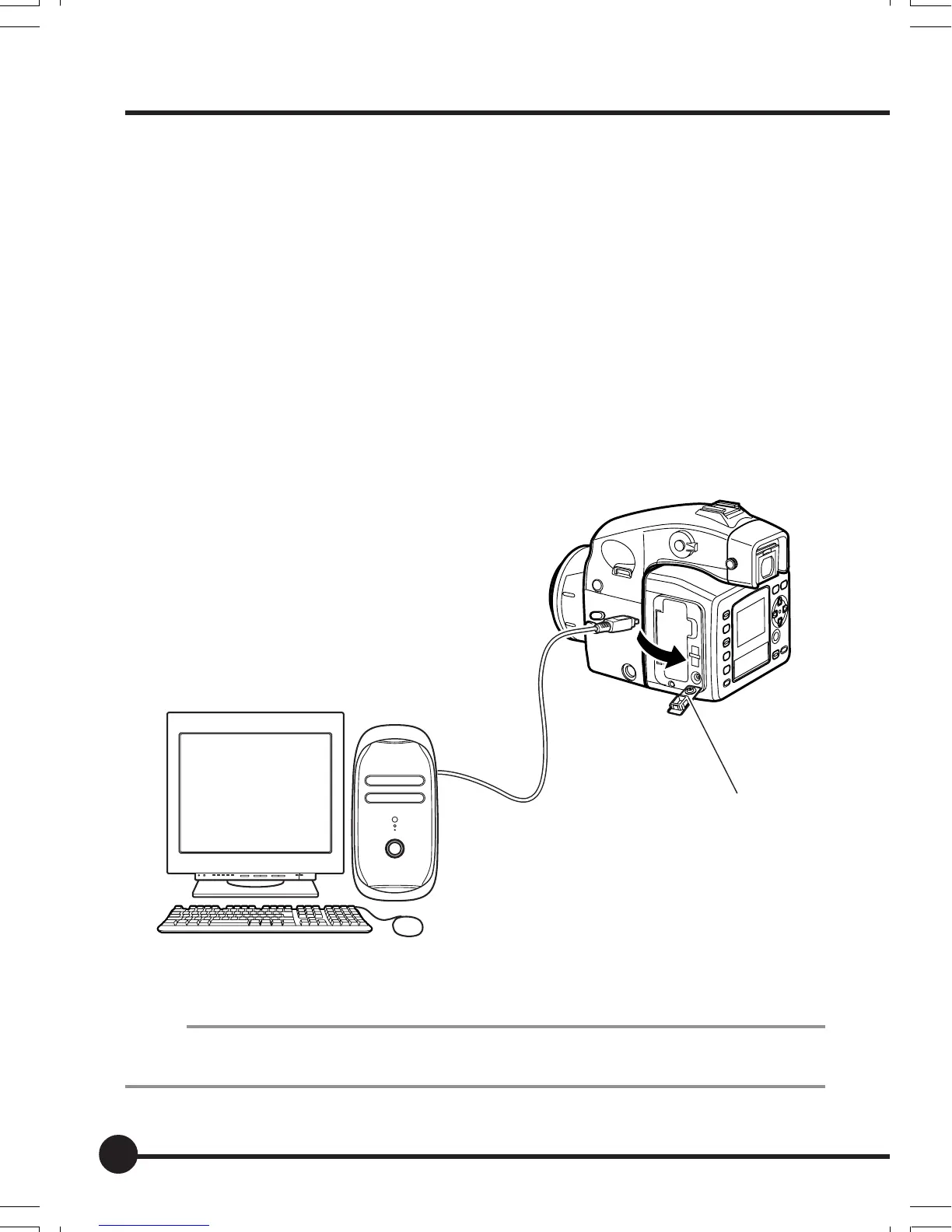
By connecting a camera fitted with this unit to a personal computer on which
Mamiya Digital PhotoStudio is installed with the use of an IEEE1394 cable
(sold separately) it is possible to transfer images to the computer, and operate
the camera from the PC to take photographs.
Refer to the Mamiya Digital PhotoStudio manual for details about installing,
connecting and use.
* Use the AC adapter PA301 when using camera fitted with this unit connected to a PC.
Memo:
To connect camera fitted with this unit to a PC, it is necessary to install the driver (Windows).
Refer to the Mamiya Digital PhotoStudio manual for instructions on installing the driver.
Connection
Ter minal cover
07_ZD back_E_p083-088 07/3/9, 20:4384



 To Next Page