28
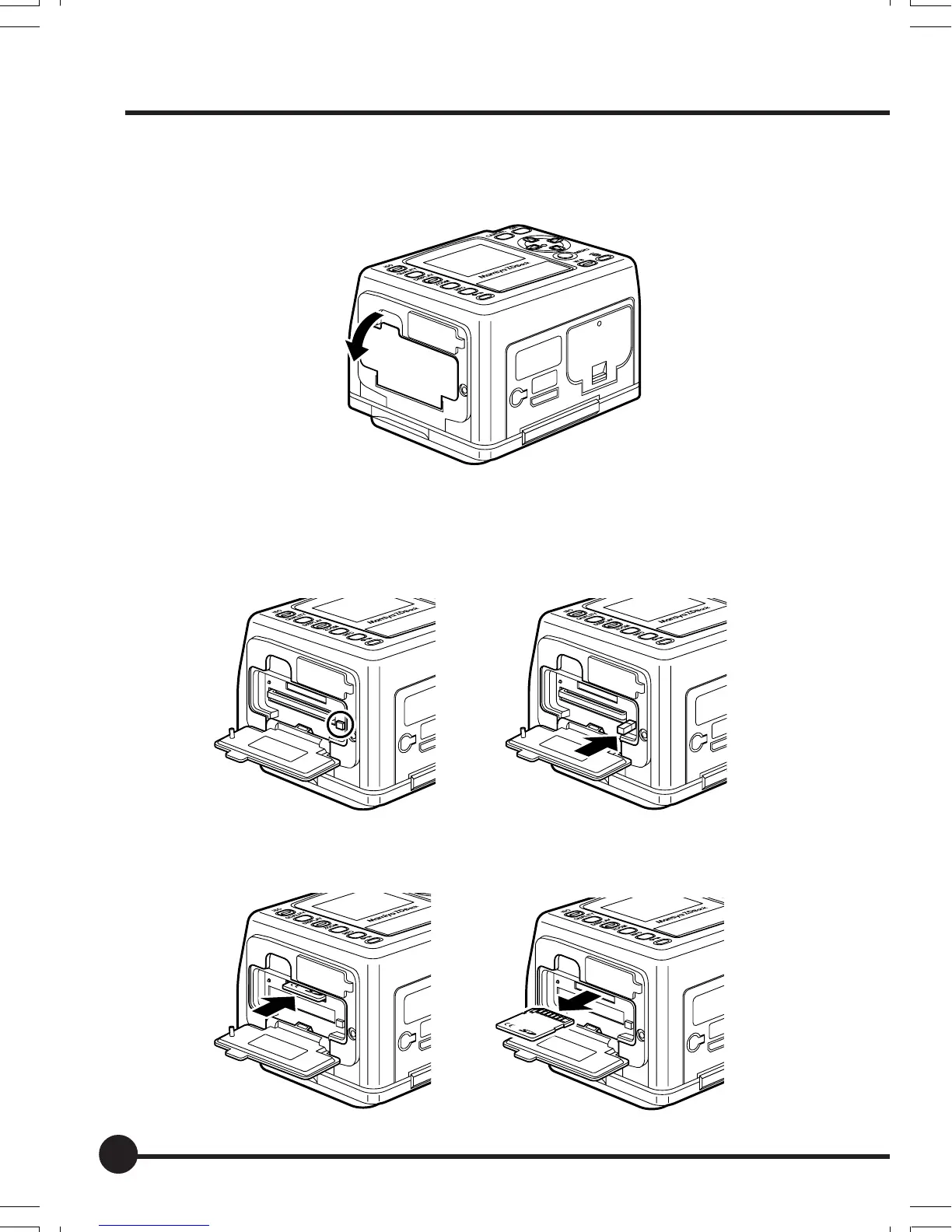
Removing the Memory Card
1. Open the memory card slot cover.
2. Remove the memory card.
1To remove a CF card, press the eject button shown in the illustration to
make the button pop out. Press the button to eject the memory card and
pull it slowly out of the slot.
2To remove an SD card, press the card in lightly to eject it and pull it
slowly out of the slot.
* Depending on the type of card, the card may pop out of the slot.
Preparing the Mamiya ZD Back
02_ZDback_E_p021-030 07/3/9, 20:3828



 To Next Page