18
Attaching the Mamiya ZD Back to the Camera
(for the RZ67PRO IID)
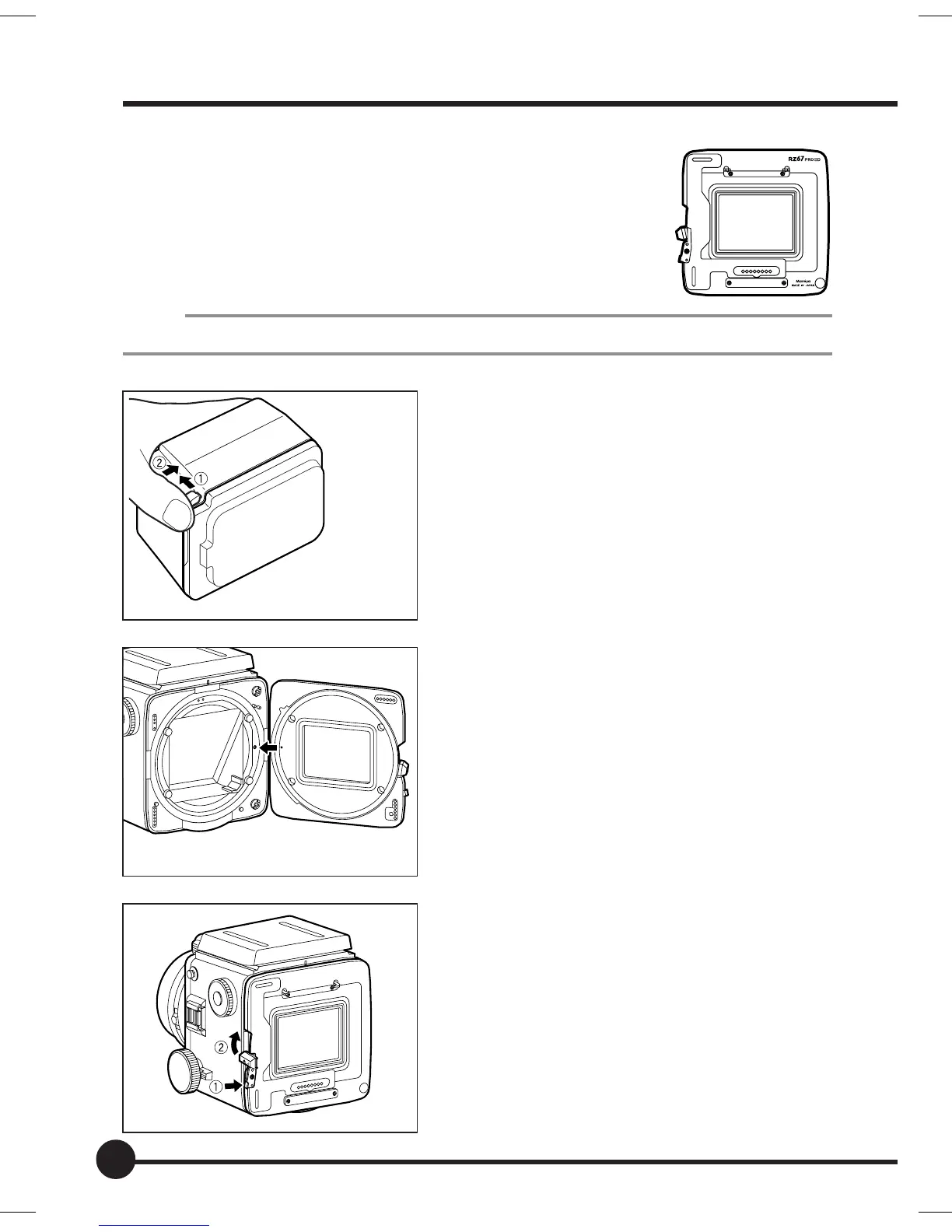
Get the Digital Back Adapter HX701 (sold separately) ready.
1. Remove the magazine from the camera.
MEMO
Refer to the instructions for the RZ67PROIID when removing the magazine.
2. Remove the cap from the Mamiya ZD
Back.
q Pull the detachment lever.
w Press the lever into the unit while si-
multaneously pulling it out.
The cap can then be removed.
3. Align the orange circle on the Digital
Back Adapter HX701 (sold separately)
with the orange circle on the rear of
the camera.
4. Attach the Digital Back Adapter
HX701.
q Press the lever into the Digital Back
Adapter HX701.
w Press the stopper as far as it will go
in the direction of the arrow.
Preparing the Mamiya ZD Back
01_ZD back_E_p011-020 07/3/9, 20:3718



 To Next Page