25
Date Settings and Preparing a Memory Card
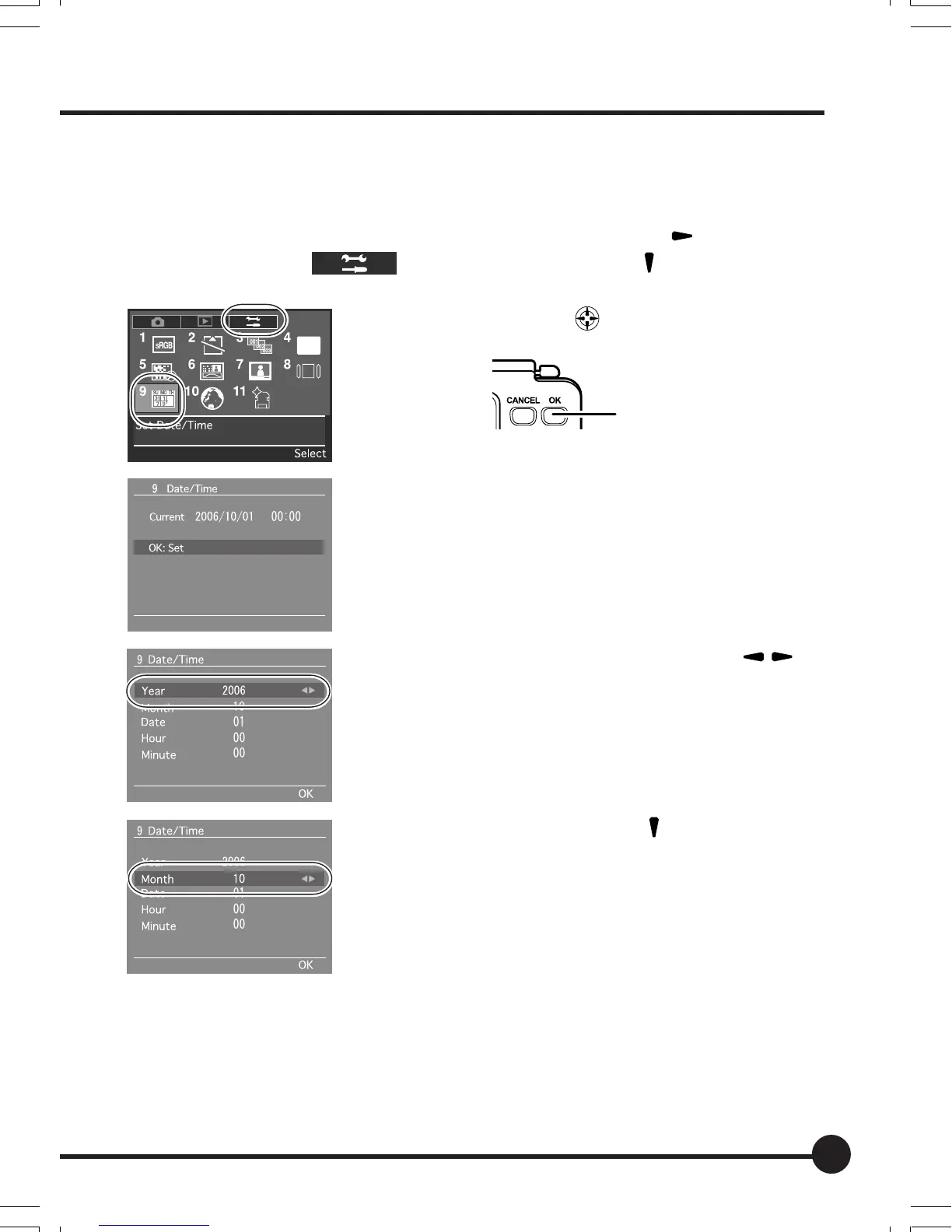
1. Set this unit date and time.
1 Press the MENU button to display the menu, press [
] on the toggle
key to select [
] (Setup Menu) and press [ ] on the toggle key.
2 Use the toggle key
to select [9] Date/Time
and press the OK button.
3 The current date and time is displayed. Press the
OK button.
4 The year entry field is selected. Press [
] on
the toggle key to set the year.
5 After setting the year, press [
] on the toggle key
to select the month.
6 Select the month, day, hour and minutes in the
same way.
After the date and time are set, press the OK but-
ton to save the settings.
OK button
02_ZDback_E_p021-030 07/3/9, 20:3825



 To Next Page