26
Preparing the Mamiya ZD Back
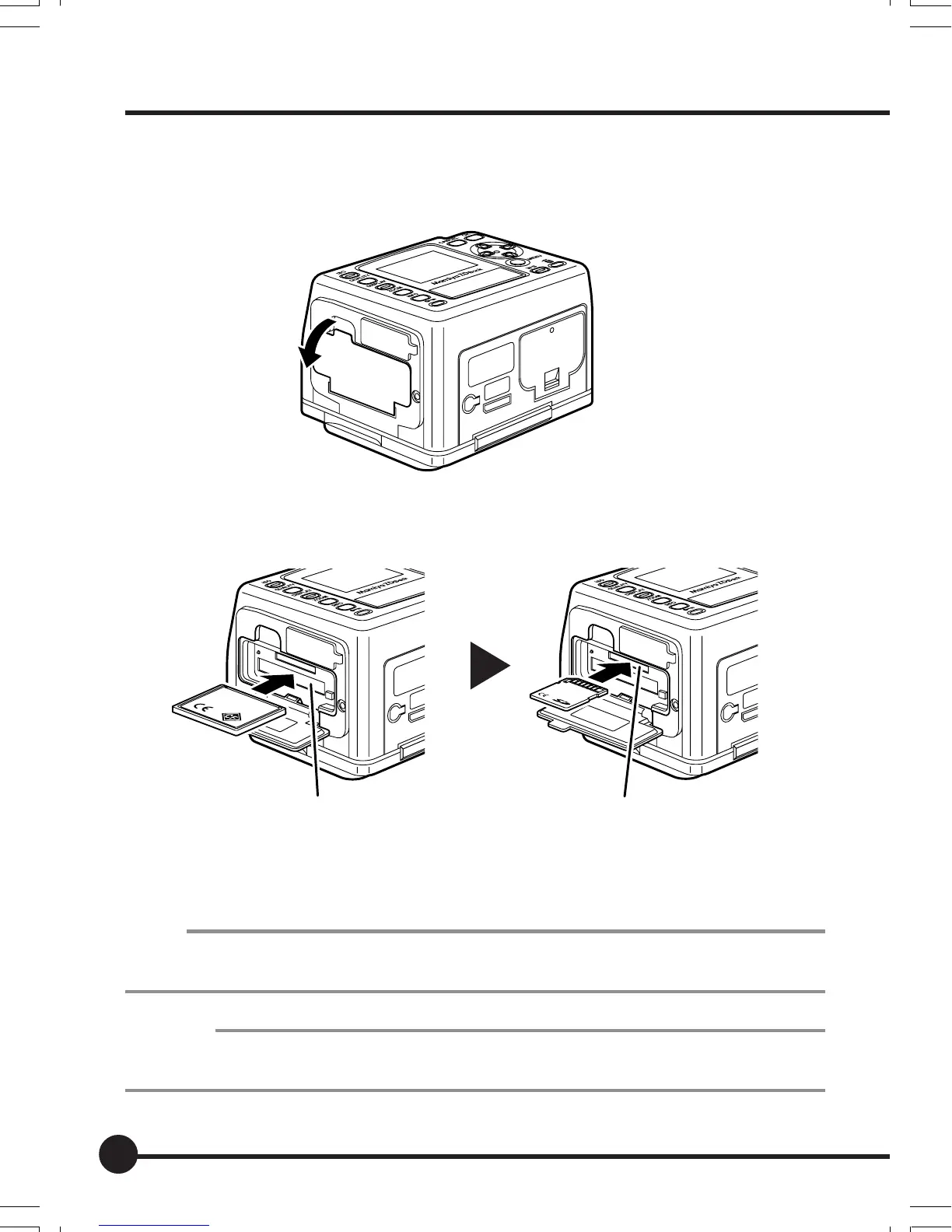
2. Insert a memory card (purchased separately).
1 Hold a finger on the top of memory card slot cover, and pull it in the
direction of the arrow.
2 Insert the memory card as far as it will go, making sure it is oriented as
illustrated.
3 Close the memory card slot cover.
MEMO
• This camera uses an SD card or CF card.
• SD memory cards with a capacity of up to 2GB can be used.
Important
Use a CF card with a capacity of 256MB or more or an SD card with a capacity of 256MB (5MB/S)
or more.
SD card slotCompact flash (CF) card slot
02_ZDback_E_p021-030 07/3/9, 20:3826



 To Next Page