11N Mini Wireless AP
15
User Name / Password: Enter the User Name and Password you use when logging onto
your ISP through a PPPoE connection.
Service Name(AC): The service name and AC (Access Concentrator) name should not
be configured unless you are sure it is necessary for your ISP. In most cases, leaving
these fields blank will work.
Connection Type: There you can select Continuous, Connect on Demand or Manual.
Idle Time: You can configure the AP to disconnect from your Internet connection after a
specified period of inactivity.
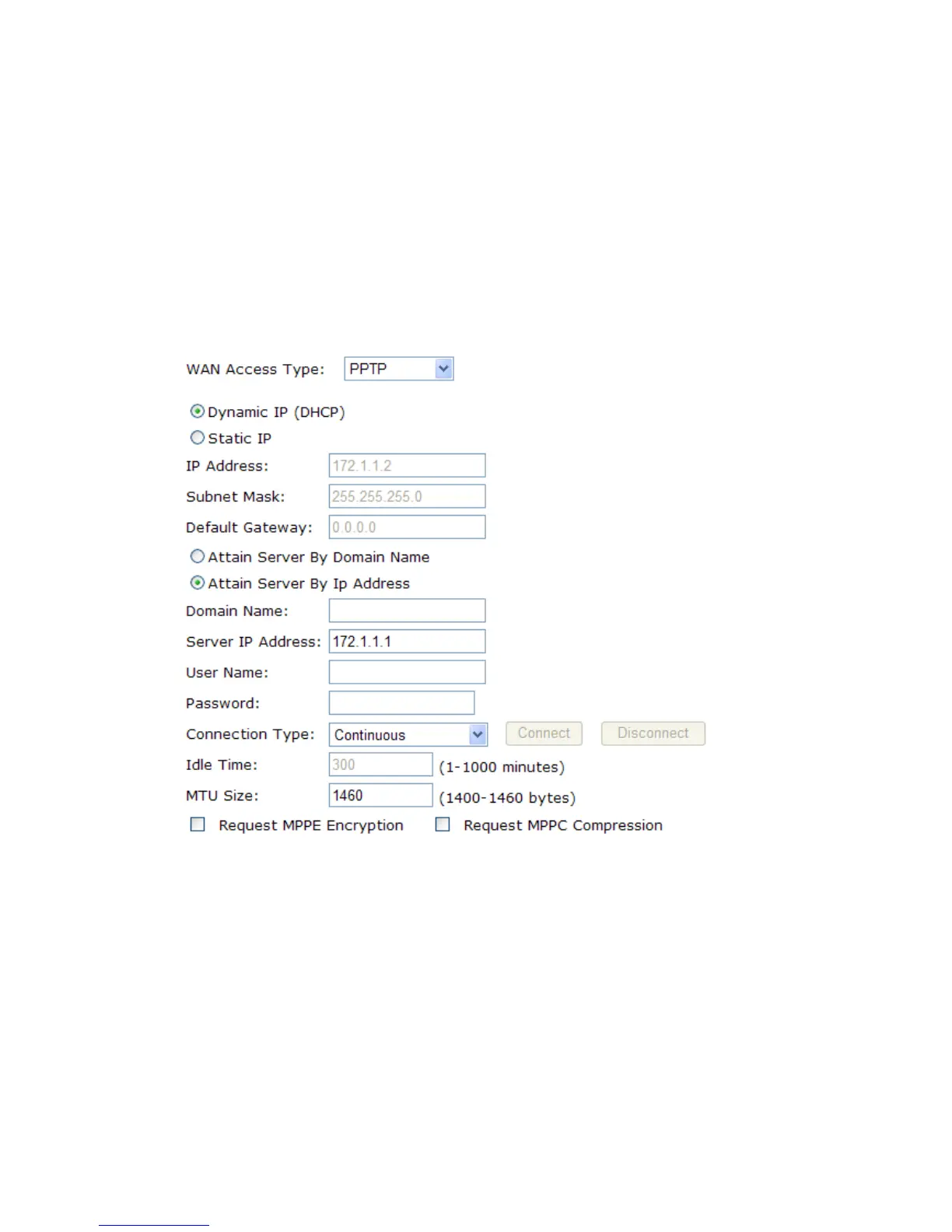
4. If your ISP provides a PPTP connection, select PPTP option. And you should enter the
following parameters:
Dynamic IP (DHCP): Choose the IP address information provided by automatic
acquisition ISP, or manual input.
Default Gateway: Enter the gateway IP provided by your PPTP Server.
User Name / Password: Enter the User Name and Password you use when logging onto
your ISP through a PPTP connection.
5. If your ISP provides L2TP connection, please select L2TP option. And you should enter
the following parameters:


 To Next Page