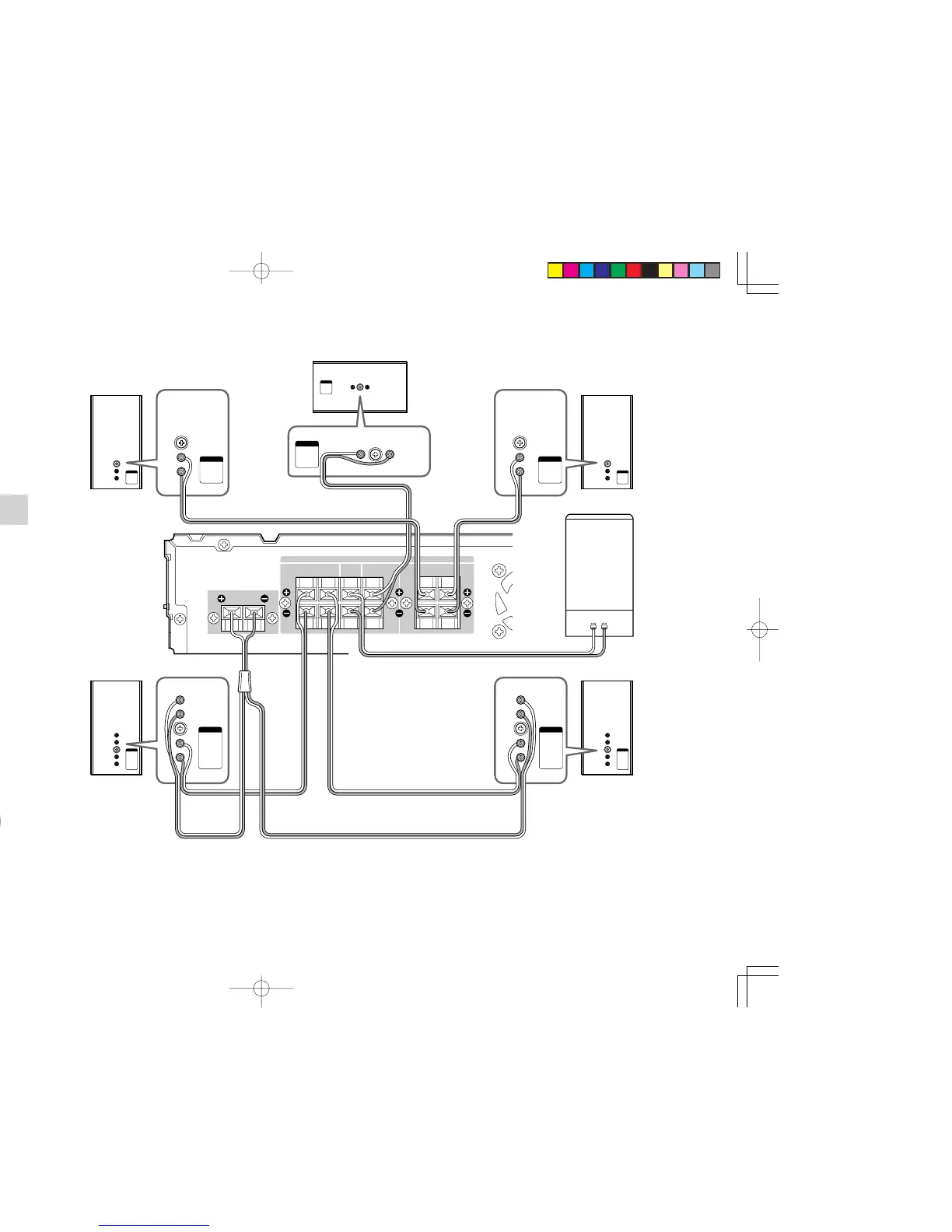
Center speaker
Subwoofer
Front speaker
left
Front speaker
right
Surround speaker
left
Surround speaker
right
+:Green / -:Black
+:Red / -:Black
+:Purple / -:Black
+:Gray / -:Black
+:Blue / -:Black
+:White / -:Black
+:Brown / -:Black
+:Brown / -:Black
3.
Close and fix the cover.
Note:
• When fixing the cover, form the cords so that
they are not caught by the edge of the cover.
PHANTOM SURROUND BACK SPEAKER
(5.1/6.1CH SPEAKER SYSTEM SS2500)
The 5.1/6.1ch speaker system SS2500 is used as
a 5.1-channel speaker system, but it also lets you
enjoy surround sound on 6.1 channels.
Inside the surround speakers (L/R) are a surround
speaker unit and a separate phantom surround back
speaker unit that faces approximately 40˚ to the rear.
This phantom surround back speaker unit is used
to project the listening position to the rear and
simulate the surround back speaker.
Note:
• The left and right surround speakers are
internally different. Set the left speaker to
project the listening point slightly to the rear
on the left side and the right speaker to project
the listening point slightly to the rear on the
right side.
Surround speaker
Phantom surround
back speaker
– Top view –
Approx.
Terminal cover
ER2500UDFU01eng1/4 04.8.26, 4:29 PMPage 12 AdobePageMaker6.5J/PPC



 To Next Page