ENGLISH
5
• Do not attach a piece of paper or sticker on the
label side of disc. When a disc has a piece of
plastic tape or rental DVD/CD label with paste
protruded from the edge or when a disc has a
trace of such a sticky object, do not attempt to
play the disc. If such a disc is played on the
DVD player, impossibility of taking out the disc
or other malfunction may result.
• Do not use a disc with a special shape.
Do not attempt to play a disc with a special
shape such as a heart-shaped disc or octagonal
disc. Otherwise the equipment malfunction may
result.
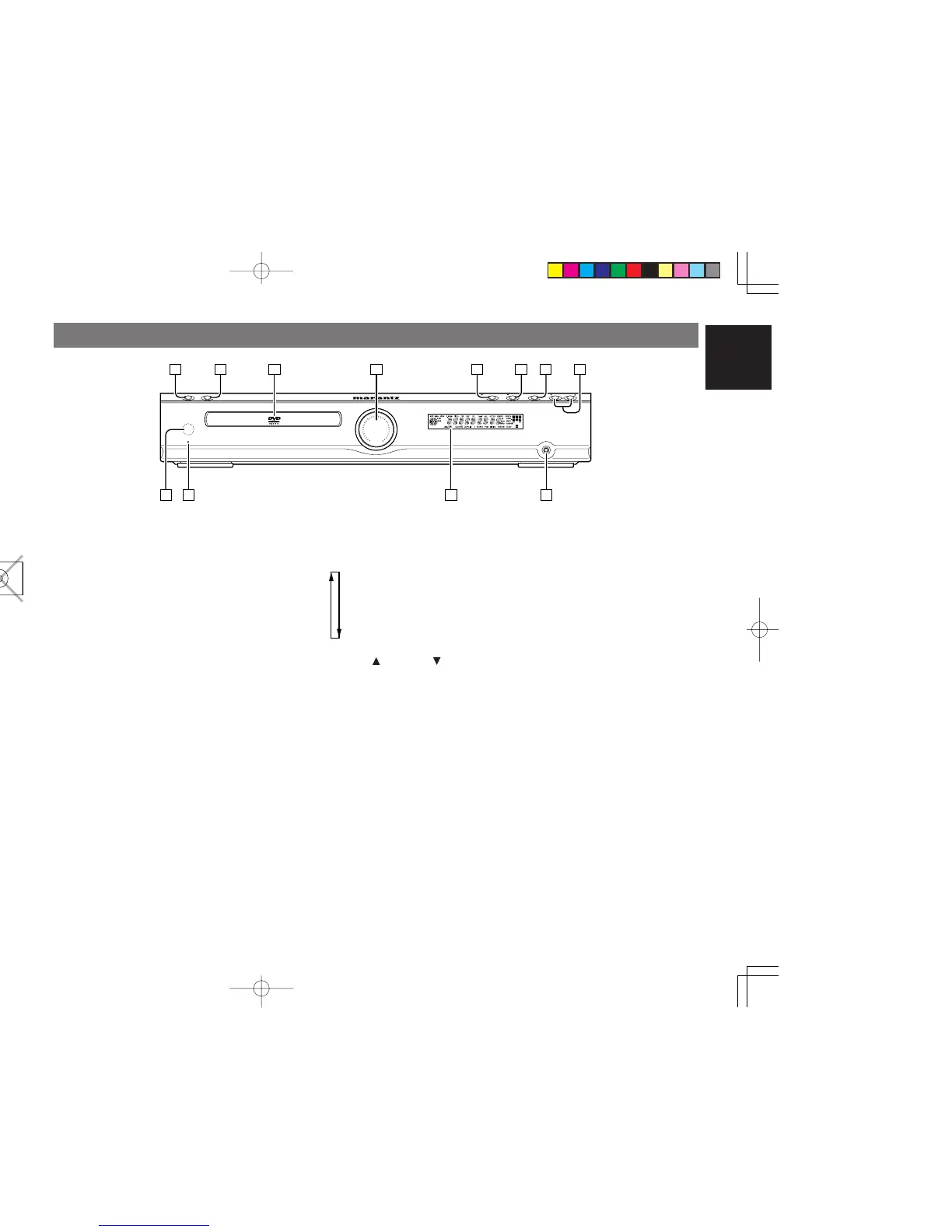
CONTROLS ON THE MAIN UNIT
FRONT PANEL
z
POWER ON / STANDBY button
• Press to turn power ON and press again to
switch to STANDBY mode.
x OPEN/CLOSE button
• Press this button to open and close the disc tray.
c Disc tray
v Master volume indication
• This indication shows volume status of the unit.
8dB 1 time shift the light up LED position.
b 2PLAY/ ; PAUSE button
•
In DVD mode, press this button to start playback.
•
In DVD mode, press this button to pause playback.
n 9 STOP button
•
In DVD mode, press this button to stop playback.
m FUNCTION button
• Press this button to select the input function.
Pressing this button to change the function as
follows:
,
VOLUME UP / DOWN
buttons
• These buttons are used to change the master
volume for listening. Press the up button to
increase and the down button to decrease the
volume.
. PHONES jack
• For connecting stereo headphones. When the
headphones are connected to this jack, the
speaker sound is turned off and the surround
mode be changed to stereo mode.
⁄0 Display
• When the unit is on, the current status of the unit
is displayed.
⁄1 STANDBY indicator
• The indicator lights GREEN when power is ON,
and lights RED when in STANDBY mode.
⁄2 Infrared sensor
•
The infrared signal from the remote control enters
the unit through this sensor.



 To Next Page