ENGLISH
24
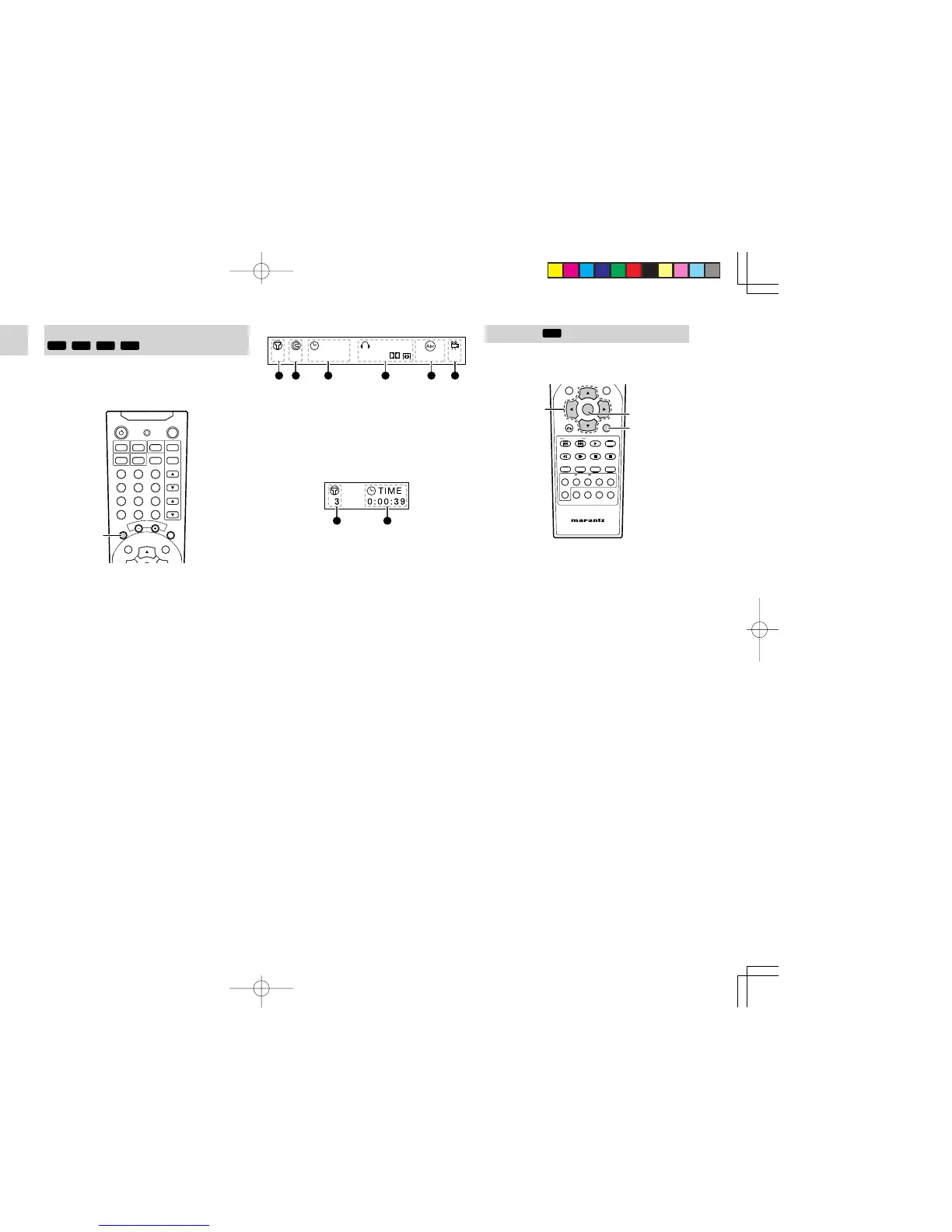
For DVD playback
TIME AUDIO
DIGITAL
1 1/135 1 ENG 1 ENG1:15:20
A B C D
E
F
A : current title number
B : current chapter number
C : elapsed time of the title
D : audio channel
E : subtitle language
F : angle mark and angle number
For VCD, SVCD or CD playback
G : current track number
H : elapsed time of the track
SEARCH PLAYING
Caution
• This function cannot be used for JPEG files.
NIGHT
RETURN
DISPLAY
MUTE
VOLUME
DIMMERSURROUND
0
987
654
321
TV-CH
TV-VOL
TV-INPUTA/DDSSVCR
TV POWERTVTUNERDVD
SLEEPSTANDBY/ON
1. While playing, press and hold
4
button or
¢
button on the remote
control unit for more
than 2 seconds
for fast rewind or fast forward
play.
•
Every time 4 button or ¢ button on the
remote control unit is pressed for more than
2 seconds during search playing, the search
speed changes as shown below.
4X
16X100X
2X
4X
8X16X
2X
4X
8X
2X
DVD
MP3
VCD
CD
SVCD
2.
Press 2 (PLAY) button to return to normal play.
GUI (GRAPHICAL USER INTERFACE)
When you press the DISPLAY button during a disc
playback, the playback information (title, chapter,
time, etc.) appears for 10 seconds on the TV or
screen.
NIGHTTONE
T.TONE SPK SETNTSC/PAL
1/ALL A-B RANDOM CLRPRG
ZOOMANGLEAUDIOS.TITLE
T.CLR RDS FM MODE MEMORY
TUNE PRESET BAND TUNE MODE
REPEAT
RC2500ER
ENTER
MENU
1. While playing, press DISPLAY button on the
remote
control unit,
the playback information
(title, chapter, time, etc.) appears on the TV or
screen.
• Using the cursor buttons, select a direct
playback item. Then, select a title, chapter/
track or time position to play back directly
with the numeric buttons.
Press ENTER button to start playback from
the selected a title, chapter/track or time
position.
DVD MENU
Most of DVD discs have their own menu screen (DVD
menu). In this menu, you can choose a chapter, audio
language, subtitle, etc.
NIGHT
RETURN
DISPLAY
MUTE
VOLUME
DIMMERSURROUND
0
987
654
321
TV-CH
TV-VOL
TV-INPUTA/DDSSVCR
TV POWERTVTUNERDVD
SLEEPSTANDBY/ON
1. Insert a DVD disc. The menu will be displayed
on TV. If menu is not displayed, press MENU
button (or TOP MENU button) on the remote
control unit
.
2.
Press Cursor button to select a chapter (menu
item).
3. Press ENTER button to confirm the item.
•
If a chapter is selected, the chapter is played
automatically.
• If an audio language or subtitle is selected,
press 2
(PLAY)
button to start playback
from the beginning.
•
Press MENU button to return to the previous
menu.
ER2500UDFU01eng2/4 04.8.26, 4:31 PMPage 24 AdobePageMaker6.5J/PPC



 To Next Page