16
ENGLISH
Playing Blu-ray Disc, DVD-Video and CD
DVDBD
AVCHD CD
1
Prepare for playback.
q Turn on the TV and subwoofer power.
w Change the TV input to the input of this unit.
2
Press POWER to turn on power
to the unit.
3
Press DISC to switch the input
source to “DISC/USB2”.
4
Insert a disc.
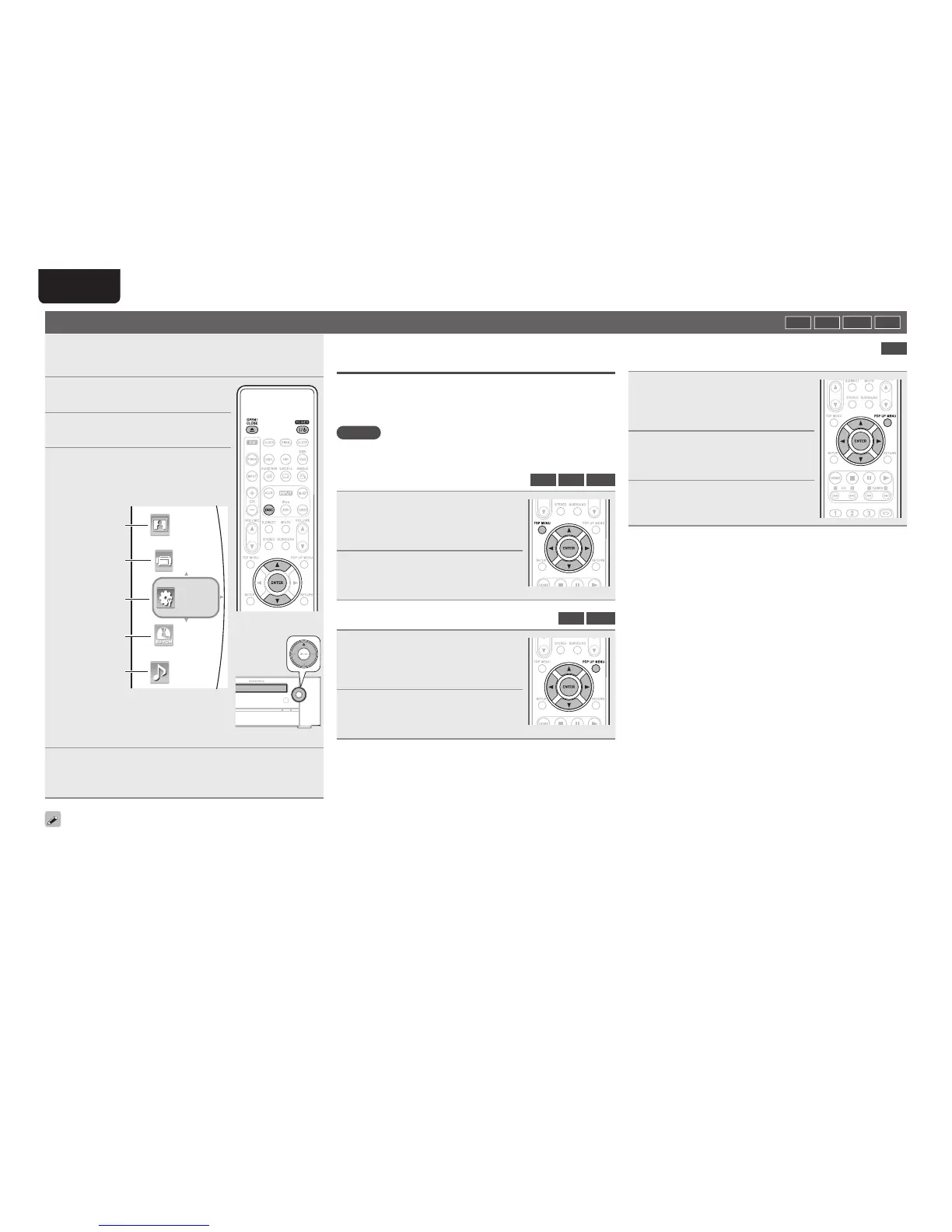
• Press 5 to open/close the disc tray.
• The home menu will be displayed on
the TV screen.
Picture fi les
Video fi les
System settings
Loaded disc
Music fi les
Music
BD-ROM
Picture
Video
Setting
• When the “Optical Disc AutoPlay”
(vpage34) is set to “ON”, playback
automatically starts.
Should this happen, ignore step 5.
5
Use ui to select the disc, then press ENTER.
Playback starts.
• For some discs, the menu may be displayed fi rst.
• BD-Video or DVD-Video recorded in AVCHD format is displayed as
“BD” on the TV screen.
• If a disc that cannot be played back is inserted, the disc tray opens.
Operations using disc menu, top menu, and
pop-up menu
Many of BD-Video and DVD-Video contains disc menu, top menu or
pop-up menu which guides you through the available functions in the
disc.
NOTE
Contents of menus and corresponding menu operations may vary
among discs. For details, refer to the disc manual.
n Using the disc menu
BD
DVD
AVCHD
1
During playback, press TOP
MENU
.
The disc menu is displayed on the TV
screen if present on the disc.
2
Use uio p to select the
desired item, then press ENTER.
The selected item is played back.
n Using the title menu
DVD
AVCHD
1
During playback, press POP UP
MENU
.
The title menu is displayed on the TV
screen if present on the disc.
2
Use uio p to select the
desired item, then press ENTER.
The selected item is played back.
n Using the pop-up menu
BD
This is a special feature available for some BD-Video.
1
During playback, press POP UP
MENU
.
The pop-up menu is displayed on the TV
screen if present on the disc.
2
Use uio p to select the
desired item, then press ENTER.
The selected item is played back.
3
Press POP UP MENU to exit.
The pop-up menu will automatically
disappear for some discs.



 To Next Page