28
ENGLISH
Advanced operations
3
Press iPod/USB1 to switch the input source to “iPod/
USB1”.
4
Press iPod D/R to select the
display mode.
• There are two modes for displaying the
contents recorded on the iPod.
Remote mode
Display iPod information
on the display of this unit.
• English letters, numbers and certain
symbols are displayed. Incompatible
characters are displayed as “.” (period).
Direct mode
Display iPod information
on the iPod screen.
• “Direct iPod” is displayed on the display
of this unit.
• The Direct mode is not supported on fi fth
generation iPod or fi rst generation iPod
nano.
Display mode
Remote mode Direct mode
Playable
fi les
Music fi le
Video fi le
z
Active
buttons
Remote
control unit
(This unit)
iPod
®
z Only the sound is played.
5
Use ui to select the item, then
press ENTER or p to select the
le to be played.
6
Press ENTER, p or 1.
Playback starts.
• You can also perform the same operations
by pressing
1/3 on this unit.
You can also perform the same operations as o on the remote control
unit with the MODE button on this unit, respectively.
NOTE
• Depending on the type of iPod and the software version, some
functions may not operate.
• Note that Marantz will accept no responsibility whatsoever for any
problems arising with the data on an iPod when using this unit in
conjunction with the iPod.
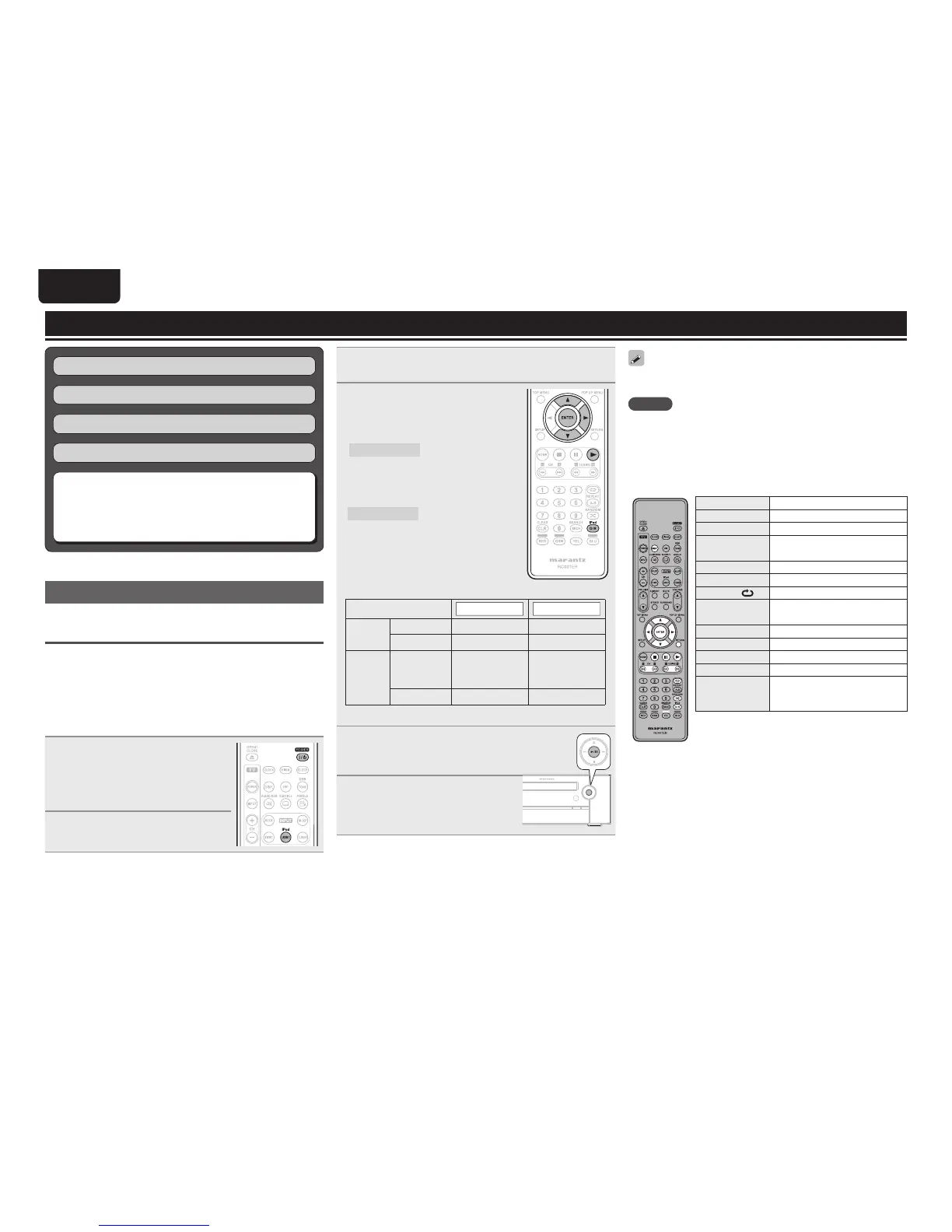
n iPod operation
Operation buttons Function
uio p
Cursor operation
ENTER Enter setting
iPod D/R Direct/Remote mode switching
RETURN Return
RANDOM Shuffl ing playback
REPEAT
Repeat playback
6 7
(Press and hold)
Manual search
(fast-reverse/fast-forward)
1
Playback
8 9
Skipping to the fi le
3
Pause
2
Stop
DISP.
Switches between title name/artist
name and title name/album name
displays (in Remote mode)
Tuning in radio stations (vpage22)
Surround mode (vpage21)
Basic operations (vpage12)
Playback (Basic) (vpage18)
n Playing an iPod
®
(vpage28)
n Playing a USB memory device (vpage29)
n Playing fi les (vpage30)
n Playing a portable audio player (vpage32)
Playing an iPod
®
Connect an iPod directly to the iPod/USB1
port to play back
You can use the USB cable provided with the iPod
®
to connect the
iPod with the unit’s USB1/iPod port and enjoy music stored on the
iPod.
• This unit supports audio playback from the iPod (fi fth generation
or later), iPod nano, iPod classic, iPod touch and iPhone (it is not
compatible with iPod shuffl e).
• The factory setting is “Direct mode”.
1
Connect the iPod
®
to the
iPod/USB1 port (vpage 25
“Connecting an iPod or USB
memory device to the iPod/USB1
port”).
2
Press POWER to turn on power
to the unit.



 To Next Page