34
ENGLISH
System
Default settings are underlined.
Perform system-related settings.
Items Setting details
Optical Disc AutoPlay
Set whether to automatically
play a disc or not when
loading it or turning on the
Power under the condition
that it is loaded.
On : Starts play automatically.
Off : Turns off the autoplay.
BD-Live Internet Access
Set the access restriction to
BD-LIVE contents.
Limit Access : Allows only the BD disc with owner certifi cation to access
contents from a BD-LIVE website.
Always Allow Access : Allows all BD-LIVE discs to access contents from
BD-LIVE websites.
Prohibit Access : Prohibit all BD-LIVE discs from accessing contents from
BD-LIVE websites.
• The available functions differ depending on the disc.
• Regarding playback method of BD-LIVE contents, etc., perform the
operations in accordance with the instructions in the BD-LIVE disc
manual.
• To enjoy BD-LIVE functions, perform the broadband internet connection
and communication settings. (For details, refer to “Connecting to the
network” (vpage27) and “Network” (vpage35).)
BD-Live Storage (USB)
BD-LIVE contents is stored
into the USB memory
device.
USB2 (more than 1 GB)
Displays the storable memory capacity.
Erase Blu-ray Storage?
Erase the Virtual Package
and BD-LIVE contents
stored into the USB memory
storage.
1. Use
ui to select “Erase Blu-ray Storage?”,
then press ENTER.
2. Use o p to select “Ok”, then press ENTER.
Screen Saver Duration
Set the period of time
to activate screen saver
function.
A TV screen may be burned
out if a static picture is
displayed for a long time
in the stop mode, etc..
To prevent this, the unit
automatically activate the
screen saver function if a
static picture is displayed
over the period of time you
set.
Off : Inactivates screen saver function.
5/10/20/30 Minutes : Activates screen saver function if a static picture is
displayed over the period of time you set.
To inactivate screen saver function, press any button.
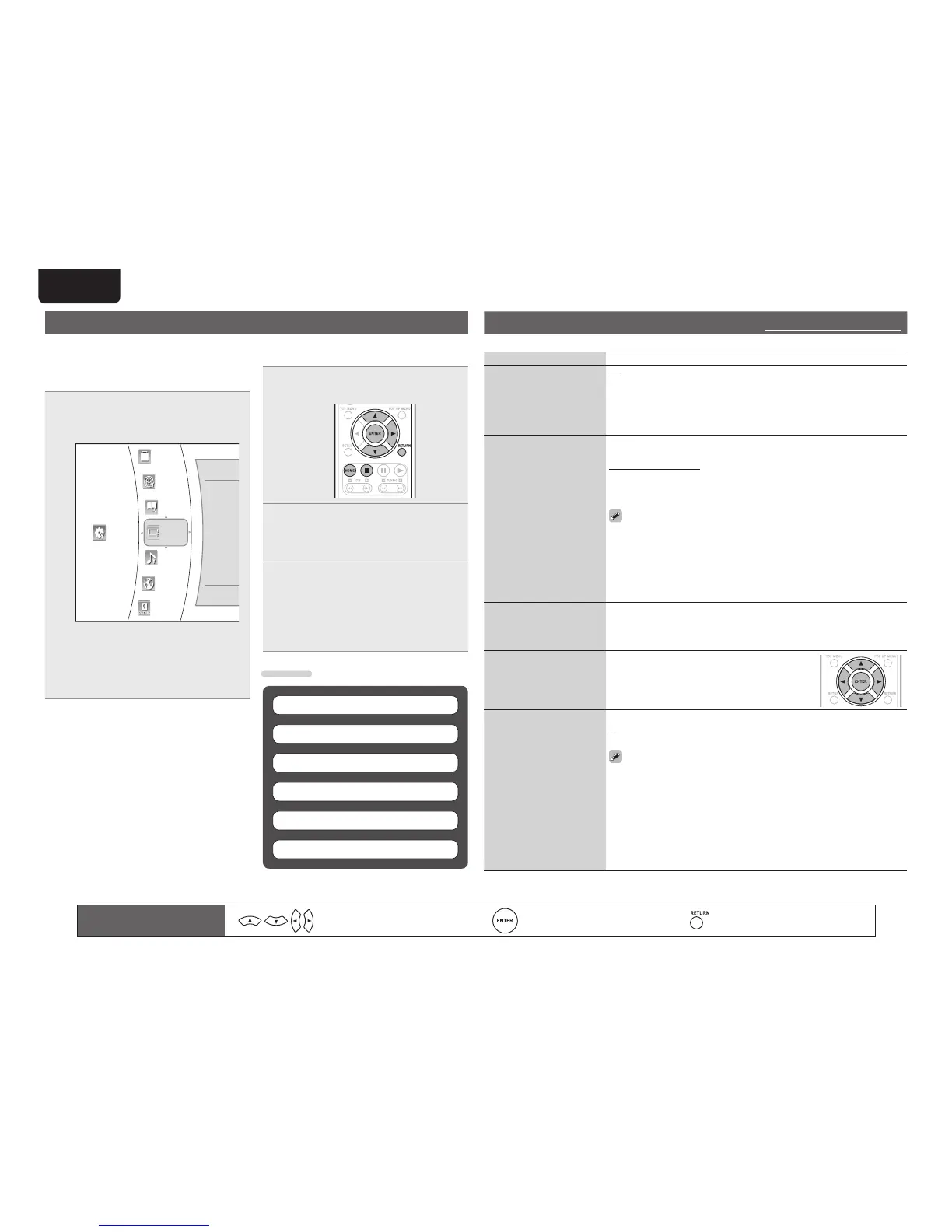
OSD (on-screen display) menu operation
When the input source is “DISC/USB2”, settings for audio and video can be performed from the OSD
menu.
The OSD (On-Screen Display) menu enables various
audio/visual settings and adjustments.
1
In the stop mode, press ui to select
“Settings” in the home menu, then
press ENTER.
System
Network
Info
HDMI Status
Audio
Language
Parental
Display
Setting
• During playback of BD-Video, DVD-Video or CD,
if
2 or HOME is pressed, then the home menu
will be displayed.
• During playback of music, JPEG or video fi les,
if HOME is pressed, then the home menu will
be displayed.
2
Use ui to select the desired setting
category, then press p.
3
Use ui to select the desired setting
item, then press p.
The selected item’s option menu will be
displayed.
4
Use ui to select the desired option,
then press ENTER to con rm your
selection.
The previous screen will be displayed.
• To go back to the previous screen, press
o or
RETURN.
Settings
Network (vpage35)
System (vpage34)
Display (vpage36)
Audio (vpage36)
Language (vpage37)
Parental (vpage37)
Remote control operation
buttons
Move the cursor
(Up/Down/Left/Right)
Confi rm the setting Return to previous menu



 To Next Page