22
ENGLISH
n Presetting FM stations automatically
(Auto preset)
Up to 40 stations can be preset.
Auto preset is not possible with AM broadcast stations.
1
Press SETUP.
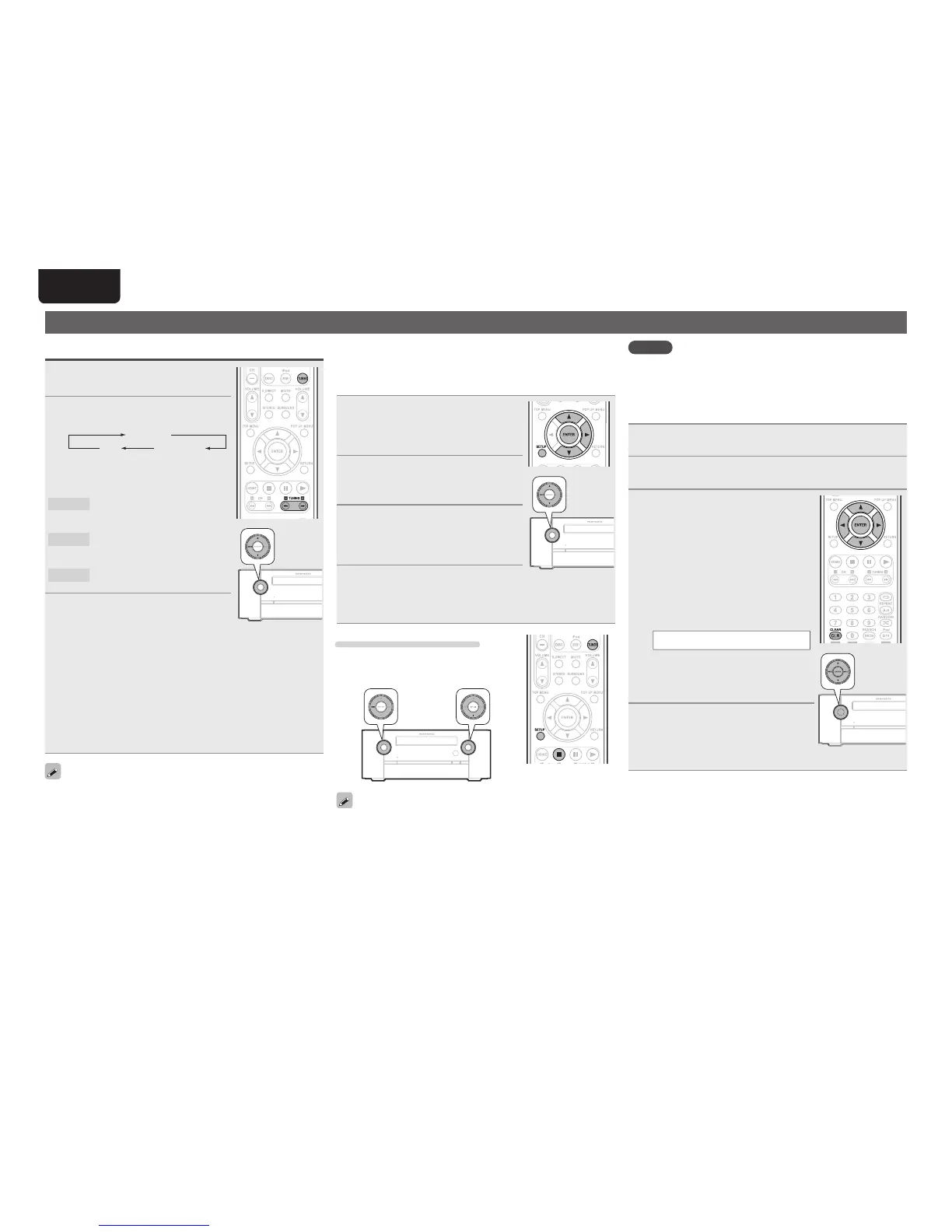
• If you perform operations on this unit, press
and hold MODE for 3 seconds and longer.
2
Use ui to select “TUNER
SETUP”, then press ENTER or
p.
3
Use ui to select “FM AUTO
PRESET”, then press ENTER or
p.
“FM AUTO PRESET” display fl ashes.
4
Press ENTER while “FM AUTO
PRESET” is fl ashing.
Broadcast stations are preset
automatically.
Canceling auto presetting
Press TUNER, SETUP or 2.
• If you perform operations on this unit, press
MODE or 2.
Broadcast stations whose antenna signal are weak cannot be preset
automatically. If you wish to preset such stations, tune them in
manually.
Tuning in radio stations
Listening to FM/AM broadcasts
1
Press TUNER to switch the input
source to “TUNER”.
2
Press TUNER to select the
reception band.
FM AUTO
FM MONO
AM
• If MODE on the main unit is pressed, the
same function as with the remote control
unit can be obtained.
FM AUTO
Select to automatically receive
and listen to analog stereo or
analog monaural FM broadcasts.
FM MONO
Select to receive and listen
to analog stereo as an analog
monaural FM broadcast.
AM
When listening to an AM
broadcast.
3
Tune in the desired broadcast
station.
q To tune in automatically (Auto tuning)
Press and hold in TUNING + or TUNING – to select the station
you want to hear.
• Stations whose signal is weak cannot be tuned in.
• To stop auto tuning, press TUNING + or TUNING –.
w To tune in manually (Manual tuning)
Use TUNING + or TUNING – to select the station you want to
hear.
• You can also perform the same operations by pressing ui on
this unit.
• A humming sound may be heard when using a TV nearby while
receiving AM programs. If this happens, move the system as far
from the TV as possible.
• If the desired station cannot be tuned in with auto tuning, tune it in
manually.
NOTE
When auto preset is performed, the previously registered preset
details are erased. The newly preset FM station is newly registered to
the erased preset number.
n Giving station names to preset channels
Names of up to 8 characters can be input.
1
Tune in the preset channel you want to name.
2
Press ENTER twice.
The display switches to the station name input display.
3
Input the station name.
• Buttons that can be operated are as
follows.
u i: Selects the character.
o p : Moves the cursor to the left or
right.
CLEAR : Deletes the currently selected
character.
CLEAR (Press and hold) : All text is
erased.
• Characters that can be input are as
follows.
A ~ Z, 0 ~ 9, ^ ’ ( )
z
+ , - . / = (space)
• You can also perform the same operations
as o and p on the remote control unit with
the MODE button and the INPUT button on
this unit, respectively.
4
Press ENTER.
The characters you have input are
entered.
• To give names to other stations,
repeat steps 1 to 4.



 To Next Page