Getting
Started
Basic
Connections
Advanced
Connections
Basic
Operations
Advanced
Operations
Other
setting
Settings
Other
information
Explanation
terms
Troubleshooting Specifications Index
29
Advanced
Operations
ENGLISH
Playing a USB memory device
There are two methods for USB memory device playback.
n Use the iPod/USB1 port on the front panel
n Use the USB2 port on the rear panel
(vpage30 “Playing files”)
NOTE
• Note that Marantz will accept no responsibility whatsoever for any
problems arising with the data on a USB memory device when using
this unit in conjunction with the USB memory device.
• USB memory devices will not work via a USB hub.
• Marantz does not guarantee that all USB memory devices will
operate or be supplied power. When using a USB portable hard disk
that can draw power from an AC adapter, we recommend using the
AC adapter.
• It is not possible to connect and use a computer via the USB port of
this unit using a USB cable.
• Copy protected files such as DRM (Digital Rights Management)
protected files are not playable.
Use the iPod/USB1 port on the front panel
Files stored on USB memory devices created in the formats below
can be played.
Playable
Files
(Extension)
File
systems
Sampling
Frequency
Resolution/
size of
image/
Bitrate
Maximum
number of
playable files
and folders
Tag data
AVI
(.avi)
(No Play) – – –
–
WMV
(.wmv)
(No Play) – – –
–
JPEG
(.jpg)
(No Play) – – –
–
MP3
(.mp3)
FAT16/32
32 / 44.1 /
48 kHz
32-320 kbps
File: 6000
Folder: 2000
ID3-Tag
(Ver. 2)
WMA
(.wma)
FAT16/32
44.1 / 48
kHz
48-192 kbps
META
Tag
AAC
(.m4a)
FAT16/32
44.1 / 48
kHz
64-192 kbps
–
NOTE
• If the USB memory device is divided into multiple partitions, only the
top partition can be selected.
• It is not possible to play back LPCM, JPEG or DivX files recorded on
a USB memory device.
• The characters that can be displayed are as follows:
A – Z
a – z
0 – 9
! ” # $ % & : ; < > ? @ l [ ] _ ` | { } ˜ ^ ’ ( ) z + , - . / = (space)
1
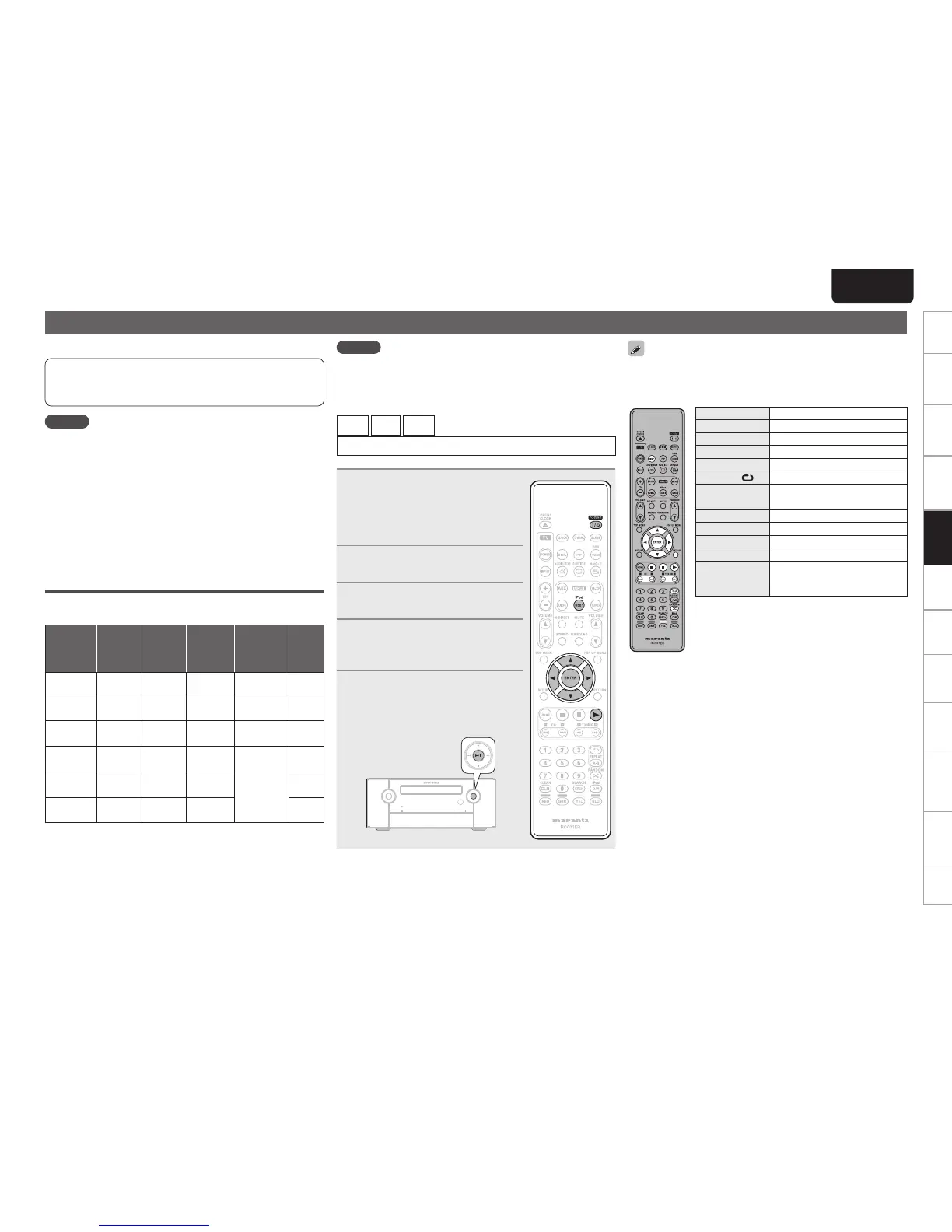
Connect the USB memory
device to the iPod/USB1 port
(vpage 25 “Connecting an iPod
or USB memory device to the
iPod/USB1 port”).
2
Press POWER to turn on power
to the unit.
3
Press iPod/USB1 to switch the
input source to “iPod/USB1”.
4
Use ui to select the item, then
press ENTER or p to select the
le to be played.
5
Press ENTER, p or 1.
Playback starts.
• You can also perform the same operations
by pressing
1/3 on this unit.
You can also perform the same operations as o on the remote control
unit with the MODE button on this unit, respectively.
n USB operation
Operation buttons Function
uio p
Cursor operation
ENTER Enter setting
RETURN Return
RANDOM Random playback
REPEAT
Repeat playback
6 7
(Press and hold)
Manual search
(fast-reverse/fast-forward)
1
Playback
8 9
Skipping to the file
3
Pause
2
Stop
DISP.
Switches between title name/artist
name and title name/album name
displays (in the playback mode)



 To Next Page