46
ENGLISH
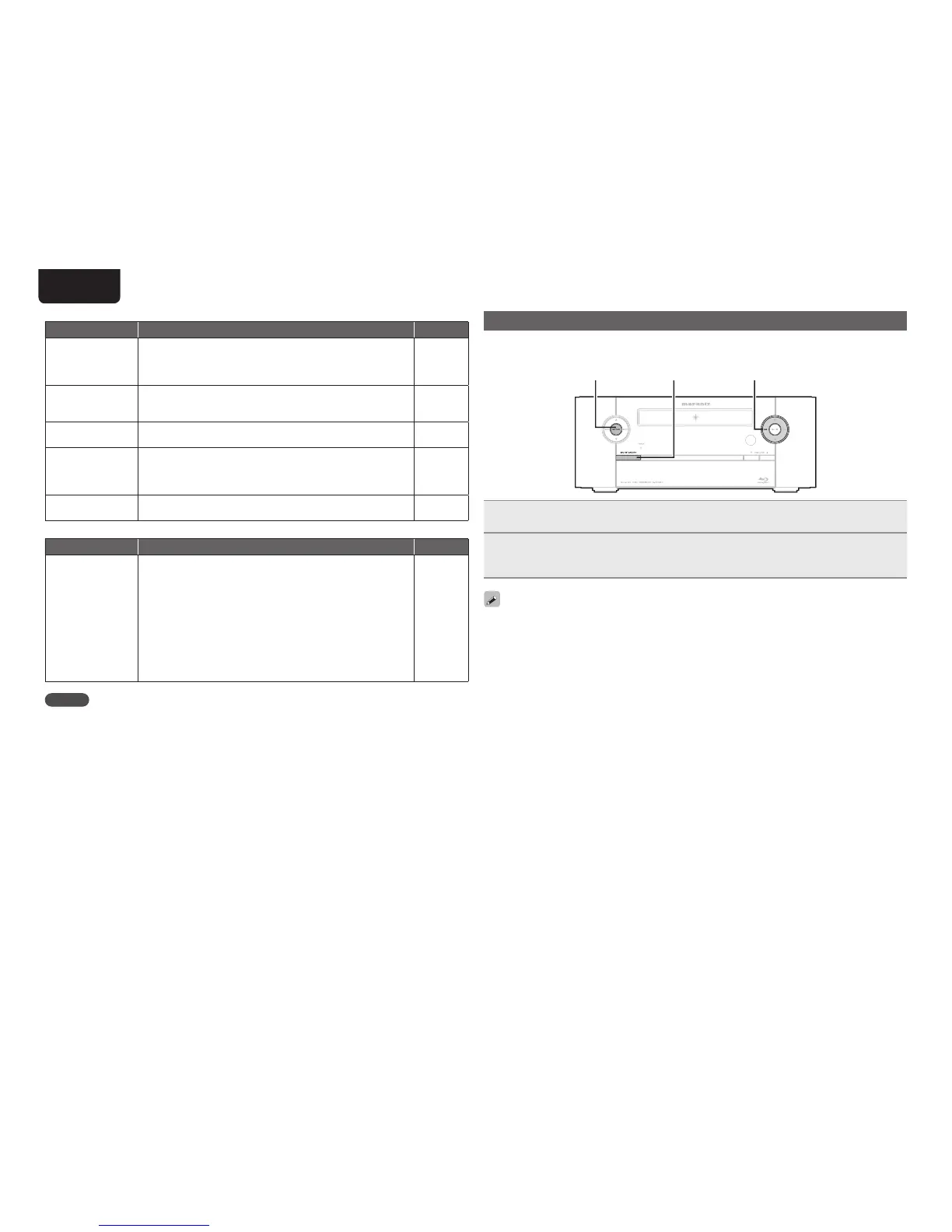
Resetting the microprocessor
Perform this procedure if the display is abnormal or if operations cannot be performed.
When the microprocessor is reset, all the settings are reset to their default values.
8
ON/STANDBYENTER
1
During standby, press ON/STANDBY while pressing 8 and ENTER simultaneously.
2
Once the display starts fl ashing at intervals of about 1 second, release the two
buttons.
“INITIALIZING” is displayed.
If “INITIALIZING” does not display in step 2, start over from step 1.
GiPodH
Symptom Cause/Solution Page
iPod cannot be
played.
• Check the iPod connections.
• Switch the input source to “iPod/USB1”.
• If using an iPod connected to the USB terminal, incompatible iPod
types cannot be played back.
25
28
28
The fi le names
are not displayed
properly (“...”, etc.).
• Characters that cannot be displayed on this unit are replaced by
“.” (period).
28
“Connection Error”
is displayed.
• Unable to communicate properly. Turn off the power to this unit,
disconnect the iPod and then reconnect it.
–
“Not Support” is
displayed.
• The iPod connected to the unit is not compatible. Please make
sure the iPod you are connecting is compatible.
• The software version of the connected iPod is an old one. Please
update to the latest version.
25
–
“Communication
Error” is displayed.
• The iPod is not responding.Turn off the power to this unit,
disconnect the iPod and then reconnect it.
–
GRemote control unitH
Symptom Cause/Solution Page
The set cannot be
operated with the
remote control unit.
• Batteries are worn out. Replace with new batteries.
• Operate the remote control unit within a distance of about 7 m
from this unit and at an angle of within 30°.
• Remove any obstacle between this unit and the remote control
unit.
• Insert the batteries in the proper direction, checking the q and
w marks.
• The set’s remote control sensor is exposed to strong light (direct
sunlight, inverter type fl uorescent bulb light, etc.). Move the set
to a place in which the remote control sensor will not be exposed
to strong light.
7
7
–
7
–
NOTE
• Some function may not be used in some operation status and this is not failure of the unit. Read the
description in this user guide for details on correct operations.
• The volume may differ from disc to disc. This is due to the differences in how the signals are recorded
on the disc, and is not a malfunction.
• Some functions are prohibited on some discs.



 To Next Page