26
ENGLISH
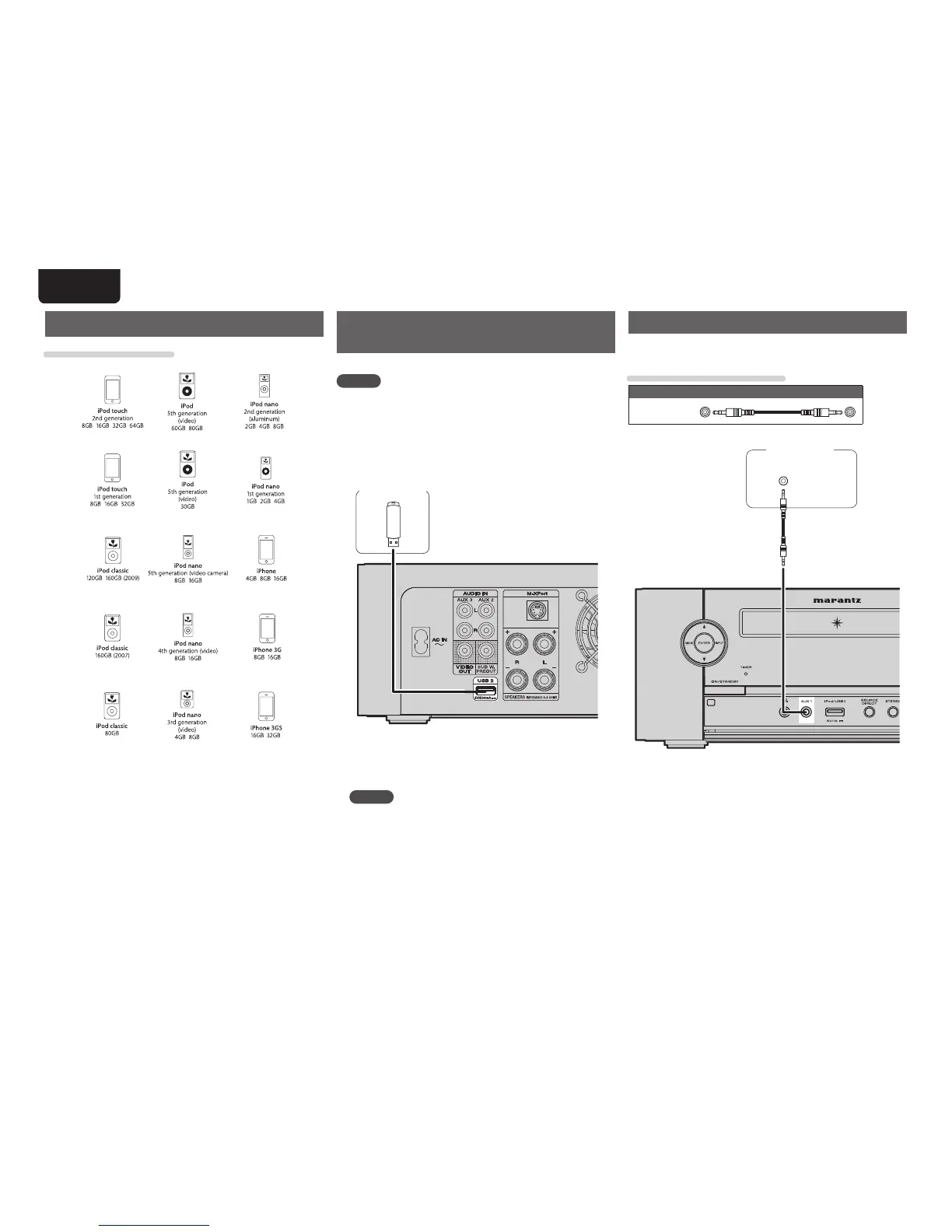
Connecting a portable audio player
Your portable audio player can be connected to this unit’s portable jack
to play tracks on the portable audio player.
Cables used for connections
Audio cable (sold separately)
Stereo mini
plug cable
HEADPHONE
Portable
audio player
Connecting an iPod or USB1 memory device to the iPod/USB1
port
Connecting a USB memory device
to the USB2 port
You can enjoy music, stored on a USB memory device.
NOTE
• iPod cannot be connected.
• A computer can not be connected to and operate the unit via its
USB port.
• Do not use an extension cable when connecting a USB memory
device.
• For details about USB memory devices, see “Playing fi les”
(vpage30).
USB memory
device
n USB memory device for BD-LIVE
To enjoy the BD-LIVE functions, connect a USB memory device
(1GB capadity or greater) supporting FAT32 and USB 2.0 High
Speed (480 Mbit/s) to the USB2 connector (vpage17).
NOTE
The BD-LIVE function cannot be used with the iPod/USB1 port on
the front panel.
Supported iPod models



 To Next Page