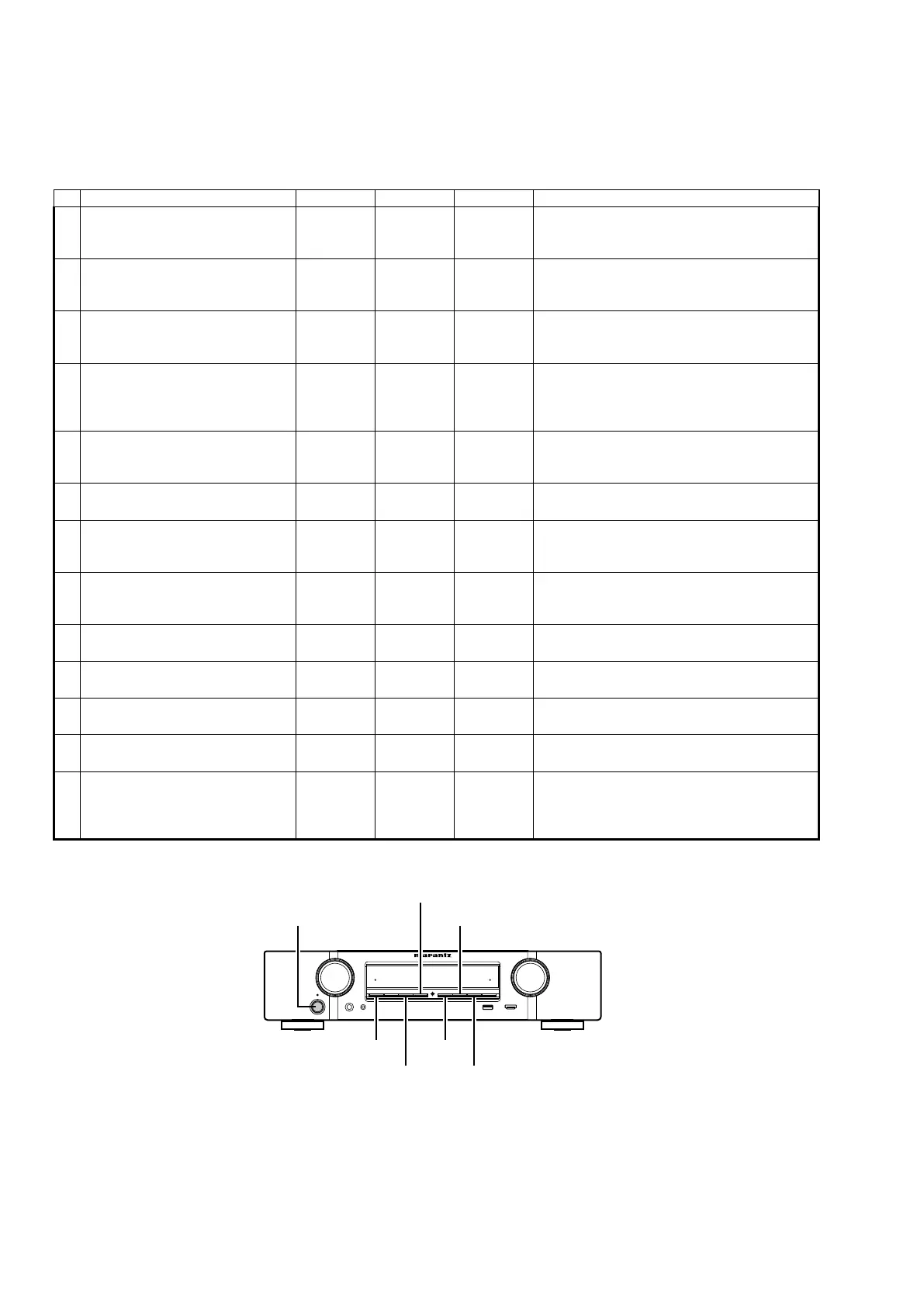
Special mode setting button
b
No.1-6,10,13: Press the "
ON/STANDBY
(
X
)" button to turn on the power while pressing both the button A and the button B at the
same time.
b
No.7-9,11: Turn on the power, then press and hold down the A and B buttons for over 3 seconds.
b
No.12: Turn on the power, then press and hold down the A and B buttons for over 10 seconds.
No. Mode Button A Button B Button C Contents
1
Version display
(μcom/DSP Error Display)
DISPLAY STATUS -
Firmware versions such as Main or DSP are
displayed in the FL Display. Errors are displayed
when they occur. (Refer to 25 page)
2
User Initialization mode
(Installer Setup settings are not
initialized.)
M-DAX
PRESET
CH-
-
Backup data initialization is carried out.
(Installer Setup settings are not initialized.)
3
Factory Initialization mode
(Installer Setup settings are also
initialized.)
PRESET
CH+
PRESET
CH-
-
Backup data initialization is carried out.
(Installer Setup settings are also initialized.)
4
Mode for switching tuner frequency
step
(U/N model only)
DISPLAY
PRESET
CH-
-
Change tuner frequency step to FM:50kHz /
200kHz
Change tuner frequency step to AM:10kHz/9kHz
(U model only)
5
PANEL/REMOTE LOCK Selection
mode
DISPLAY M-DAX -
Selects to reject operations through panel buttons
and the master volume knob on the main unit and
operations via the remote control.
6 Service Related Selection mode STATUS
PRESET
CH-
-
Selects the “Diagnostic mode” or “Displaying the
protection history mode”.
7 Memory Backup
PRESET
CH+
PRESET
CH-
-
Backup of DUAL BACKUP MEMORY is
performed.
(Refer to 45 page)
8 Memory Recovery DISPLAY
PRESET
CH+
-
Recovery of DUAL BACKUP MEMORY is
performed.
(Refer to 45 page)
9 Memory Backup Clear
PRESET
CH+
SOUND
MODE
-
Backup of DUAL BACKUP MEMORY is cleared.
(Refer to 45 page)
10 Protection pass mode DISPLAY STATUS
SOUND
MODE
Turns the power on with the Protection detection
disabled.
11 DM860A Reboot mode DISPLAY
SOUND
MODE
- Restarts DM860.
12 NETWORK Initialization mode DISPLAY
PRESET
CH-
- Initializes NETWORK related settings.
13 Installer Setup mode STATUS
SOUND
MODE
-
Access the Remote Maintenance mode via the
internet.Installer Setup is displayed on GUI/Option
Menu.
b
Refer to AVR_RemoteMaintenance_.pdf of SDI.
X ON/STANDBY
DISPLAYM-DAX
STATUS
PRESET CH +
PRESET CH - SOUND MODE
SPECIAL MODE
24















 To Next Page