3. How to update by USB Memory
You can update the rmware by downloading the latest version with USB Memory.
3.1. Connecting to the USB
(1) Requirements
• The USB memory device format should be set to FAT16 or FAT32.
• USB memory devices will not work via a USB hub.
• It is not possible to use this unit by connecting the unit’s USB port to a PC via a USB cable.
• Do not use an extension cable when connecting a USB memory device.
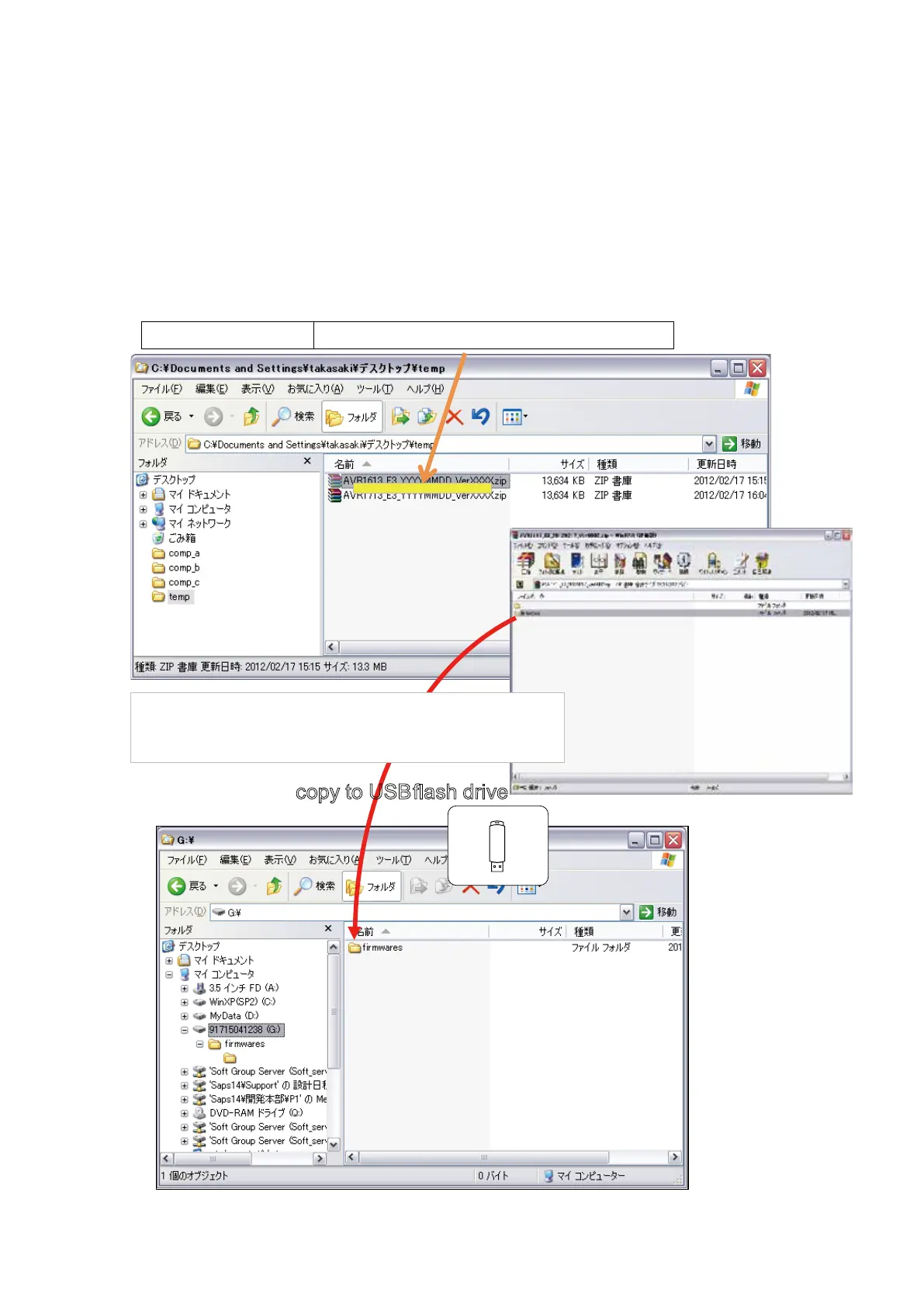
3.2. Unzip Download File
Pleases unzip the downloaded le on PC.
s
s
copy to USB flash drive
You can find "firmwares" folder aer unzipped. Please copy
that folder to USB flash drive. You have to put "firmwares"
folder on root directly on USB flash drive(memory).
NR1504
USB_NR1504U_100100190100-0001.zip
100100190100
61















 To Next Page