49
File Rename
1.
From Stop, press and hold the DISPLAY button for one
second.
DISPLAY
MENU/STORE
SKIP
RETAKE
BACK
VOL
ENTER
VOL
2.
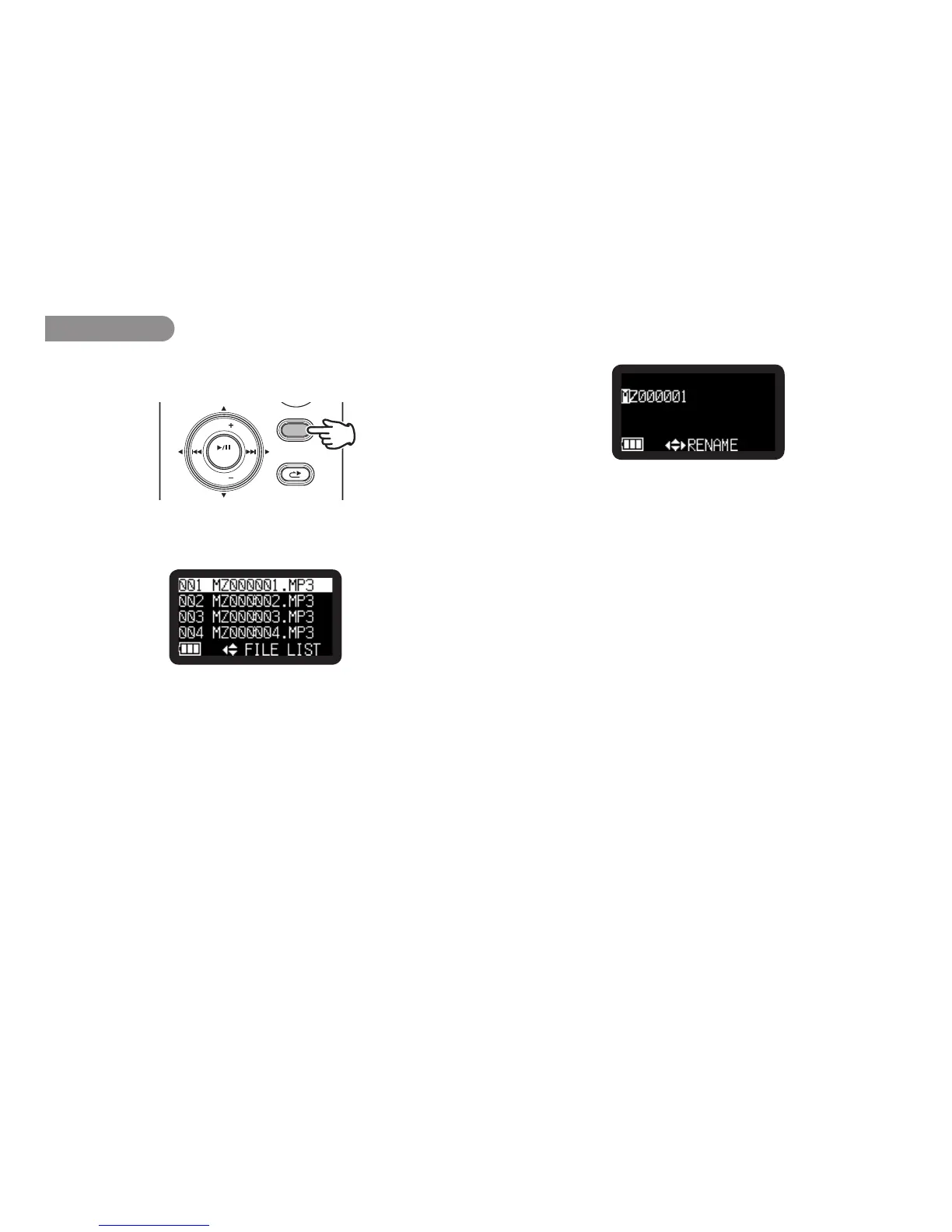
Press the VOL + or VOL – button to select “File List”. Then
press the 1/3/ENTER button.
• Filelistappearsinthedisplay.
• PresstheSTOP/CANCEL button to return to Stop mode.
3.
Press the VOL + or VOL – button to select the file. Then press
the 1/3/ENTER button to enter the File list Menu.
• Pressthe8 button to return to the File list.
• PresstheSTOP/CANCEL button to return to Stop mode.
4.
Press the VOL + or VOL – button to select “Rename”. Then
press the 1/3/ENTER button to access the rename window.
5.
Rename the file title.
Text can be inserted and deleted. Press the 8 or 9
button to move the cursor to the place you wish to insert text
into or delete text from.
To insert text
Press the VOL + or VOL – button to select the character
you want to insert. When the character that you want
to insert is displayed, press the 1/3/ENTER button to
enter the character. The selected character for insertion is
highlighted.
To delete text
Press the SKIP BACK button to delete the selected
character.



 To Next Page