76
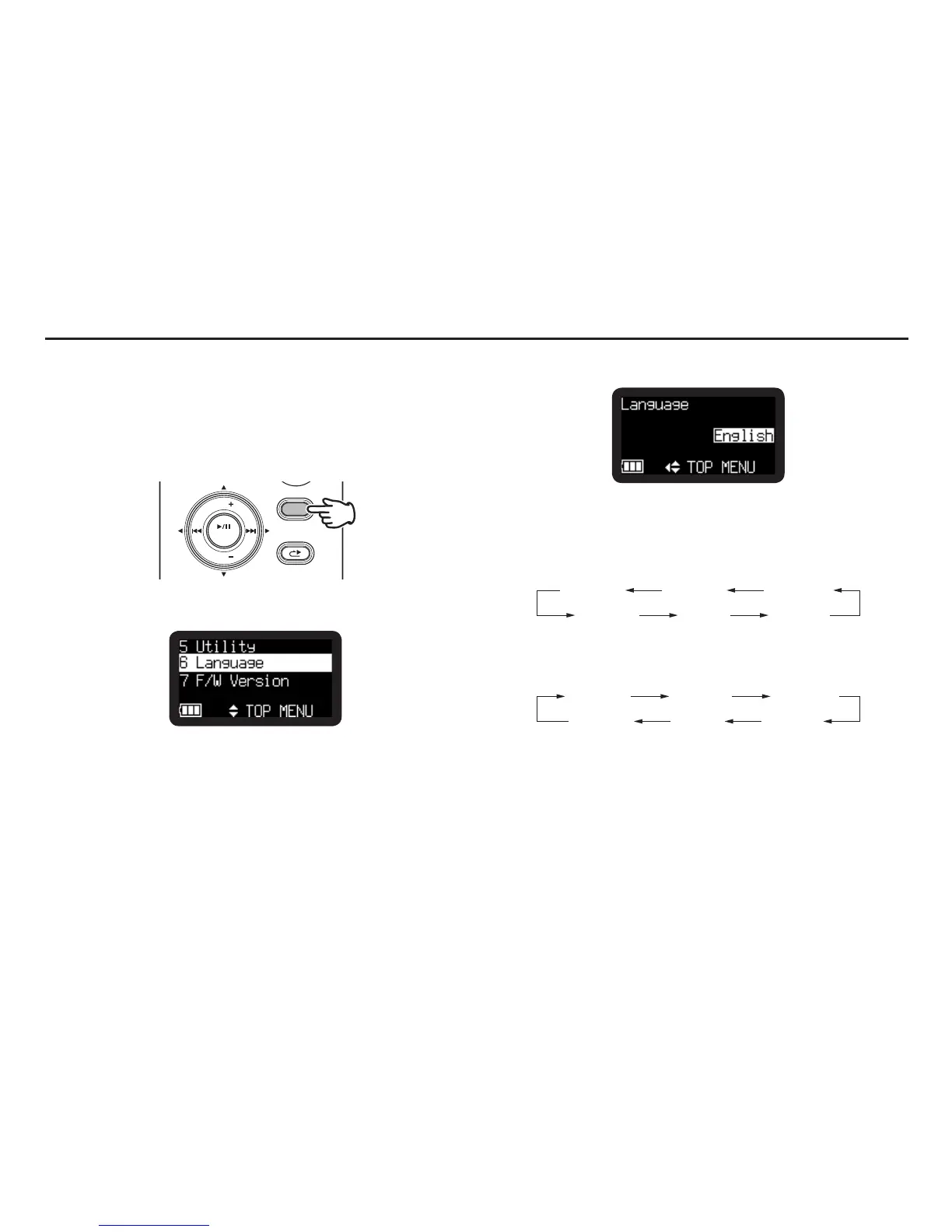
Select Language
The Language menu item allows you to choose a display
language (English, French, Spanish, German, Italian and
Swedish).
1.
From Stop, press and hold the DISPLAY button for one
second.
DISPLAY
MENU/STORE
SKIP
RETAKE
BACK
VOL
ENTER
VOL
2.
Press the VOL + or VOL – button to select “Language”.
3.
Press the 1/3/ENTER button to enter the Language setting.
• PresstheSTOP/CANCEL button to cancel.
• PresstheVOL + or VOL − button to select the item.
• Thedisplay languageswitches asshown beloweach time
the VOL + button is pressed.
English French
ItalianSwedish
Spanish
German
• Thedisplay languageswitches asshown beloweach time
the VOL – button is pressed.
English French
ItalianSwedish
Spanish
German
• Pressthe8 button to return to the Top Menu.
4.
Press the DISPLAY button to store the changes.
• PresstheSTOP/CANCEL button to exit Menu mode without
storing any changes.



 To Next Page