NAMES AND
FUNCTIONS
17
BASIC
CONNECTIONS
BASIC
OPERATION
ADVANCED
CONNECTIONS
SETUP
ADVANCED
OPERATION
TROUBLESHOOTING
OTHERS SETUP
SETUP
SPK LEVEL
Here you will set the volume for each speaker so
that they are all heard by the listener at the same
level.
1. Select SPK LEVEL in SETUP MENU with 3
or 4 cursor button, and press the ENTER
button.
2. To select desired channel, press the 1 or 2
cursor buttons.
3. Using the 3 or 4 cursor buttons, adjust the
volume level of each channel.
4. After you complete this portion of the set
up, press the EXIT button.
SPK SIZE
Here, set the unit to the size of the speakers you
have.
1. Select “SPK SIZE” in SETUP MENU with 3
or 4 cursor button, and press the ENTER
button.
When setting the speaker size in the SPK SIZE sub-
menu, use the guidelines given below.
LRG:
The complete frequency range for the channel you
are setting will be output from the speaker.
SML:
Frequencies of the channel you are setting lower
than approx. 100 Hz will be output from the
subwoofer.
If the Subwoofer is set to “NONE”, the setting of
the front speakers will be fi xed to “LRG,” and the
sound will be output from both the left and right
speakers.
2. To select the each speaker, press the 1 or 2
cursor buttons.
3. To select the setting of each speaker size,
press the 3 or 4 cursor buttons.
4. After you complete this portion of the set
up, press the EXIT button.
FRNT
LRG:
Select if the front speakers are large.
SML:
Select if the front speakers are small.
CNTR
LRG:
Select if the center speaker is large.
SML:
Select if the center speaker is small.
NONE:
Select if no center speaker is connected.
SURR
LRG:
Select if the surround left and right speakers are
large.
SML:
Select if the surround left and right speakers are
small.
NONE:
Select if no surround left and right speakers are
connected.
SUB
YES:
Select when a subwoofer is connected.
NONE:
Select when a subwoofer is not connected.
If the front speakers are set to “SML”, the setting
of the subwoofer will be set to “YES”.
SPK DIST
Use this parameter to specify the distance of each
speaker’s position from the listening position. The
delay time is automatically calculated according to
these distances.
Begin by determining the ideal or most commonly
used seating position in the room.
This is important for the timing of the acoustics to
create the proper sound space that the unit and
today’s sound systems are able to produce.
Note
For speakers that you have selected “NONE” the
Speaker Confi guration sub-menu will not appear
here.
1. Select SPK DIST in SETUP MENU with 3
or 4 cursor button, and press the ENTER
button.
2. To select each speaker , press the 1 or 2
cursor buttons.
3. To set the distance for each speaker , press
the 3 or 4 cursor buttons.
4. After you complete this portion of the set
up, press the ENTER button.
FRONT:
Set the distance from the front left and right
speakers to your normal listening position.
CENTER:
Set the distance from the center speaker to your
normal listening position.
SURR.:
Set the distance from the surround left and right
speakers to your normal listening position.
SUB W:
Set the distance from the subwoofer to your normal
listening position.
Note
• Set the distance to each speaker in meters (m) or
feet (ft) as follows.
m: 0.3 - 9 m in 0.3 m steps
ft: 1 - 30 ft in 0.1 ft steps
TEST TONE
〉〉〉
FL
Maximum
+10dB
+9dB
0dB
-9dB
-10dB
1dB interval
1dB interval
Minimum
〉〉
CT
〈〈
FR
〈〈〈
SR
〈〈
〉〉
SW
〈〈
〉〉
SL
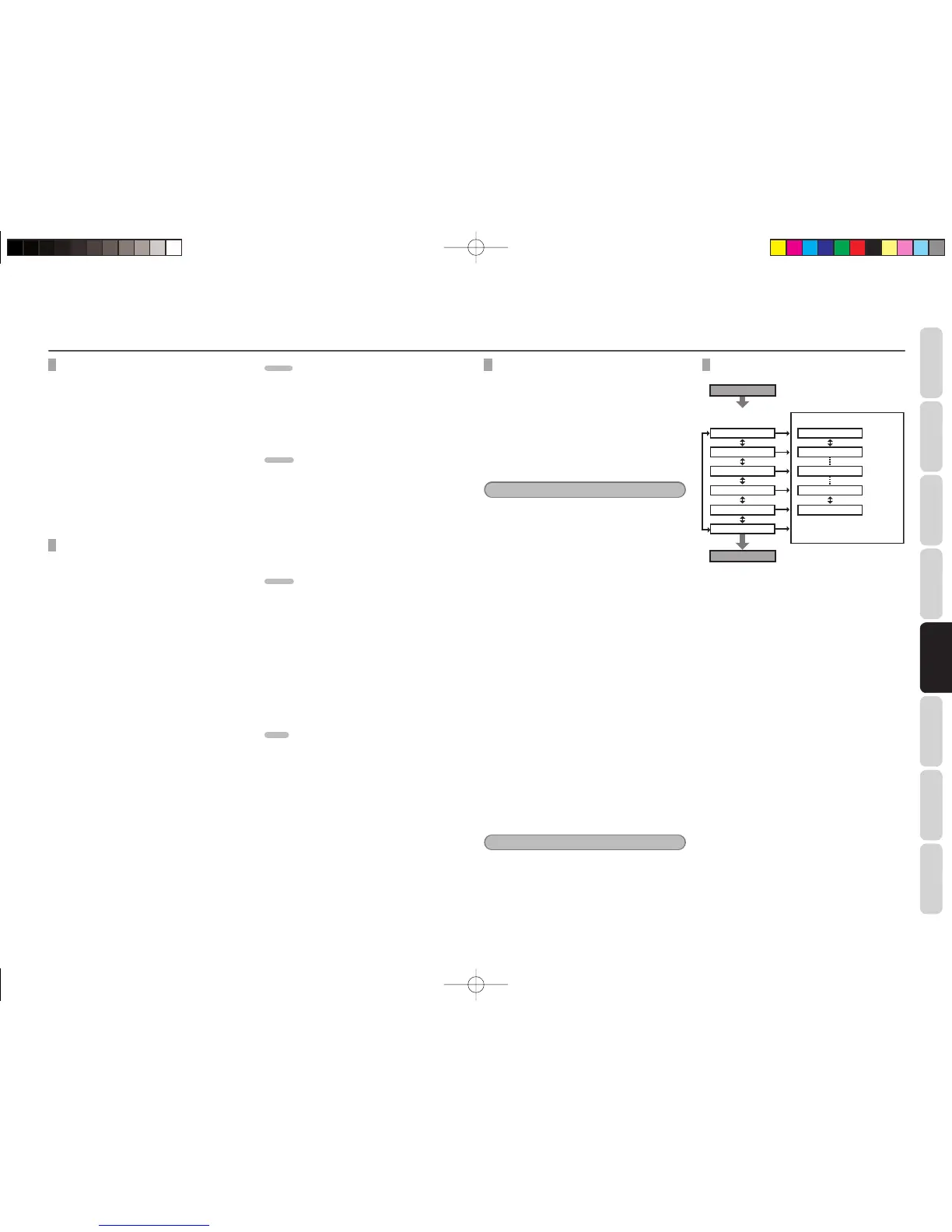
Press T.TONE button on the
remote controller.
Automatically change
the channel
3
/
4
button
T.TONE
Press T.TONE button to exit
from Test Tone mode.
T.TONE
1. Press the T.TONE button on the remote
controller.
2. The test tone will be cycled through in a
circular pattern which is FL → CT → FR →
SR → SW → SL → FL → .. increments of 5
seconds for each channel.
Using the 3 or 4 cursor buttons, adjust
the volume level of the noise from the
speaker so that it is the same level for all
the speakers.
3. After you complete this portion of the set
up, press the T.TONE button.
SR3053S01ENG.indd17SR3053S01ENG.indd17 09.4.2111:46:54AM09.4.2111:46:54AM


 To Next Page