NAMES AND
FUNCTIONS
18
BASIC
CONNECTIONS
BASIC
OPERATION
ADVANCED
CONNECTIONS
SETUP
ADVANCED
OPERATION
TROUBLESHOOTING
OTHERSSETUP
SETUP
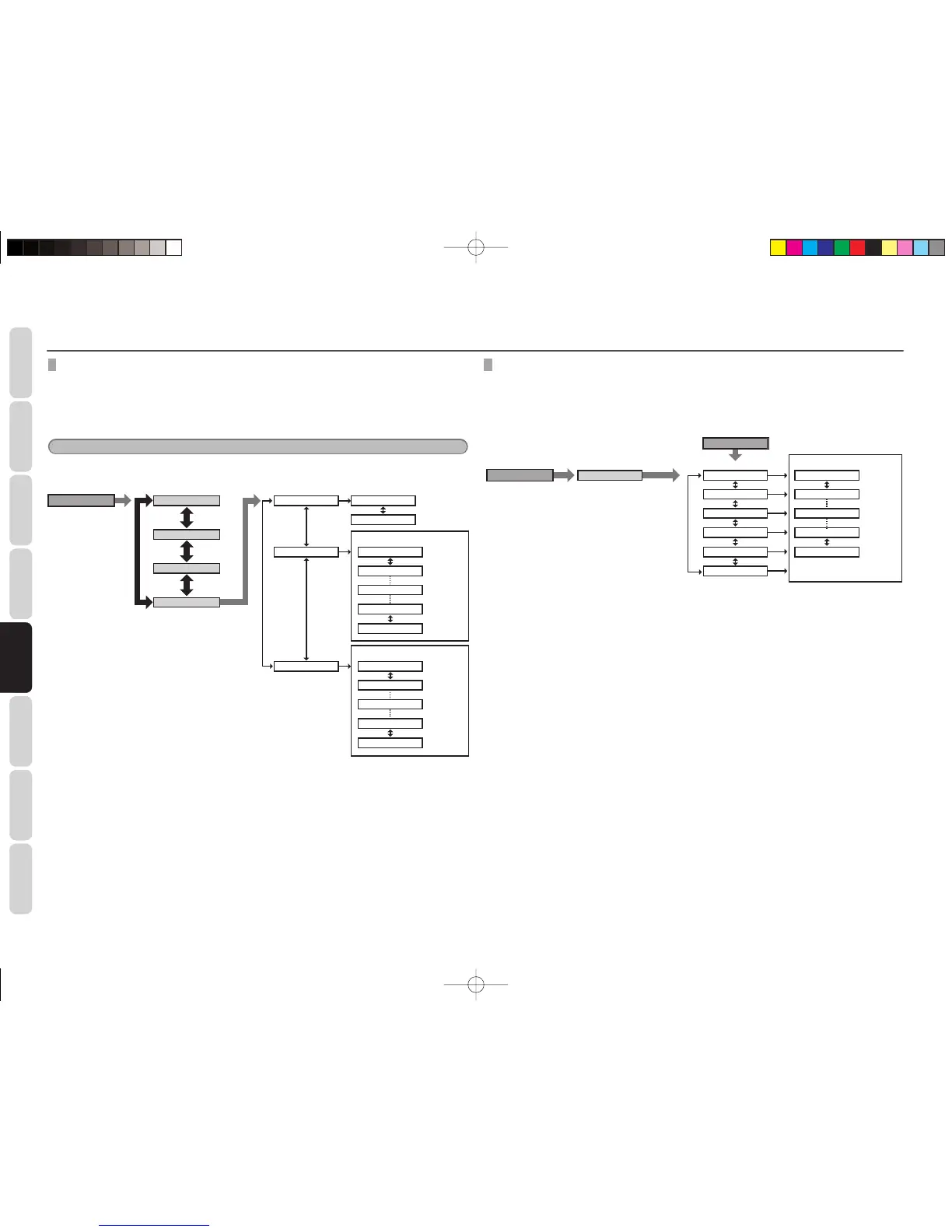
PL II (DOLBY PRO LOGIC II) MUSIC PARAMETER
Dolby Pro Logic II -Music mode creates a rich and enveloping surround ambience from stereo sources such
as CDs.
In this mode, this unit include three controls to fi ne-tune the soundfi eld as follows.
Select “PL II MODE” in the SETUP MENU with the 3 or 4 cursor buttons, and press the ENTER button.
Note
This mode can be operated when the Surround mode is set to PL II MUSIC.
MENU
Press MENU button.
ENTER
button
PANO
Maximum
+3
+2
STD
-2
-3
initial Value
Minimum
DIMEN
CT WID
Surround mode : PL
II
Music
3
/
4
button
1
/
2
button
OFF
ON
3
/
4
button
3
/
4
button
Maximum
7
6
3
1
0
initial Value
Minimum
3
/
4
button
SPK LEVEL
SPK SIZE
SPK DIST
PL
II
MODE
5.1 CH INPUT LEVEL
This sub-menu is to adjust the speaker levels for 5.1-channel input sources.
Here you will adjust the volume for each channel so that they are all heard by the listener at the same
level.
Pressing the 5.1CH button on the supplied remote controller, select 5.1CH input as the function.
MENU
Press MENU button.
ENTER
button
FL Maximum
+10dB
+9dB
0dB
-9dB
-10dB
1dB interval
1dB interval
Minimum
CT
FR
SR
SL
SW
Press LEVEL button on the remote
controller. (Function:5.1CH IN)
3
/
4
button
1
/
2
button
3
/
4
button
SPK LEVEL
LEVEL
PANO:
Select the Panorama mode ON or OFF with the 3
or 4 cursor buttons.
Panorama wraps the sound of the front left and right
speakers around you, for an exciting perspective.
DIMEN:
Set the Dimension level between +3 and –3 level in
1 level intervals with the 3 or 4 cursor buttons.
Adjust the soundfi eld either towards the front or
towards the rear.
This can be useful to help achieve a more suitable
balance from all the speakers with certain recordings.
CT WID:
Set the Center width level between 0 and 7 in 1
level intervals with the 3 or 4 cursor buttons.
Center Width allows you to gradually spread the center
channel sound into the front left and right speakers.
At its widest setting, all the sound from the center
is mixed into the left and right.
This control may help achieve a more spacious
sound or a better blend for the front image.
If “NONE” was selected for the Center speaker
setting, in the Speaker size set up menu, then this
setting will not appear.
After you complete this portion of the set up, press
the EXIT button.
1. Select “SPK LEVEL” in the SETUP MENU
with the 3 or 4 cursor buttons, and press
the ENTER button.
2. To Select desired channel , press the 1 or 2
cursor buttons.
3. Using the 1 or 2 cursor buttons, adjust the
volume level of each channel.
4. After you complete this portion of the set
up, press the EXIT button.
SR3053S01ENG.indd18SR3053S01ENG.indd18 09.4.2111:46:54AM09.4.2111:46:54AM


 To Next Page