EasyManua.ls Logo

Marantz SR3053 - User Manual

Marantz SR3053
31 pages
Print Icon
To Next Page IconTo Next Page
Loading...
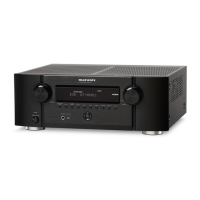
AV Surround Receiver
SR3053
SR3053S00cover.indd3SR3053S00cover.indd3 09.4.2111:46:21AM09.4.2111:46:21AM

Questions and Answers

  • H
    hillshawnAug 21, 2025
    Why is there no sound coming from my Marantz SR3053 Receiver?
    • J
      Jacob KingAug 21, 2025
      If there's no sound coming from your Marantz Receiver, start by checking the input cables to ensure they are fully connected between the receiver and your source component, like a CD player. Verify that the input selector is set to the correct input terminal. Also, make sure the volume isn't too low and that the mute function is not activated. Finally, ensure headphones are not connected to the unit.
  • J
    jeffreymccannSep 4, 2025
    Why is there noise when receiving FM signal on my Marantz SR3053?
    • S
      Susan CoxSep 4, 2025
      If you're experiencing noise when receiving an FM signal on your Marantz Receiver, it could be due to a weak signal from the broadcasting station. Consider putting up an outdoor FM antenna.
  • M
    Monica YoungSep 2, 2025
    What to do if my Marantz SR3053 Receiver display is not working properly?
    • H
      Henry MillerSep 2, 2025
      If the display on your Marantz Receiver isn't displaying properly, unplug the power supply cord and then plug it in again. The unit uses a computer, which on rare occasions can malfunction if affected by static electricity, lightning, or similar disturbances.
  • R
    Robert LewisSep 1, 2025
    Why does the sound image not localize correctly on my Marantz SR3053?
    • J
      John CrossSep 1, 2025
      If the sound image from your Marantz Receiver doesn't localize correctly and sounds unnatural, unplug the power supply cord and check the speaker cable connections. Incorrect polarity (+/-) of speaker cables or incorrect speaker positions and cable connections can cause this issue.
  • E
    Erin TurnerAug 30, 2025
    Why is there noise when receiving AM signal on my Marantz Receiver?
    • M
      mfischerAug 30, 2025
      If you're hearing noise when receiving an AM signal on your Marantz Receiver, it might be due to interference from other equipment. Try changing the location of the AM antenna.
  • J
    Jackson ZimmermanAug 29, 2025
    Why is the HDMI connection unstable on my Marantz SR3053?
    • B
      Brandon LarsenAug 29, 2025
      If you're experiencing unstable image and audio over an HDMI connection with your Marantz Receiver, and there's noise or stream interruptions, it might be due to a long cable. Try using a shorter cable, and it's recommended to use a cable no longer than 5 meters. Also, use a Category 2 (high-speed supported) cable.
  • A
    Anna YoungAug 27, 2025
    What does it mean when the standby indicator is blinking slowly on my Marantz Receiver?
    • A
      Andrew BooneAug 28, 2025
      If the STANDBY indicator on your Marantz Receiver is blinking slowly (twice a second), it could be due to several reasons: a short-circuited speaker cable, the unit being played at a higher volume than intended, using speakers with lower impedance than required, or the unit overheating in a confined space. Unplug the power supply cord and check the speaker cable connections. Turn the volume down. Always use speakers with the required impedance and ensure there's enough space around the unit for ventilation. If the problem persists, unplug the power supply cord and have the unit serviced.
  • J
    Juan JohnsonAug 27, 2025
    Why is my Marantz SR3053 Receiver subwoofer not working?
    • P
      Paige LopezAug 27, 2025
      If you're not getting any sound from the subwoofer connected to your Marantz Receiver, first ensure that the subwoofer is turned on. Then, check the subwoofer level and raise it if it's too low. Finally, verify that the SPEAKER SIZE menu is set to SUBWOOFER = YES (SUB = YES).
  • S
    Stephanie MooreAug 25, 2025
    Why is there no image on my TV over HDMI from my Marantz Receiver?
    • S
      stanleydunnAug 26, 2025
      If you're not getting an image on your monitor TV via HDMI connection with your Marantz Receiver, start by checking the HDMI cable connection to ensure it's properly connected. If the cable is longer than 5 meters, try using a shorter cable for stable operation. Also, ensure that the unit’s HDMI settings are correct. Turn on the main power to the unit, as HDMI connections are not enabled when the unit is in Standby mode.
  • A
    Amy McdanielAug 23, 2025
    What to do if my Marantz SR3053 does not turn on?
    • P
      Pamela DixonAug 23, 2025
      If your Marantz Receiver isn't turning on, check the power supply cord connections. Ensure the cord is firmly inserted into both the unit and the power outlet.

Summary

BEFORE USE

EQUIPMENT MAINS WORKING SETTING

Details on setting up the unit's mains working parameters for proper operation.

DO NOT LOCATE IN THE FOLLOWING PLACES

Guidance on ideal and unsuitable locations for the AV receiver to ensure longevity.

USAGE OF REMOTE CONTROLLER

Instructions for loading batteries and operating the remote controller.

NAMES AND FUNCTIONS

FRONT PANEL

Identifies and explains the controls and indicators on the front of the unit.

FL DISPLAY AND INDICATOR

Details the various indicators displayed on the front panel's FL display.

REMOTE CONTROLLER

Explains the functions of the buttons on the Marantz remote control.

REAR PANEL

Identifies and explains the connection terminals on the rear of the unit.

BASIC CONNECTIONS

SPEAKER PLACEMENT

Guidelines for optimal placement of speakers around the listening area.

CONNECTING SPEAKERS

Instructions for connecting speaker wires to the unit's terminals.

CONNECTING THE ANTENNAS

CONNECTING THE SUPPLIED ANTENNAS

Instructions for connecting the supplied FM and AM antennas for indoor use.

ASSEMBLING THE AM LOOP ANTENNA

Step-by-step guide for assembling the AM loop antenna.

CONNECTING THE AM ANTENNA CABLE

How to connect the AM antenna cable for proper reception.

CONNECTING AN OUTDOOR ANTENNAS

Guidance on connecting outdoor antennas for improved reception quality.

AMP OPERATION

TURNING ON THE UNIT

Steps to turn the unit on, including using the power switch and remote.

SELECTING AN INPUT SOURCE

How to choose the desired input source for playback.

BASIC OPERATION

ADJUSTING THE MAIN VOLUME

How to adjust the overall sound level using the unit or remote.

ADJUSTING THE TONE (BASS & TREBLE) CONTROL

Instructions for adjusting bass and treble to suit listening preferences.

TEMPORARILY TURNING OFF THE SOUND

How to mute the audio output temporarily using the MUTE button.

TUNER OPERATION

AUTO TUNING

Automatically scans and stores available radio stations.

MANUAL TUNING

How to manually tune into specific radio frequencies.

FM TUNING MODE (AUTO STEREO OR MONO)

How to select between stereo and mono reception for FM broadcasts.

Marantz SR3053 Specifications

General IconGeneral
Power output100W per channel (8 ohms, 20Hz-20kHz, 0.08% THD)
Frequency response10Hz-100kHz (+1, -3dB)
Total harmonic distortion0.08%
Dimensions440 x 126 x 344mm
Weight11.5 kg
Amplifier Channels5.1
Input sensitivity200mV
Video Connectionscomposite, S-Video
Digital Inputscoaxial, optical
Analog InputsRCA

Related product manuals