19
ENGLISH
2-2. SPEAKERS DISTANCE
Use this parameter to specify the distance of each
speaker’s position from the listening position. The
delay time is automatically calculated according to
these distances.
Begin by determining the ideal or most commonly
used seating position in the room.
This is important for the timing of the acoustics to
create the proper sound space that the SR4500
and today’s sound systems are able to produce.
Note that the speakers that you selected “None”
for in the Speaker Config sub-menu will not appear
here.
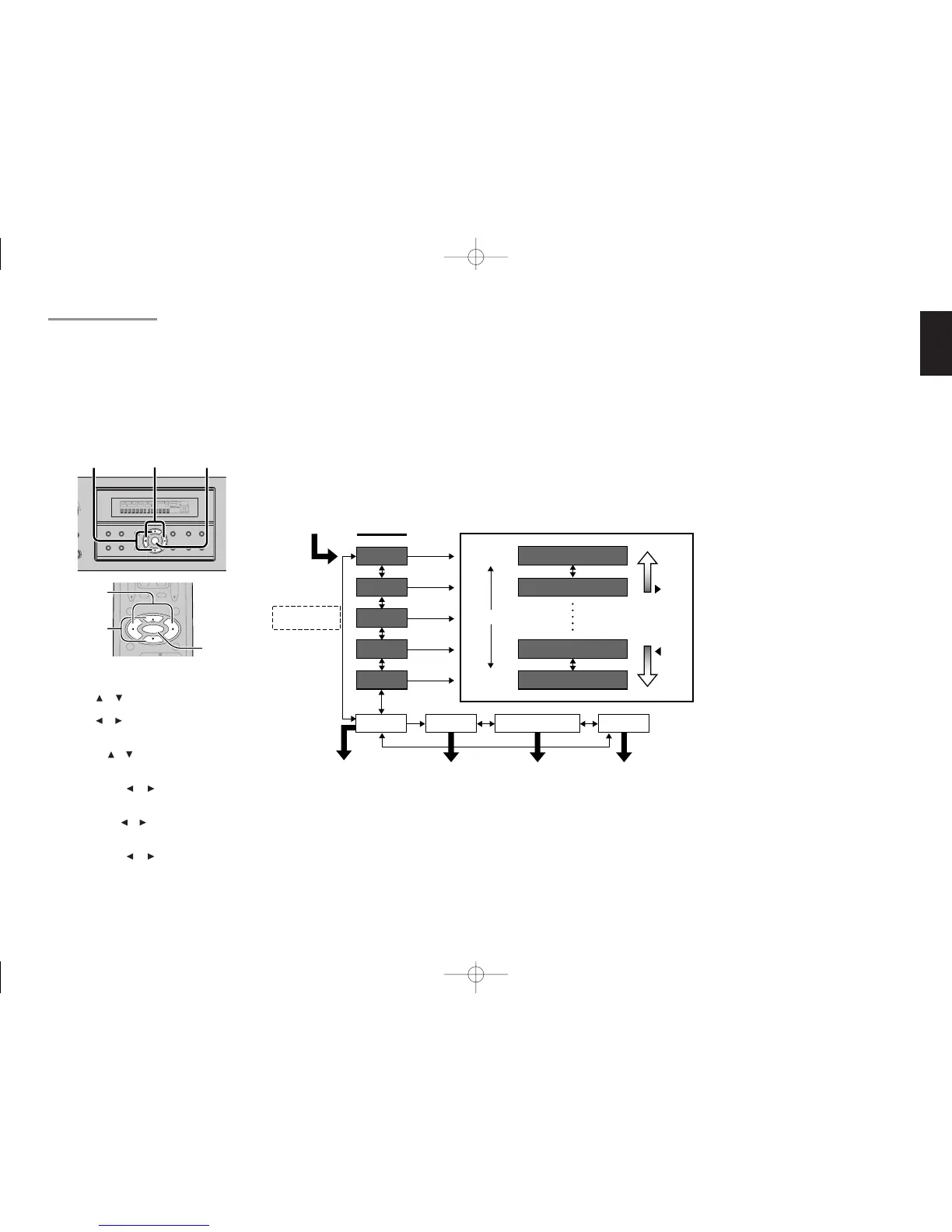
1.
Enter to the “2-2. Speakers Distance” from the
previous “2-1. Speakers Size”.
2.
Press or cursor button to select the each
speaker.
3.
Press or cursor button to set the distance
from your listening position for each speaker.
4.
After finishing the Speaker Distance setup,
press the or cursor button to select “NEXT”.
5.
Press the ENTER button to enter the next
“Speaker Level” setup.
Or press the or cursor button to select
“EXIT” then press the ENTER button to exit
the SETUP MENU.
Or press the or cursor button to select “TO
MAIN MENU” then press the ENTER button to
return the SETUP MENU.
Or press the or cursor button to select
“RETURN” then press the ENTER button to
return the previous “2-2. Speakers Distance”
setup.
L&R :
Set the distance from the front left and right
speakers to your normal listening position
between 1 and 30 feet in 1.0 foot interval (0.3 to
9 meters in 0.3-meter intervals).
C :
Set the distance from the center speaker to your
normal listening position between 1 and 30 feet
in 1.0 foot interval
(0.3 to 9 meters in 0.3-meter intervals).
SL&SR:
Set the distance from the surround left and right
speaker to your normal listening position
between 1 and 30 feet in 1.0 foot interval (0.3 to
9 meters in 0.3-meter intervals).
4. 5.
2. 5.
1. 3. 5.
MENU STRUCTURE of Speakers Distance setup
SW :
Set the distance from the subwoofer to your
normal listening position between 1 and 30 feet
in 1.0-foot intervals (0.3 to 9 meters in 0.3-meter
intervals).
SB:
Set the distance from a surround back speaker
to your normal listening position between 1 and
30 feet in 1.0-foot intervals (0.3 to 9 meters in
0.3-meter intervals).
Note:
• Speakers that you selected “No” or “None” for in
the Speaker Size menu will not appear.
SR4500NDFU01ENG22 04.5.14, 4:21 PMPage 19 AdobePageMaker6.5J/PPC



 To Next Page