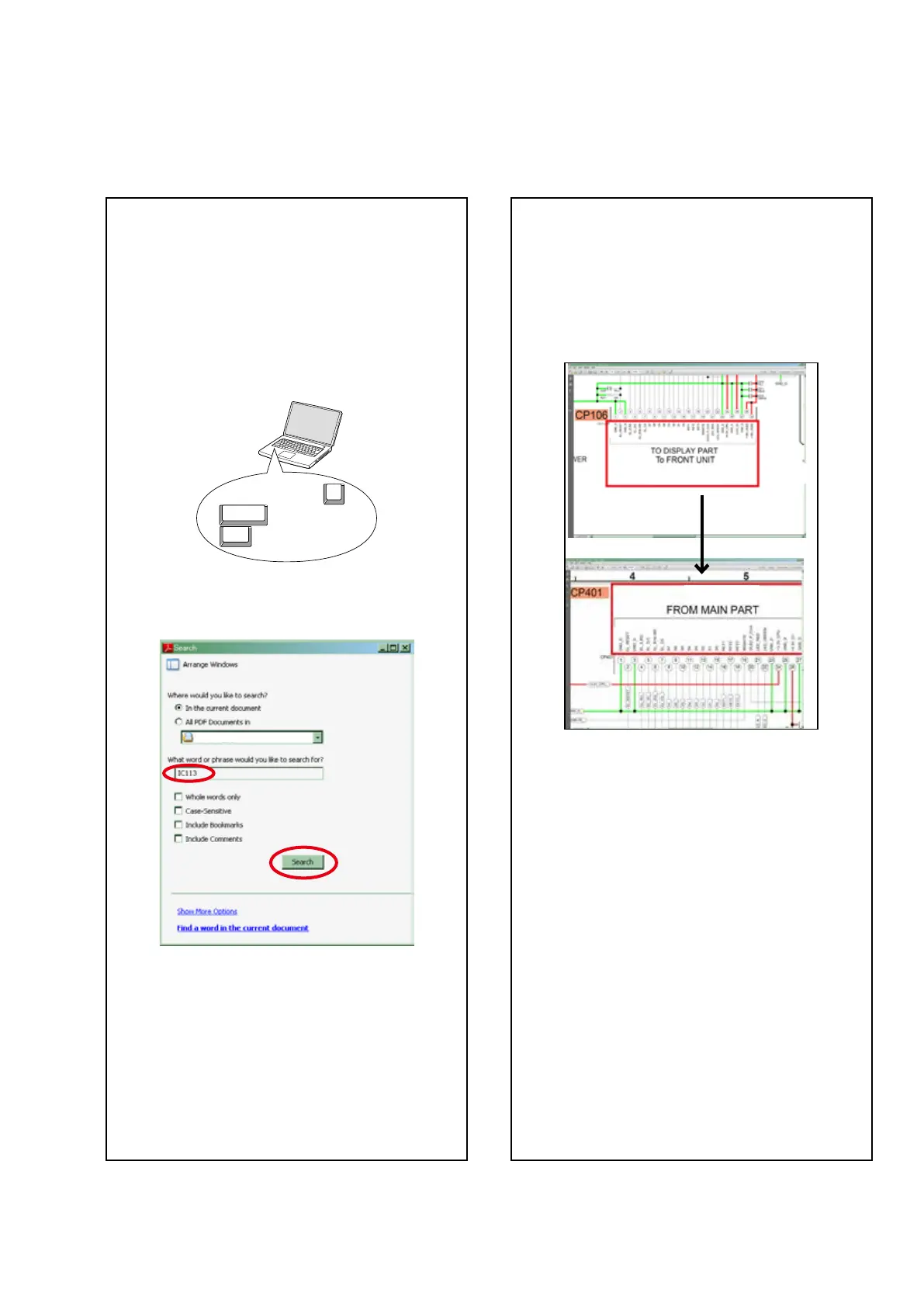
Jump to the target of a schematic
diagram connector
Click the Ref. No. of the target connector in the red
box around a schematic diagram connector.
•The screen jumps to the target connector.
•Pagemagnicationstaysthesameasbeforethe
jump.
ABOUT THIS MANUAL
Read the following information before using the service manual.
What you can do with this manual
Search for a Ref. No. (phrase)
(Ctrl+Shift+F)
You can use the search function in Acrobat Reader to
search for a Ref. No. in schematic diagrams, printed
wiring board diagrams, block diagrams, and parts
lists.
1.Press Ctrl+Shift+F on the keyboard.
• The Search window appears.
2.Enter the Ref. No. you want to search for in the
Search window, and then click the Search button.
•A list of search results appears.
3.Click an item on the list.
• The screen jumps to the page for that item, and the
search phrase is displayed.
Ctrl
Shift
F
3





 To Next Page