P : P is pause
P: Y = The pin wait for the next signal after last letter is marked.
(To wait for next time start signal) Not output END signal
P: N = The pin returns back to home automatically.
DATA Screen : Input the data
All letters and fonts in the keyboard can be used. Ex) JEIL MTECH CO.,LTD
Can not mark"@" because it recognized as automatic variable command word.
In case you input like ISAAC@PINMARKING.COM , the letters which are located behind @ can not be
marked correctly because controller recognized it as automatic variable command.
l *Remark*
Moving the block on the single block mode : (↓,↑)
Moving the block on the multi block : First 2 main block (Pagn Down, Pagn Up) Last 2 block : (↑,↓)
F3 Screen: Logo file marking mode
**Caution : Unit of numeric data on EDIT is 0.1mm.
**Caution : Can change the mode using [SPACE BAR].
**Caution : Can move the cursor using [ENTER] and moving between each block is using (↑,↓).
.
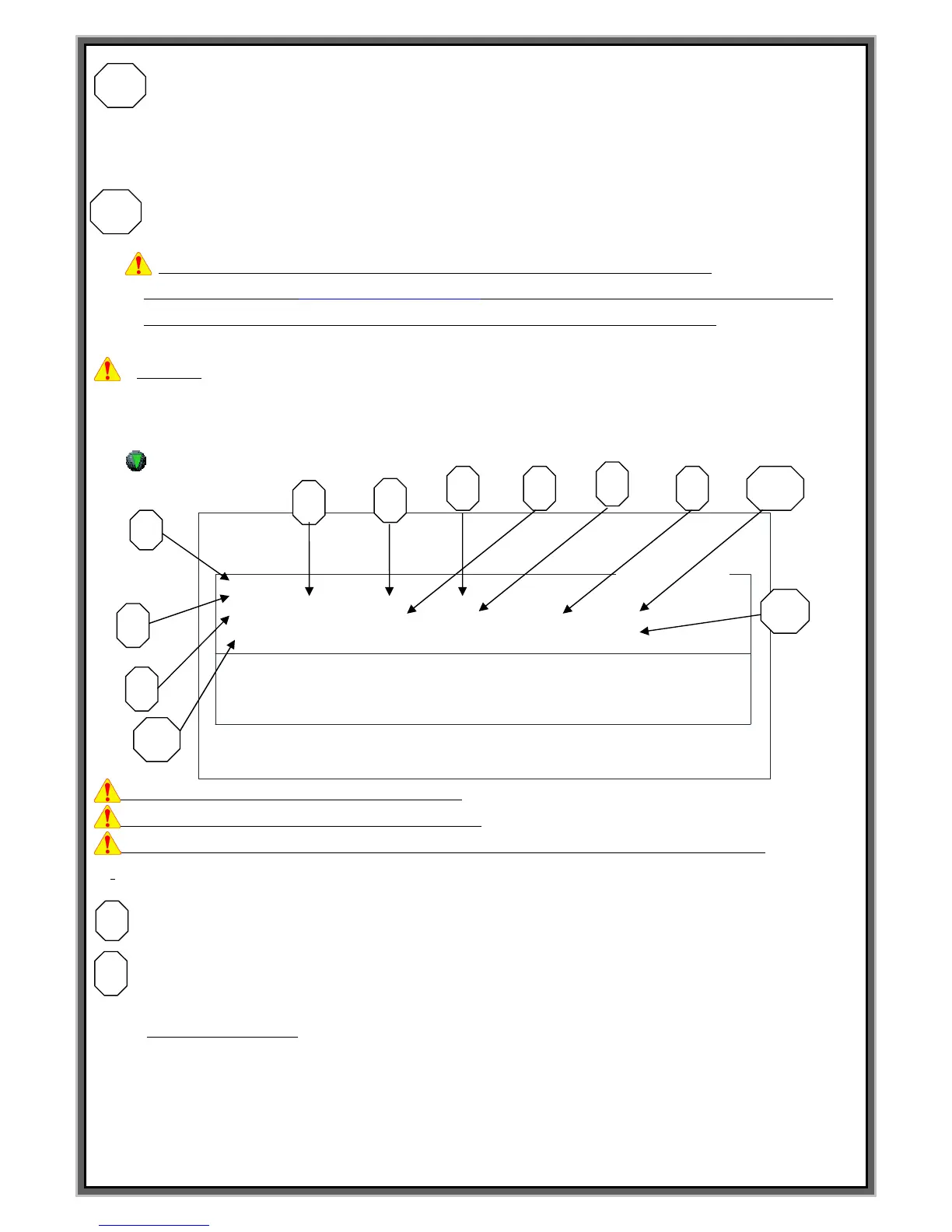
BLK NO.[000] : Block no.
: Select marking type. Press SPACE BAR to change the Menu
EMT : Empty block (Default value)
LIN : Linear marking.
CIR : Circular marking.
PLT : Logo file marking after loading CAD file.
CYL : Cylinder marking.
2DM : 2D Data matrix marking
F1 : M_MENU F2 : A_MARK F3 : EDIT F4 : FILE
F5 : SETUP F6 : TEST F7 : LOAD F8 : COMM
BLK NO. [ 000 ]
PLT X : 0300 Y : 0300 A : 000
FNT : Plt1 CH:030 PX:030 L:00000000 I:00
<DATA> PAUSE : N
[EDIT MODE]
BLK_COPY : CTRL_C BLK_MOVE : UP/DOWN
CURSOR_MOVE : ENTER SELECT : SPACE_BAR
BLK NO. [ 001 ]
EMT
< NO BLOCK DATA >


 To Next Page