MR 150M–1050M SINGLE – MXIII CONTROLLER
OPERATION
24
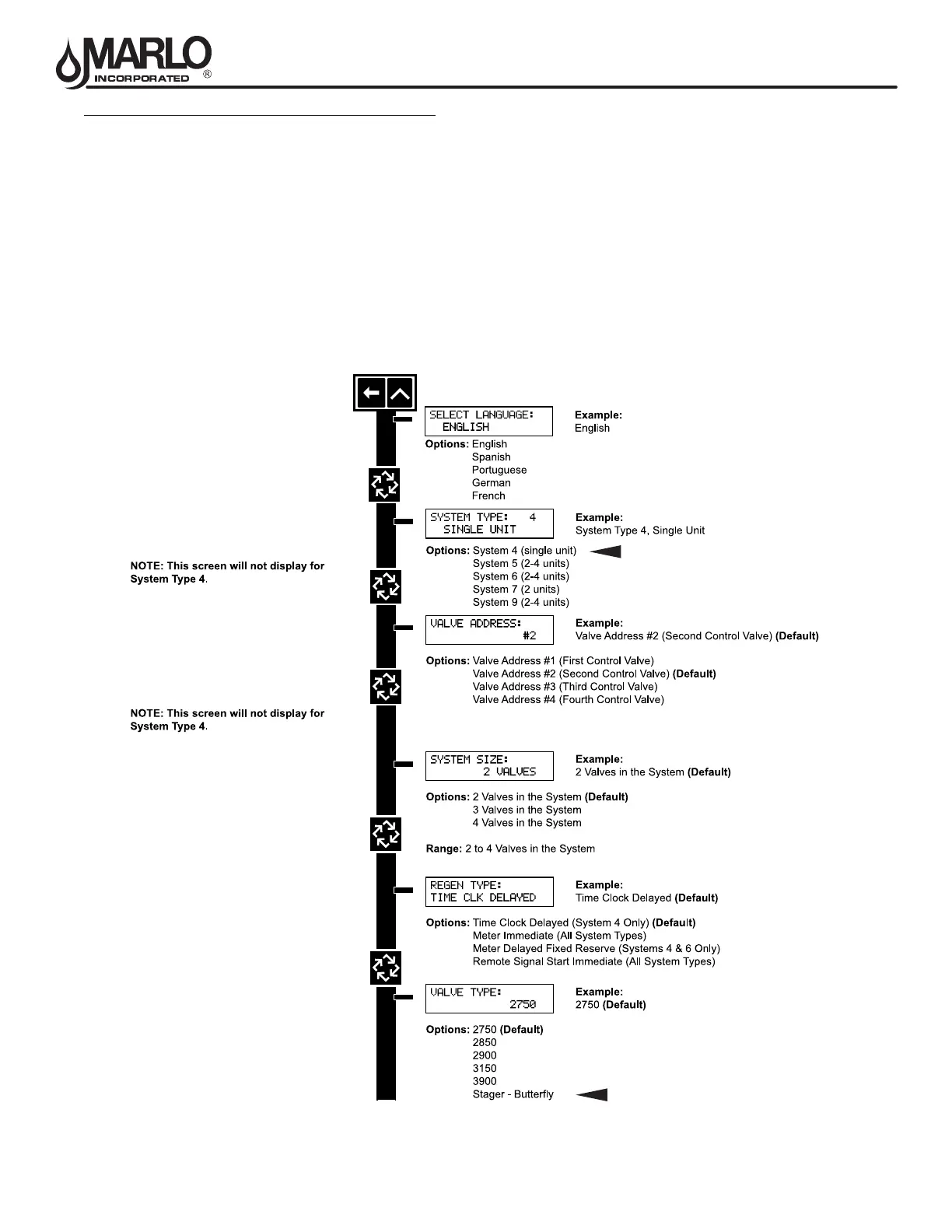
MASTER PROGRAMMING MODE FLOW CHART
NOTE: Depending on current option settings, some displays cannot be viewed or set.
Entering Master Programming Mode:
1. Press and hold the Shift and Up buttons for 5 seconds.
Press the Extra Cycle button once per display until all displays are viewed and Normal Display is resumed.Option
setting displays may be changed as required by pressing either the Up or Down button. Use the Shift button to
move one space to the left.
2. Depending on current valve programming, certain displays may not be viewed or set.
NOTE: If the “D” button is pressed while in master programming, no changes will be saved.



 To Next Page