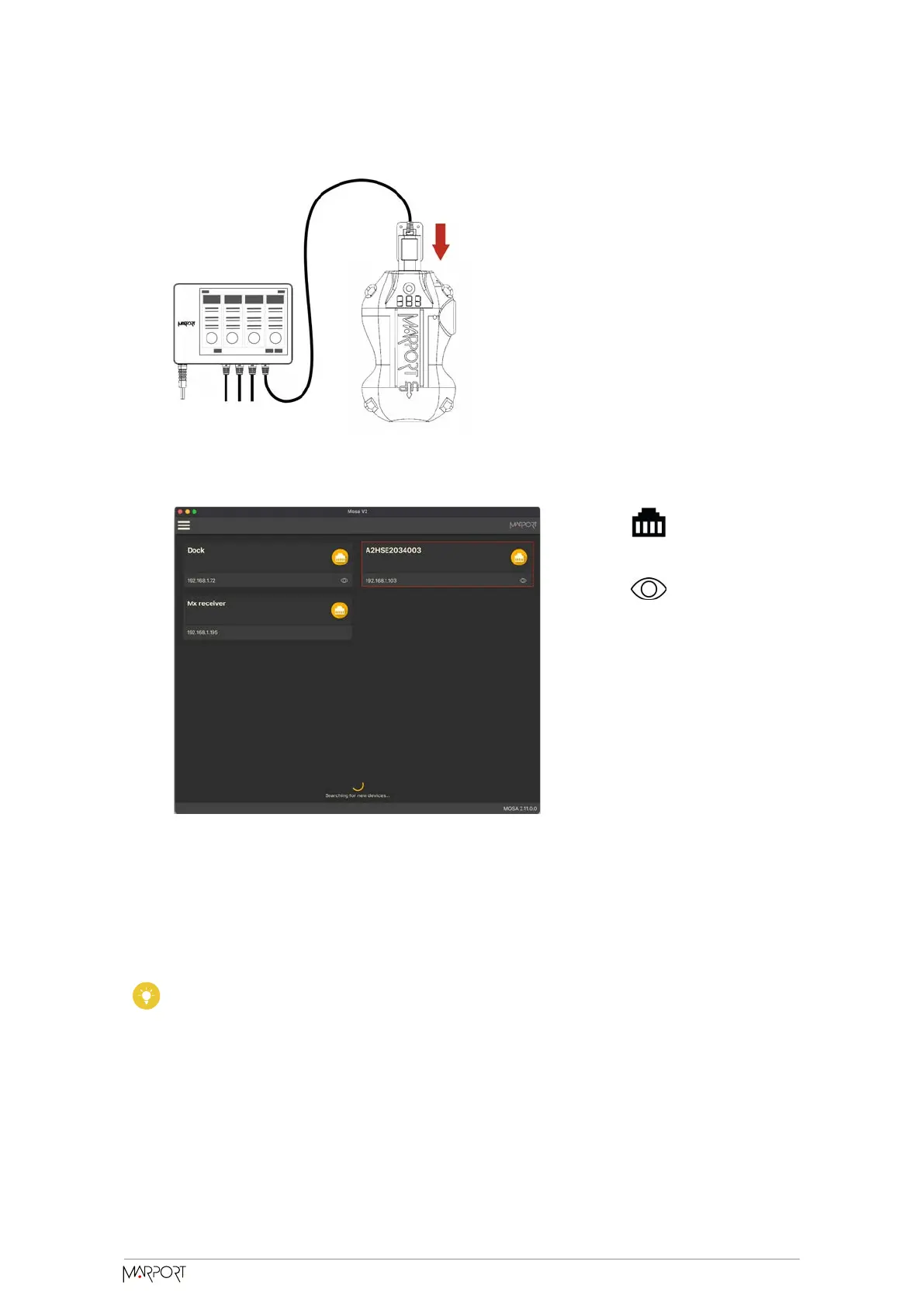
1. Connect one Dock charging plug to the sensor's endcap.
2. Mosa2 discovery page opens. The sensor is displayed.
◦ Click to open the sensor
configuration page.
◦ Click to show the deploy
animation on the charger plug
for 30 seconds.
Using the Configuration Cable
Simply connect the Configuration Cable from the computer to the sensor to display the
sensor configuration page on Mosa2.
Tip: Refer to the Configuration Cable Quick Reference Guide for more details
about the use of this product.
1. Move other electrical devices minimum 1 m away from the computer.
2. Connect the USB connector directly to the computer.
Catch Navigator | V1 | Sensor Configuration
14



 To Next Page