• You are finished configuring the sensor.
If you have issues with your sensor, send this file to support teams.
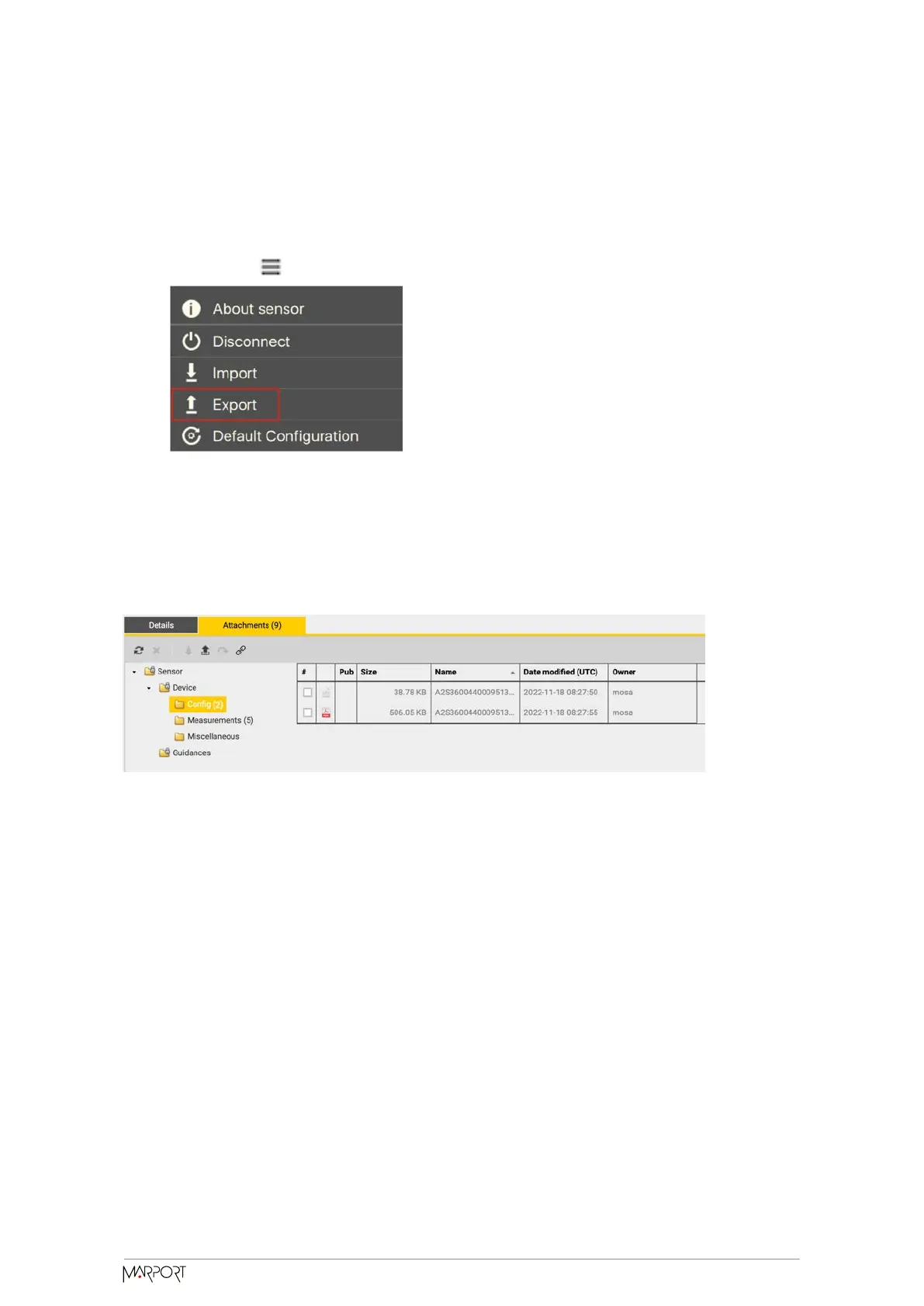
1. Click Menu > Export.
2. From the window that appears, choose a folder on your computer to save the file
and click Open.
The configuration file is exported and saved on your computer as an A2C file. If you are
connected to the internet, it is also automatically sent to MASP in XML and PDF files:
Importing a Sensor Configuration
You can apply to a sensor a configuration that has already been made on another
sensor.
• You have exported a configuration (see Exporting Sensor Configuration (on
page 33)) and have the *.A2C or XML configuration file.
Only the following settings are imported: trawl node, recording settings (SD card,
support logs), communication options (virtual water switch, simulation mode), uplink
level and frequency, echo sounder settings.
Catch Navigator | V1 | Sensor Configuration
34



 To Next Page