3 Click Configure to change filters applied on incoming data. Filters are particularly useful to re
duce interferences on the echogram data.
Note: Be aware that echogram filters such as Echosounder and Interference Reduction
may remove small targets on the echogram.
Tip: Please refer to Scala2 user guide for more information about the filters.
4 Select the same sounding direction and range as those set in Mosa2.
Click Apply when you have finished.
Configuring Data Display in Scala2
You can display the sensor's measurements and echograms on Scala2 pages.
Connect in Customize mode to configure the display of data. From the top le corner of
the page click Menu > Customize and enter the password eureka.
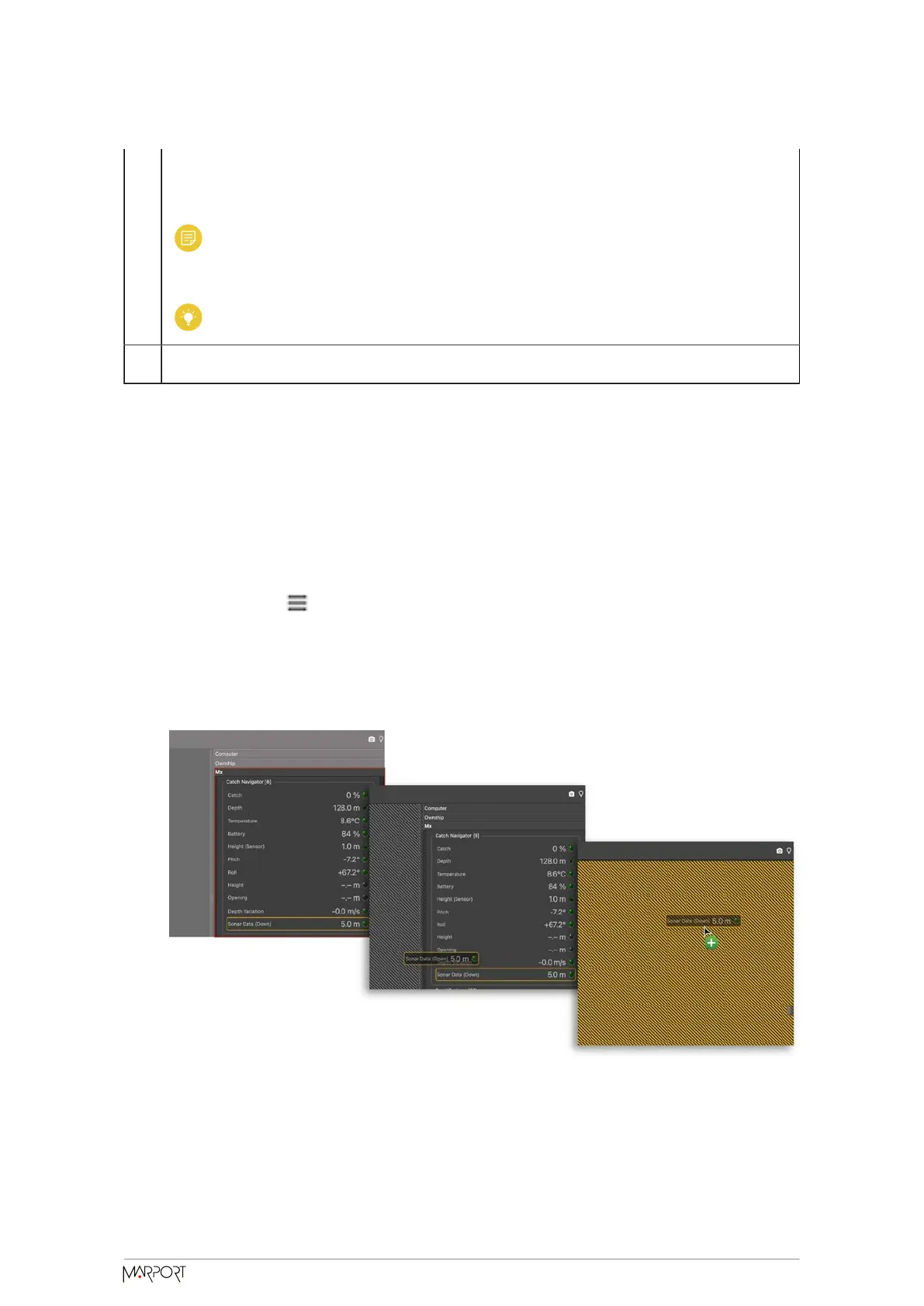
1. Open the control panels and go to the Mx tab.
2. To display the echograms, click + hold Sonar Data from a Catch Navigator sensor
and drag it to the page display.
3. To know if the trawl is filling up:
Catch Navigator | V1 | System
Configuration and Display
39



 To Next Page