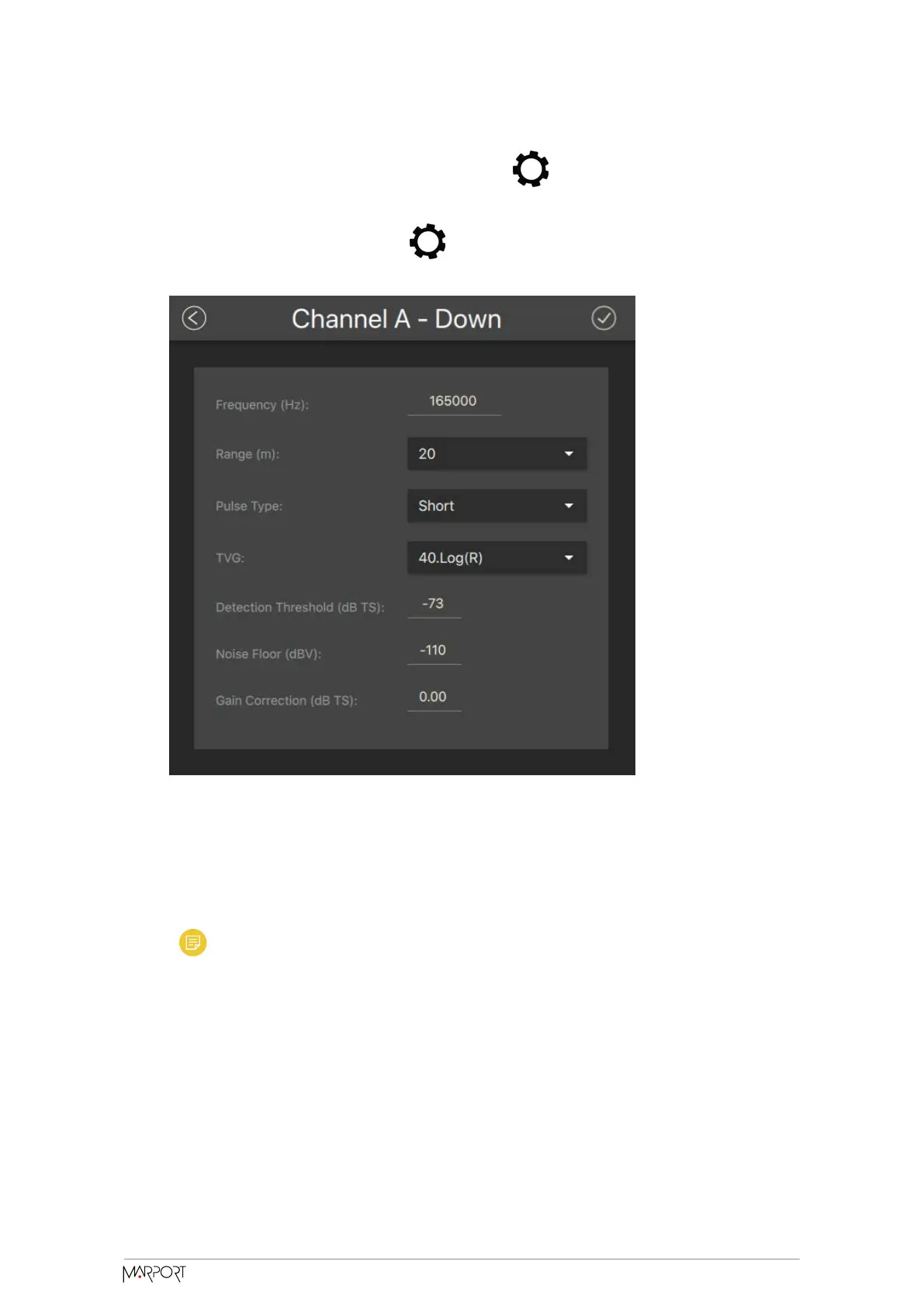
1. To select the direction of the sounding, click in Sounding Mode, then
choose a Mode between Down or Down + Down2, if this later option is activated.
2. Go back to the page, then click in Down Sounding or Down2 Sounding,
depending on the Sounding Mode that was configured.
3. Default Frequency (Hz) is 165,000 Hz for the Down Sounding and Down2
Sounding.
4. The Range (m) of the sounding is the maximum distance at which targets and
bottom can be detected.
Note: We recommend to set the maximum range value when using the
automatic range in order to see the sea bottom as soon as possible.
5. Select a Pulse Type to have an appropriate length of pulse according to the
distance to the bottom:
◦ Short: shallow waters (100 μs)
◦ Medium: moderate depth (300 μs)
◦ Long: deep waters (500 μs)
Catch Navigator | V1 | Sensor Configuration
23



 To Next Page