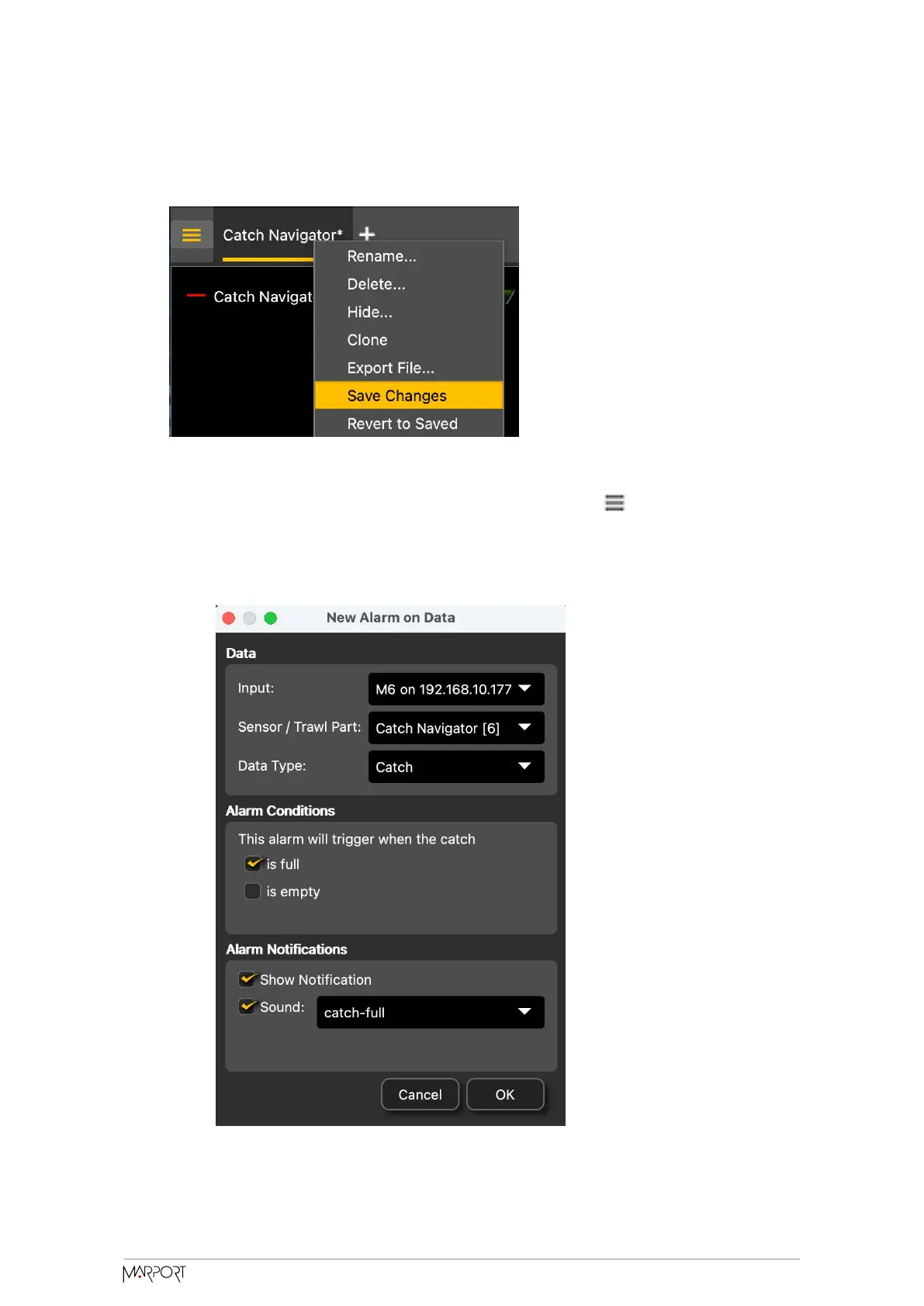
8. To save the changes, right-click the tab with the name of the page and click Save
Changes.
9. To be alerted when the trawl is full:
a. From the top le corner of the screen, click Menu > Settings.
b. From the Settings dialog box, go to the Alarms tab.
c. Click Add.
d. In Alarm Data and Alarm Conditions, enter the following settings:
Catch Navigator | V1 | System
Configuration and Display
43



 To Next Page