Trawl Explorer | V2 | Sensor Configuration
5.
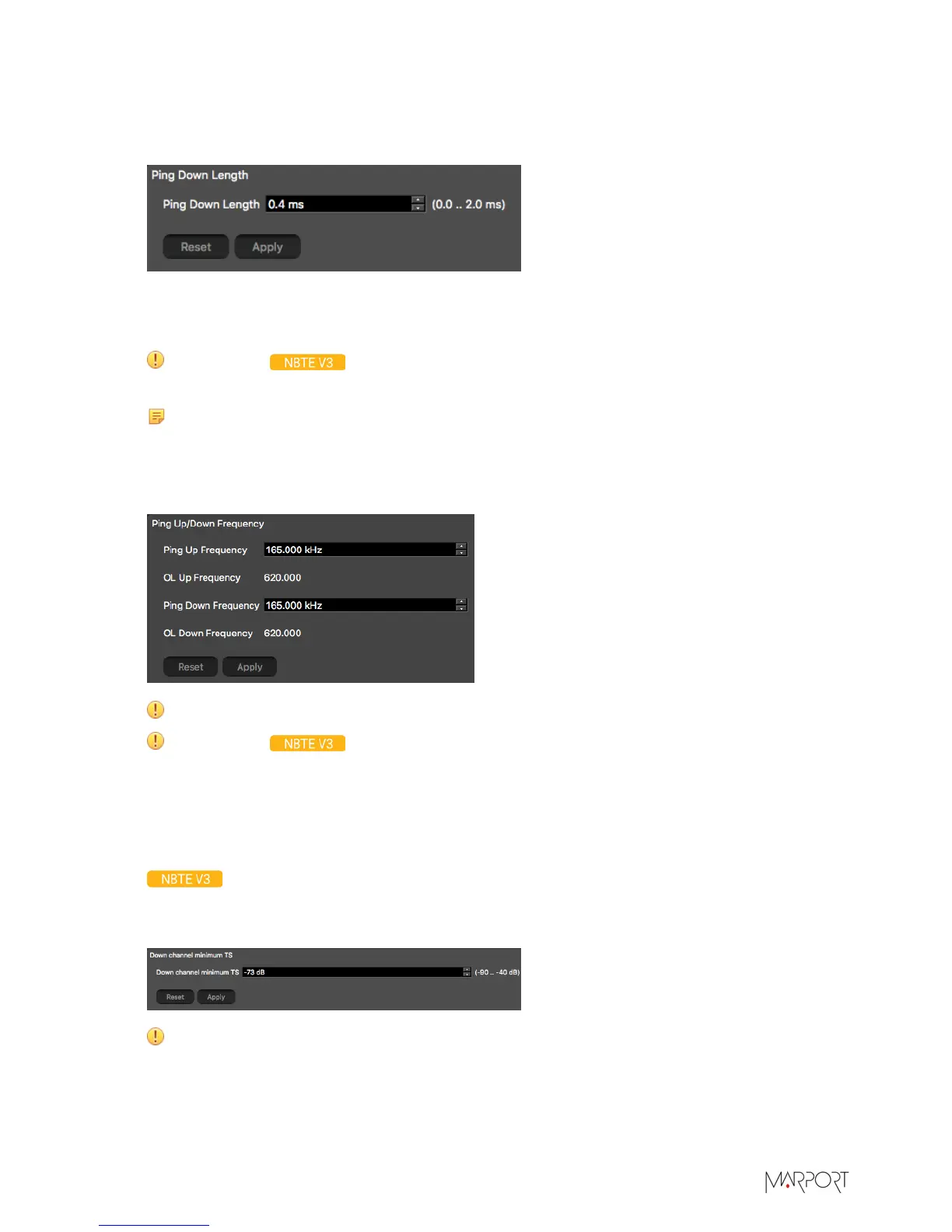
From Down and Up Ping Length, enter a pulse length. Pulse length depends on the distance at
which you need to detect fish (the longer the pulse, the further you can see, but with a lower
resolution):
• Detection between 20 cm and 2 m, enter 0.1 ms
• Detection between 50 cm and 160 m (V2: up to 80 m), enter 0.4 ms .
Important: Do not change ping lengths on a V3 sensor or it will have to be
returned to a Marport sales' office for target strength calibration.
Note: The maximum detection depth depends on ping frequency and type of bottom. The
lower the ping frequency is, the longer the detection depth is.
6.
From Ping Up/Down Frequency, enter frequencies for up and down soundings. You can choose
the same frequency for both because they do not transmit at the same time.
Important: Frequency needs to be between 120-210 kHz.
Important: Do not change ping frequency on a V3 sensor or it will have to be
returned to a Marport sales' office for target strength calibration.
Target Strength
Procedure
1.
For V3 version of the sensor, Down and Up channel minimum TS helps you detecting
targets on the echogram. You can put -79 dB if you want to detect small targets. Otherwise,
leave the default settings at -73 dB.
Important: This parameter must be the same in the sensor settings in Scala.
2.
From Down and Up TVG Mode, select the appropriate TVG (Time Variable Gain) mode. See
About Time Variable Gain on page 20 for more information.
| 18


 To Next Page