Trawl Explorer | V2 | System Configuration and Display
7
Helps you detecting targets on the echogram. Corresponds to Channel minimum TS in
Mosa.
8 Do not change this setting.
Click Apply when you have finished.
Results
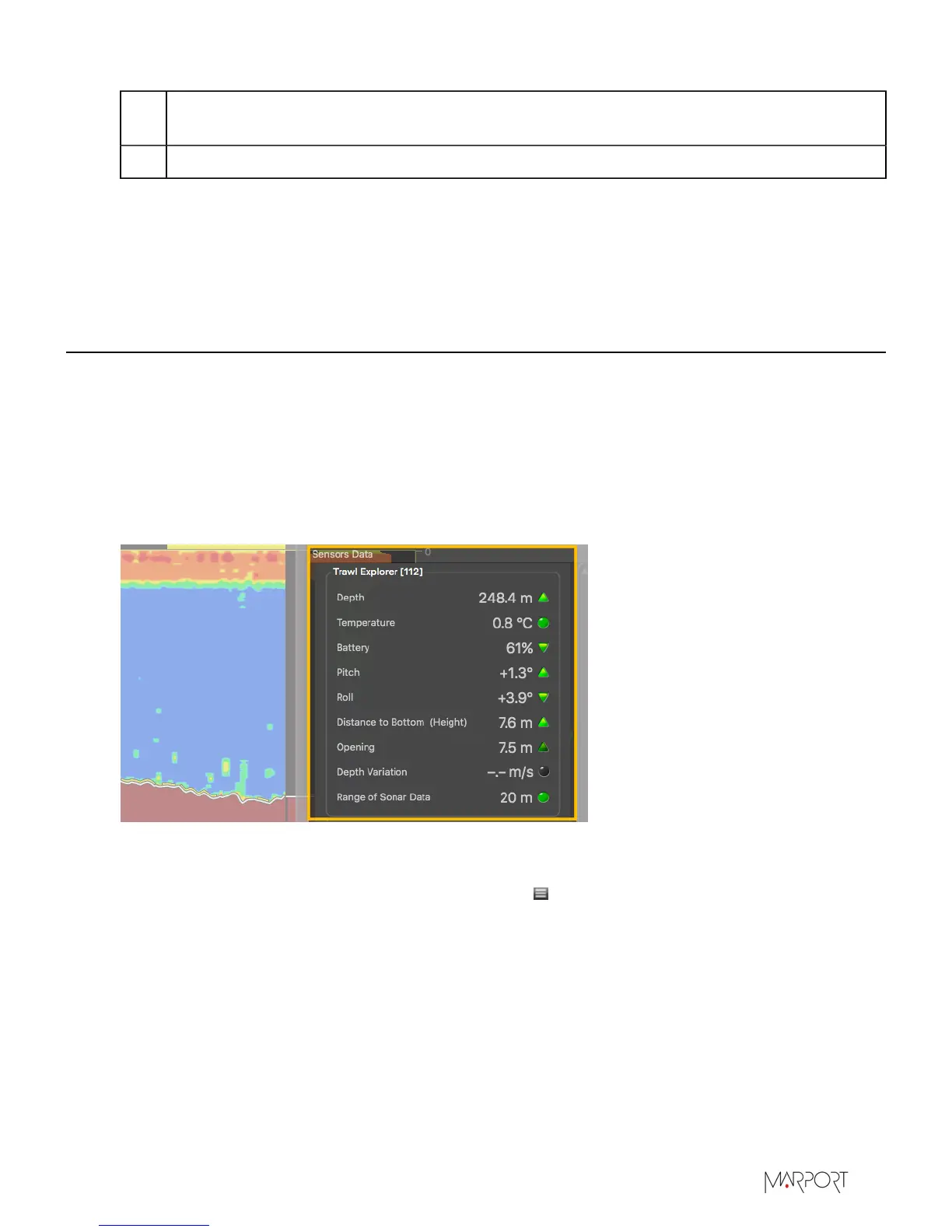
The sensor is added to the system. You should see incoming data from the control panels, in
Sensors Data. You can now configure the display of incoming data in Scala.
Configuring the Sensor Display on Scala
You can display Trawl Explorer measurements (e.g. echogram, depth, temperature,...) on pages in
Scala. For V3 version of the sensor, you can also display target strength data, that help you identify
fish.
About this task
Trawl Explorer measurements are displayed in the control panels, under Sensors Data. Data title
should be Trawl Explorer followed by the node where the Trawl Explorer was placed when added to
the system. Data displayed (e.g. depth, temperature, pitch & roll) depend on the firmware installed.
Procedure
1.
From the top left corner of the screen, click Menu > Customize and enter the password
eureka.
| 33


 To Next Page