Trawl Explorer | V2 | Sensor Configuration
•
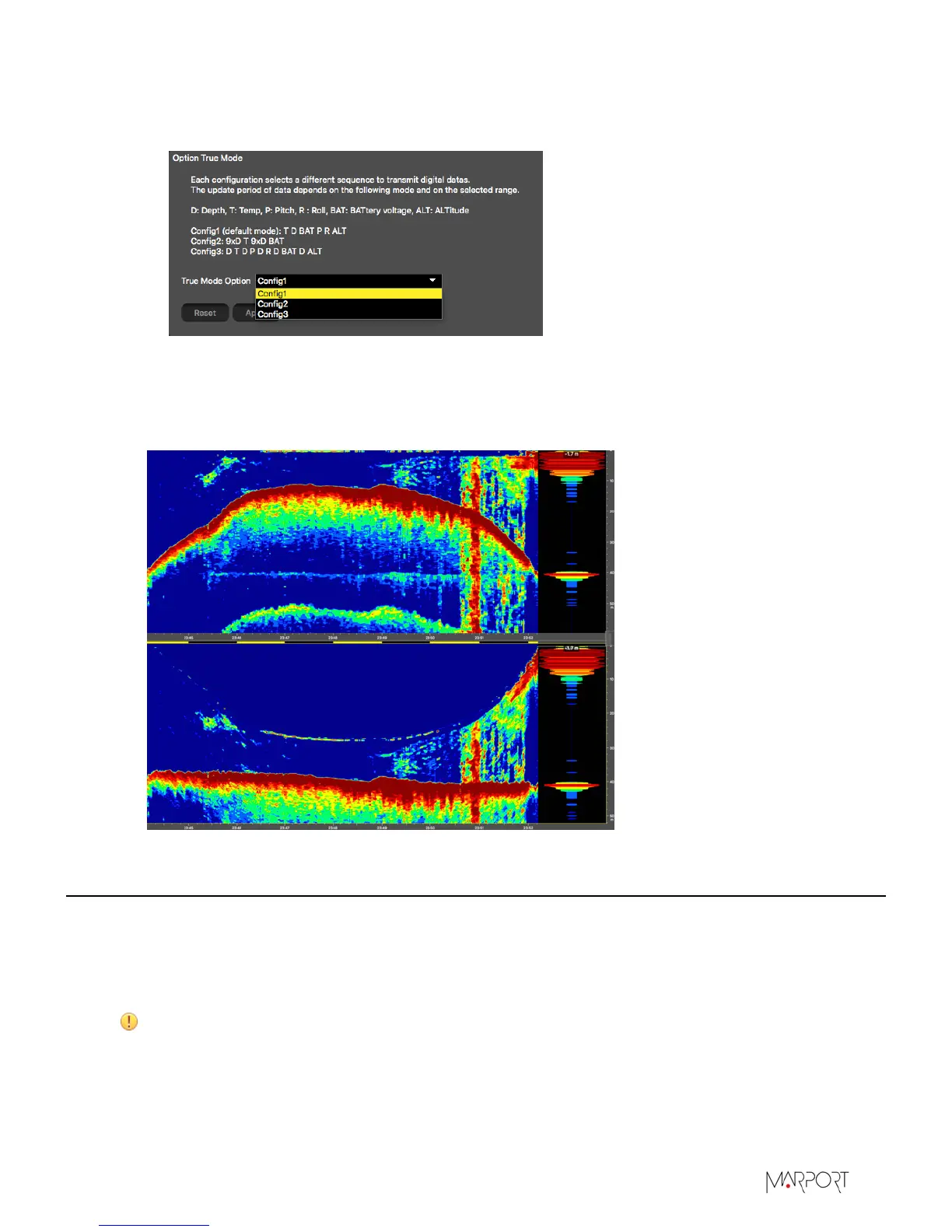
Select Config1 (default): this is the more appropriate sequence for a Trawl Explorer.
•
Or select Config3 if you use the True mode display on echograms in Scala.
4.
Click Apply.
Below is an example of echograms without True Mode (top) and with True Mode (bottom). With
True Mode activated, you see the area between the sea surface and the seabed. This way, you
can see the trawl descent. See Scala user guide for more information.
Selecting A1 Board Orientation
You need to check the orientation of the A1 board inside the sensor in order to correctly receive
data.
Before you begin
The sensor is connected to Mosa.
CAUTION: Do not open the sensor to check the A1 board orientation. It can be checked and
configured using Mosa.
| 21


 To Next Page