Trawl Explorer | V2 | System Configuration and Display
2.
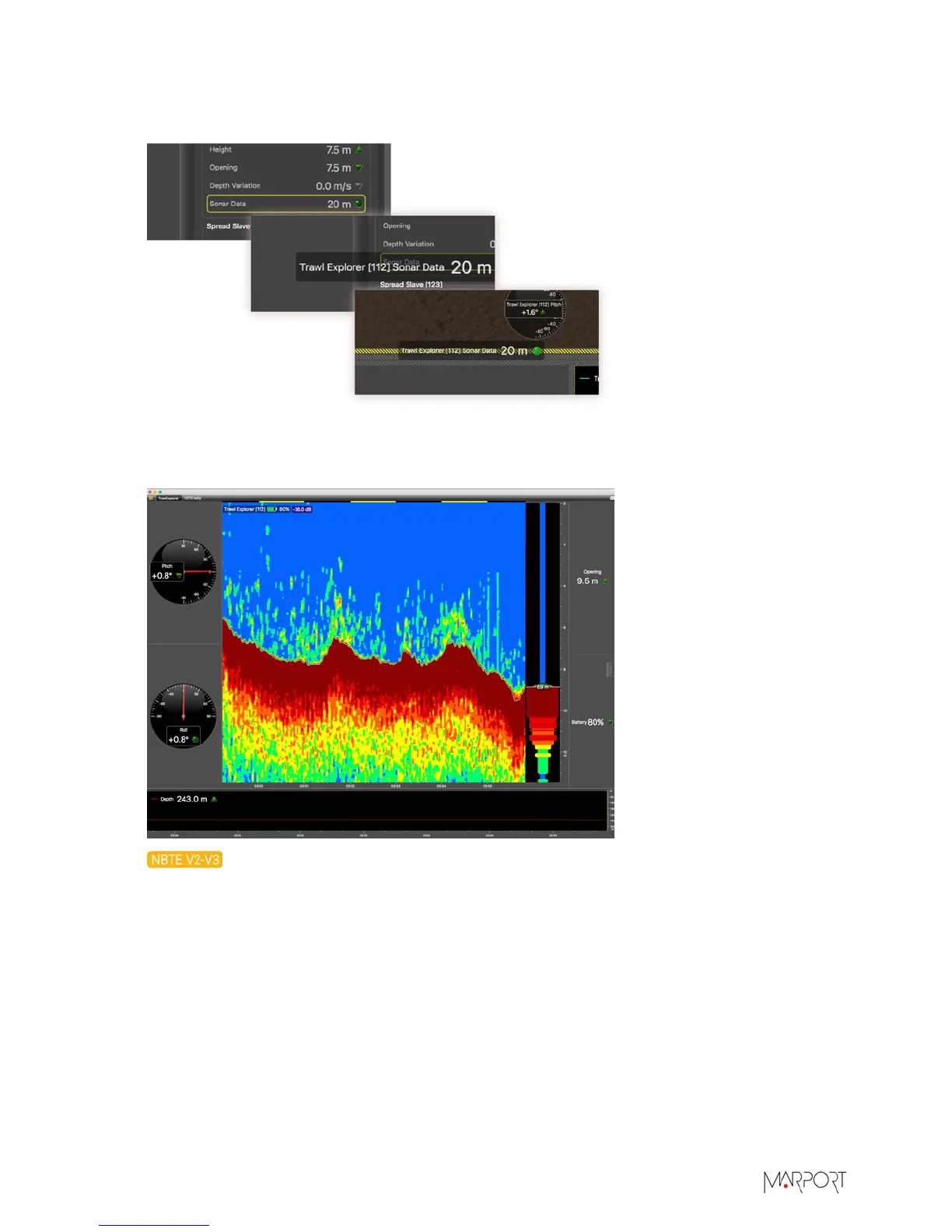
From Sensors Data, click + hold Trawl Explorer data (for example Depth) for 3 seconds until a
rectangle appears and drag it to a page in the middle of the screen.
For more details about display in Scala, please refer to Scala user guide.
Figure 1: Example of Trawl Explorer display in Scala
3.
If using Down only mode and if the trawl opening configured for the sensor is under
20 meters, the sounding range automatically changes to 20 meters if the distance to the bottom
| 34


 To Next Page