Trawl Explorer | V2 | Sensor Configuration
Procedure
1.
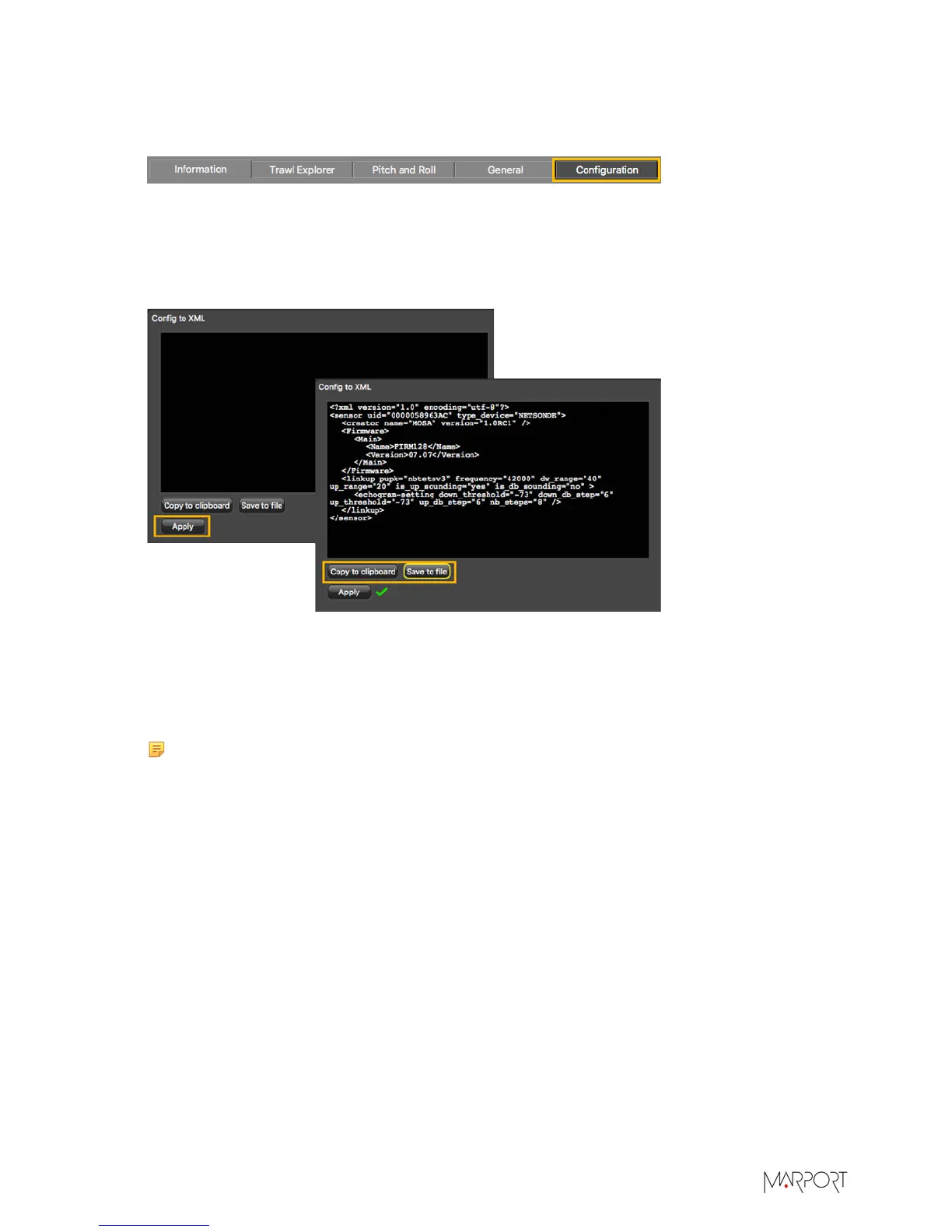
Click the tab Configuration.
2.
Click Config to XML.
3.
Click Apply under the black area.
The settings are displayed.
4.
To save the settings:
•
Click Save to file to download an XML file on the computer.
•
Or, click Copy to clipboard, then press Cmd + V on a word processor like Pages to paste the
contents.
5.
Change the name of the XML file saved on your computer.
Note: When you export the sensor settings, the XML file always has the same name.
Changing its name will prevent you from overwriting it the next time you download
sensor settings.
What to do next
See Adding the Sensor with a Configuration File on page 28 to know how to add the sensor to a
receiver with this file.
| 27


 To Next Page