Trawl Explorer | V2 | System Configuration and Display
2.
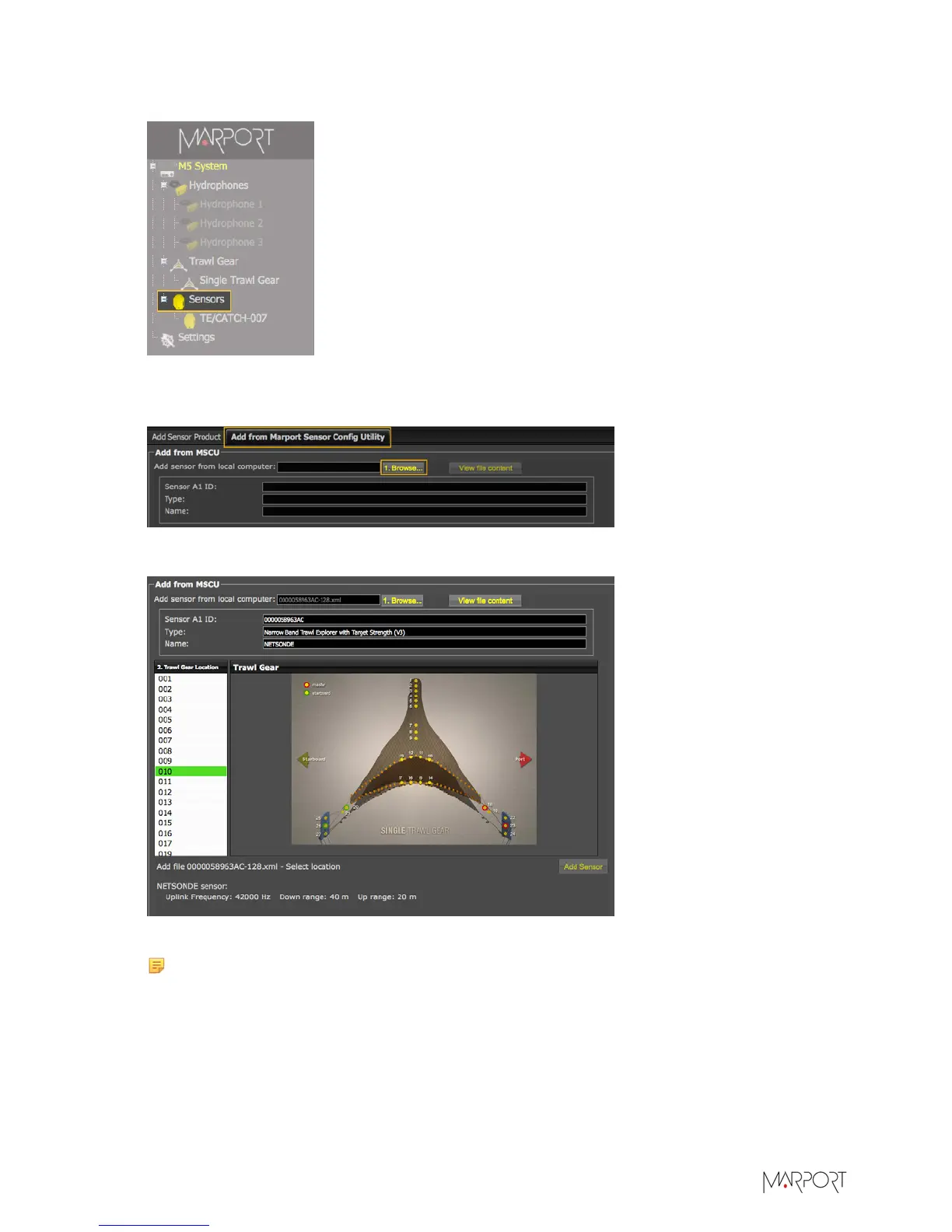
From the left side of the page, click Sensors.
3.
Click the tab Add from Marport Sensor Config Utility.
4.
Click Browse and select the XML file.
Information about the sensor is displayed.
5.
Select a node from the list on the left. Nodes in green are already used.
Note: Nodes are numbered locations for the sensor on the trawl gear. Refer to the picture
of the trawl to know the location of the node. We recommend you to choose: 7, 8 or 9 to
install the sensor on the tunnel, and 10, 11, 12 or 13 to install it on the headrope.
6.
Click Add Sensor.
| 29


 To Next Page