Trawl Explorer | V2 | System Configuration and Display
6.
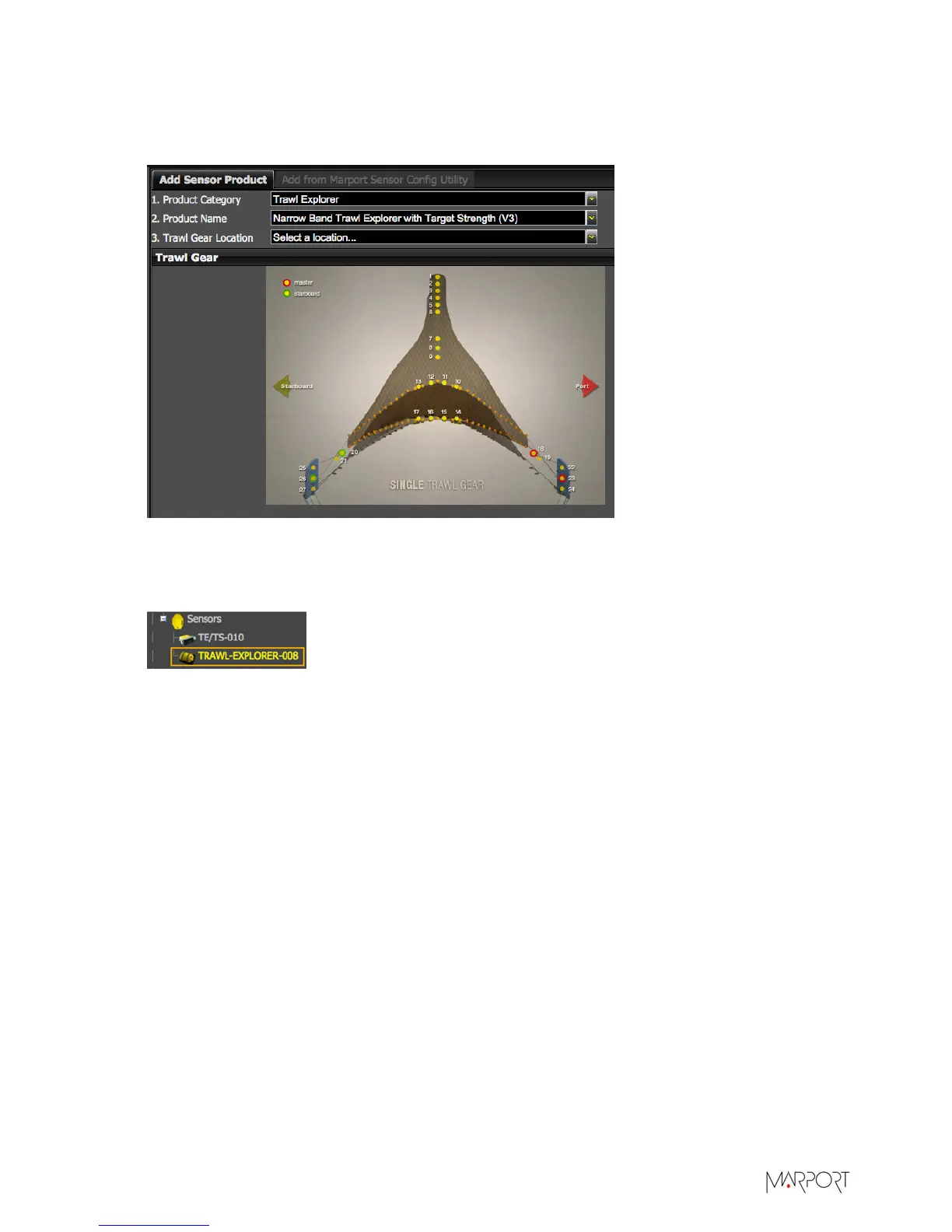
From Trawl Gear Location, select the location of the sensor on the trawl. Sensor locations are
called nodes and have a numerical value between 1 and 999. We recommend you to choose: 7, 8
or 9 to install the sensor on the tunnel, and 10, 11, 12 or 13 to install it on the headrope.
7.
Click Add Sensor.
The sensor is added to the receiver and displayed on the left side of the screen. The
configuration page is displayed.
| 31


 To Next Page