Capitolo 2 INTRODUCTION 19
2.2.4 Dongle description
The Dongle is used to connect the handle to the electronic unit (see Table 2-2) or to a
PC with S.O. Windows
®
7
TM
or later.
Refer to the manual “driver W AVE2
TM
for further compatibility.
For use with PC it is necessary to install the W AVE2 driver supplied with the
Marposs software (Quick SPC
TM
, Easy Wedge
TM
, Easy Acquisition
TM
, R2G and
Drivers library
TM
).
No special operations are required for use after installation.
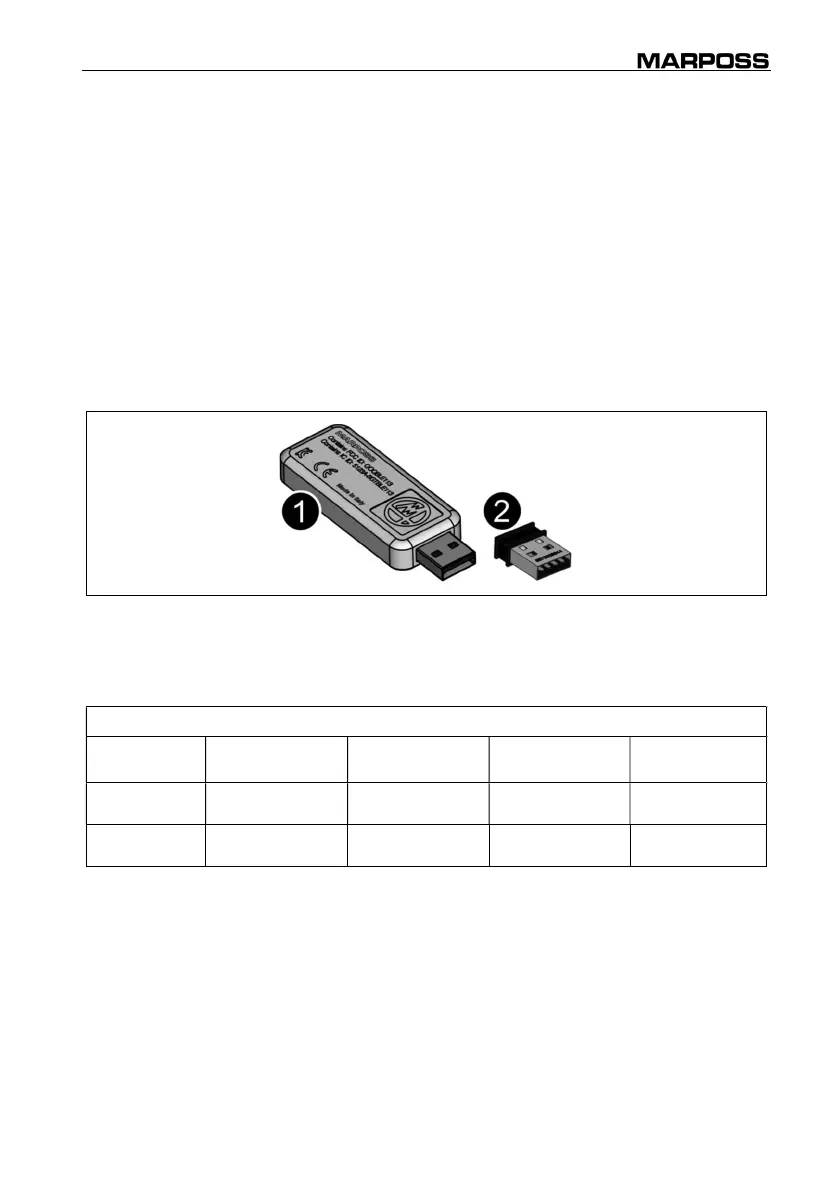
There are two different models of Dongles (see Figure 2-5), supplied according to the
country of destination of the product:
1. Dongle Silabas code 6872020047 (for Brazil, India and Mexico)
2. Dongle Bluegiga code 6872020044 (intended for all other countries).
Figure 2-5. Dongle.
The compatibility of the Driver or the Dongle used with the O.S. present today is shown
in the following table:
Table 2-1. Driver and Dongle compatibility.
Dongle Windows XP
Windows
Vista
Windows 7
(32-64 bit)
Windows 10
(32-64 bit)
6872020044
Up to Wave2
Driver v 3.1.0
Up to Wave2
Driver v 3.1.0
All Wave2 Driver
versions
All Wave2
Driver versions
6872020047 - -
From Wave2
Driver v 3.2.0
From Wave2
Driver v 3.2.0



 To Next Page