Chapter 5 INSTRUCTIONS FOR USE 51
5.3.3.2 Sleep mode
Initial condition
:
Handle switched Off
.
Access mode
:
Simultaneous pressure of 2 buttons
( red) and
then press of only one of the two buttons ( blue).
Description:
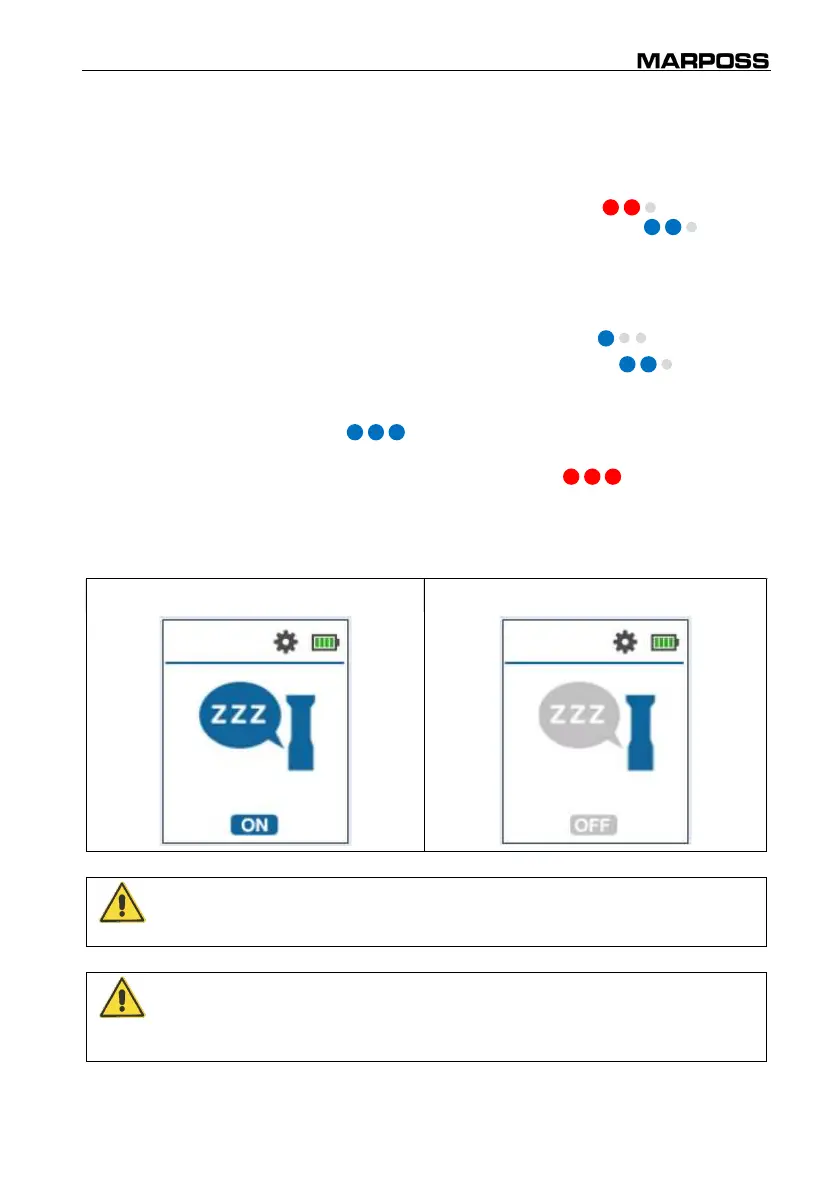
It allows to enable/disable the “Sleep mode”. This mode
allows to save and protect the batteries during long storage
and transportation. With the “Sleep mode” activated, the
handle cannot be switched on.
Status change (On/Off): Click ( blue).
Press only one of the two buttons ( blue) to
move to the next parameter.
Long press only one of the two buttons
( blue) to exit the SETUP menu and return to
the start conditions (START).
Alternative access
mode (quick
activation):
Long pressure of the 2 buttons ( red).
It allows to activate the “Sleep mode” starting from every
condition of the handle (measuring, switched
off, Stand
Alone mode, etc.).
Sleep mode ON Sleep mode OFF
WARNING
Please activate the “Sleep mode” before long term storage and before any
shipment.
WARNING
To disable the “Sleep mode” and re-activate the handle, it must be placed
on a powered stand for charging. After that, the handle is active and it can
work as described in Chapter 5.



 To Next Page