Radical-7 Chapter 4: Operation
www.masimo.com 90 Masimo
Offset Value
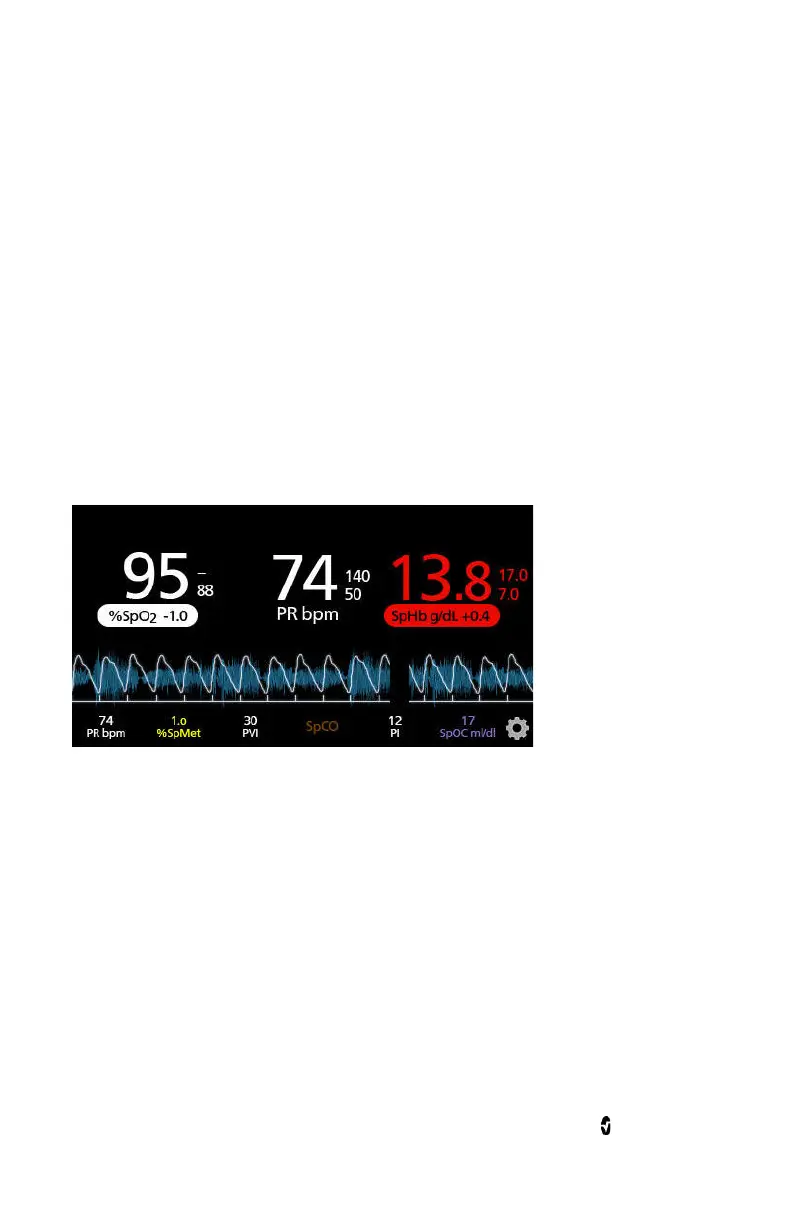
When In Vivo Adjustment is activated for a specific parameter, the offset
value appears beneath that specific parameter. A positive value means
that the displayed parameter value has been increased (according to a
laboratory reference value as entered by a clinician) and a negative value
means the displayed parameter value has been decreased (according to a
laboratory reference value as entered by a clinician).
In the example below, the displayed SpO
2
value of 95 takes into account
an offset of -1.0, and the displayed SpHb value of 13.8 takes into account
an offset of +0.4.
The In Vivo Adjustment feature can be set to
On
or
Off
. the factory
default setting is
Off
. If set to
On
, the parameter value is adjusted and an
offset value appears. The offset value is set by the user.
The feature applies to any of the following parameters:
In Vivo for SpO2
on page 94.
In Vivo for SpHb
on page 98.
In Vivo for SpCO
on page 108.
In Vivo for SpMet
on page 110.



 To Next Page