Odometer and Trip Meter Modes
Pushing the “TRIP/ODO” button switches the
display between the odometer mode “ODO”
and the trip meter modes “A” and “B” in the
following order:
ODO→TRIP A→ TRIP B → ODO
To reset a trip meter, select it by pushing the
“TRIP/ODO” button, and then push the
“TRIP/ODO” button for at least three seconds.
The trip meters can be used to estimate the
distance that can be traveled with a full tank
of fuel. This information will enable you to
plan future fuel stops.
NOTE:
Holding in the “TRIP/ODO” button and then
turning the key to “ON” switches the display
between “mph” and “km/h”.
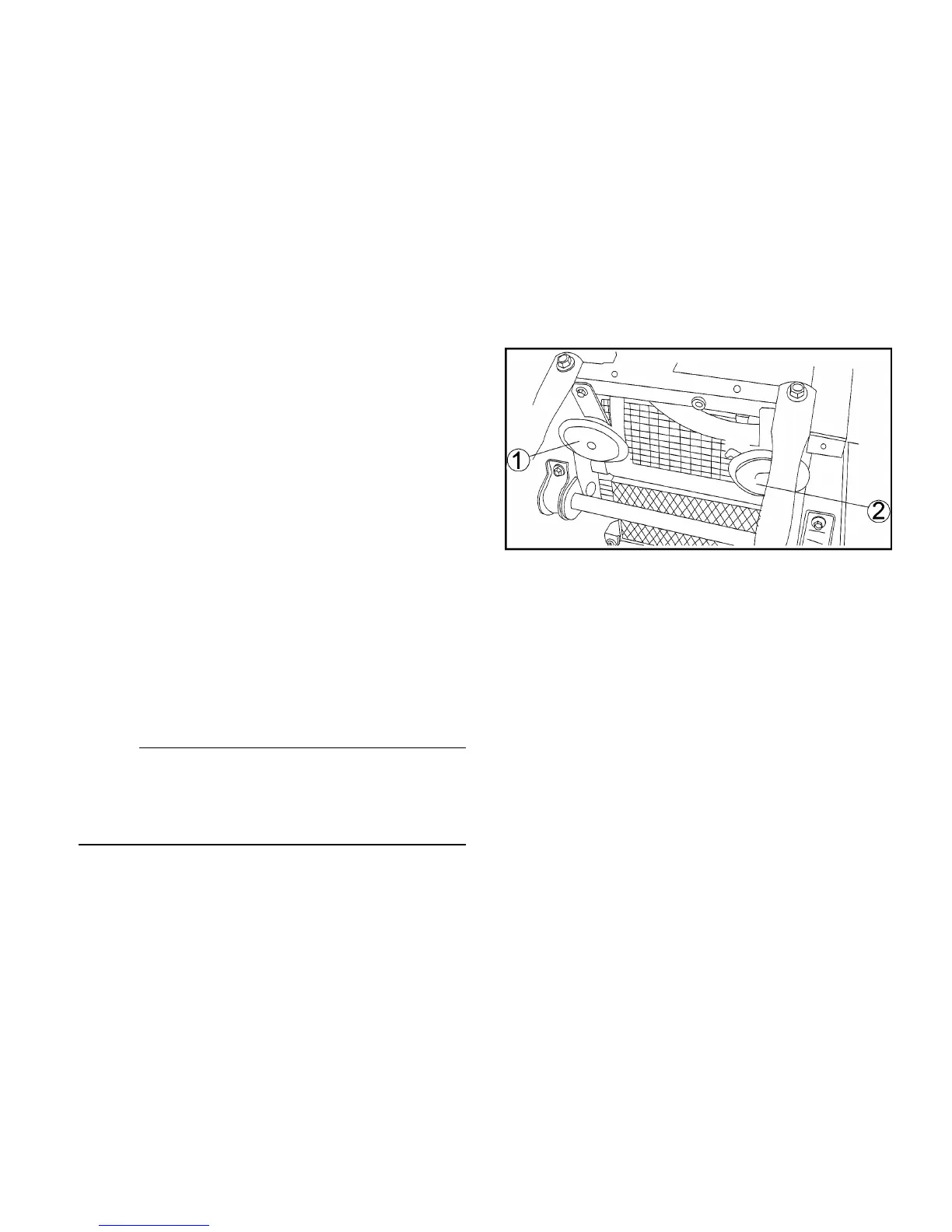
1.Front R horn 2. Front L horn


 To Next Page