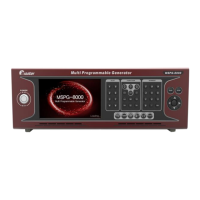
Slot Type Multi Video Signal Generator MSPG-8000
www.Ltdmaster.com 2
Table of Contents
Chapter 1.
Safety Notice ··········································································································3
1.1 Foreword ··················································································································4
1.2 Safety precautions ······································································································4
1.3 Notice for safe usage ··································································································4
Chapter 2.
Appearance and specification of the MSPG-8000 ········································7
2.1 Accessories packed with the MSPG-8000 ·······································································8
2.2 Introduction to slots ····································································································9
2.3 Specification of MSPG-8000 ·························································································13
2.4 Panel and their functions ·····························································································17
Chapter 3.
Mounting Slots and Starting the MSPG-8000 ················································20
3.1 Mounting slots to MSPG-8000 ······················································································21
Chapter 4.
How to Use ··············································································································22
4.1 Touch screen ·············································································································23
4.2 Time(resolution) ·········································································································24
4.3 Pattern ·····················································································································42
4.4 Scan ························································································································52
4.5 Function ···················································································································54
4.6 Audio ·······················································································································56
4.7 Program copy(firmware update), slot firmware/FPGA update guide ·······································63
4.8 Data copy(Pattern, Timing, Audio, Function, Scan and System update) ·································78
4.9 System option············································································································82
4.10 User setting ·············································································································85
4.11 Moving control ··········································································································86
Chapter 5.
How to Control RS-232C Communication ······················································87
5.1 Prepare RS-232C communication ··················································································88
5.2 HEX code and ASCII code ···························································································89
5.3 HEX code RS-232C control example ··············································································89
5.4 ASCII code RS-232C control example ············································································91
Chapter 6.
Default pattern and timing list ···········································································92
6.1 Two types user pattern list ····························································································93
6.2 Default pattern and option list ·······················································································94
6.3 Default timing list ········································································································104





 To Next Page