Slot Type Multi Video Signal Generator MSPG-8000
www.Ltdmaster.com 63
4.7 Program copy (firmware update), slot firmware/FPGA update guide
You can use USB memory stick to update main program.
1) How to firmware update
① Please receive firmware file from Master Co., Ltd and save to USB memory stick.
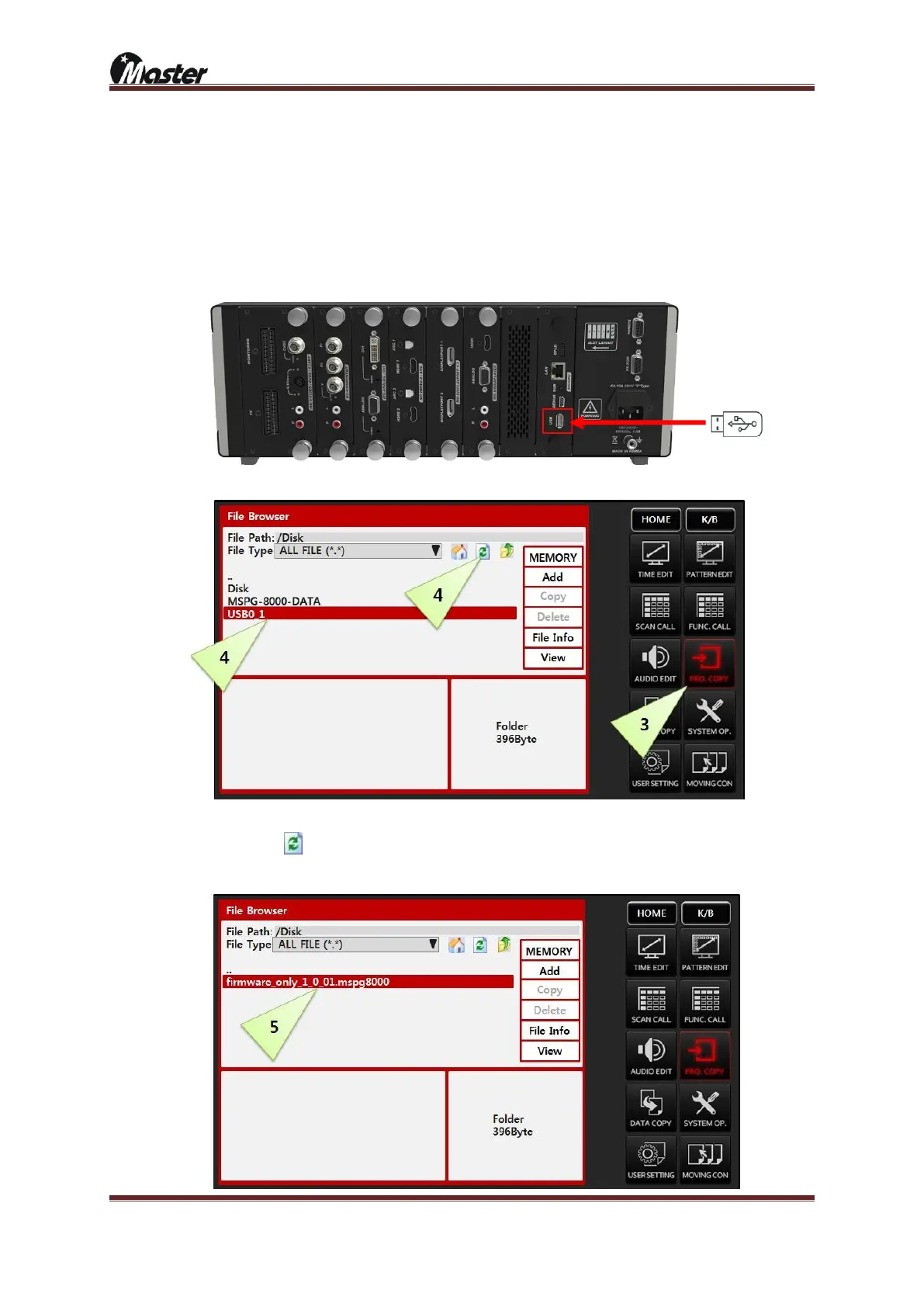
② Connect USB stick to MSPG-8000’s rear USB port and wait 5second for recognize USB.
③ Press the K/B button and press the PRO.COPY button.
④ Press the K/B button, PRO.COPY and USB0_1 buttons sequentially.
(Press button if you can’t find “USB0_1” on the list after connection)
⑤ Select update file and press enter button to update.(pass word is “8880”)





 To Next Page