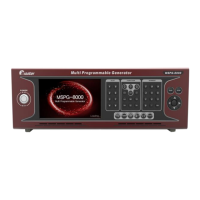
Slot Type Multi Video Signal Generator MSPG-8000
www.Ltdmaster.com 35
USB TYPE-C MODE + MSDL-100W + MSPW-100W
U
S
B
T
Y
P
E
-
C
M
O
D
E
For testing Monitor’s Type-C output port electric load(MSDL-100W_optional)
Type-C monitor’s voltage set from 5V to 20V, 0.05V/unit.
Type-C monitor’s current set from 0~5000mV, 10mA/unit.
Voltage error tolerance under the electric load.
0~2000mV, 1mV/unit
Voltage error tolerance without the electric load.
0~1000mV, 1mV/unit
For sending Monitor’s Type-C port to electric power(MSPW-100W_optional)
The voltage sent to the Type-C monitor can be set to 0V,
5~20V. 0.05V/unit
The current sent to the Type-C monitor can be set to
0~5000mV. 10mA/unit
Voltage tolerance to monitor can be set to 0 to 2000mV
(500mV~1000mV recommended)
USB Mode and DP LANE setting
USB Mode: Type-C USB mode setting
0=Host(DFP)
Connect a PC(Host) to a USB Type-B port to check USB working.
1= Device(UFP)
Confirm connecting memory device to USB Type-A port.
DP-Lane Count: Displayport lane count setting
0=4 Displayport 4data lane use(USB3.0 does not work)
1=2 Displayport 2data lane use(USB3.0 does work, DP 4 lane mode does not
work)





 To Next Page