MasterclockGMRUserManualv2–2016.12
20
QuickStartInstructions
PRE‐INSTALLATIONCHECKLIST
TheGMRisavailableasanetworkdevicewithanNTPclientenabledandconfiguredforDHCPprovidednetwork
settingsandNTPserveraddresses(bydefault).Ofcourse,theusercanchangeandelaboratethesesettings.
BeforeinstallingaGMRonanetworkoneshouldbepreparedwithbasicconfigurationinformation
(seeboxat
left).Youmayneedtoaskyournetworkadministratorforthis.
QUICKSTARTINSTRUCTIONS
Makeallconnectionsattherearoftheunit,butkeepthepowerdisconnecteduntilthelaststep.
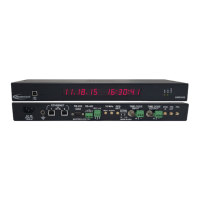
ConnecttheGMRdevicetoyourLAN(LocalAreaNetwork)hub/router/switchusingCat5cablemakingthe
connectiontotheRJ45connectorlabeledETHERNET
Makeanyadditionaldesiredinputandoutput
connectionstotheDB9connectorlabeledRS‐232usingeither
yourowncableoranoptionalDB9breakoutadapter(ontheGMR1000only).
InserttheWinDiscoveryCDintoacomputerrunningWindowsXP,7,8,or10(VistasupportedonlyinXP
compatibilitymode).TheInstallShieldapplicationwillbegin
automaticallyifAutoRunisenabledonyour
system.Otherwise,browsetotheCDrootdirectlyandclickthefileSetup_WinDiscovery.exetobeginthe
installer.
Applypower.ForaGMR5000connectthesuppliedACpowercordbetweenanACpowersourceandtheIEC
jackonthebackofthedevice.
ForaGMR1000insertthesuppliedAC/DCpowersupplymoduleintoan
appropriateACpowersourceandtheDCpowerconnectorintothemaleSwitchcraft‐stylelockingpower
socketontherearoftheunitlabeledDCIN9‐28VDC.
IfdesiredtheGMR1000canbeoperatedfrom
anominal12‐VDCsupplysuchasabattery(9‐28VDCrange).
Caution:Observevoltagepolarityasindicatedontherearpanel.Thecenterpinispositive+VDC.
Monitorthefrontpanelforpowerupstatus.
Whenpowerisfirstappliedtheinitialsequenceofthefront
panelLEDsare:
FrontpanelLOCKindicatorwillcomeonfor1second,goout,comeonfor1second,andgoout.
CHECKLIST
DynamicNetworkingConfiguration(defaultforallGMRdevices)
__ConfirmthataDHCPserviceisaccessibleonthelocalnetwork
__DetermineifDHCPserverwillprovideNTPserverconfiguration
__DetermineifDHCPserverwillprovidetimezoneconfiguration
‐‐OR‐‐
StaticNetworkingConfiguration
__IPaddressandnetmaskdesignation
fordevice
__PrimaryandsecondaryDNS(domainname)servers
__Gateway/router
__PrimaryandsecondaryNTPtimesources



 To Next Page