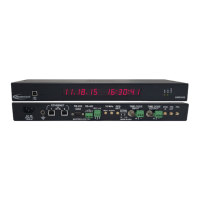
Need help?
Do you have a question about the Masterclock GMR5000 and is the answer not in the manual?
Highlights Stratum 1 sync, satellite reception, accuracy, and NMEA output.
Compares GPS and GPS+GNSS receiver specifications including channels, frequency, and accuracy.
Details antenna types, gain, mount, operating temperature, and impedance.
Covers NTP server/client, Stratum levels, and network modes like broadcast/multicast.
Details UTC reference, time zone offsets, DST, and TCXO stability.
Describes the GPS/GLONASS receiver option with channel count and accuracy.
Details TCXO, OCXO, and Rubidium oscillator options for enhanced stability.
Covers PTP grandmaster/slave modes, profiles, and accuracy.
Explains TCR module capabilities for SMPTE, IRIG-B, A, E, and input types.
Details TCG module capabilities for generating SMPTE, IRIG-B, A, E, and output types.
Configures PPO module for pulse interval, duration, and state.
Describes WinDiscovery GUI application for detection, configuration, and management.
Explains Telnet and SSH for command-line configuration.
Explains password security for configuration changes and default password.
Explains DHCP for automating network configuration including IP, DNS, and NTP server addresses.
Lists default settings for UTC, DHCP, NTP, PTP, and passwords.
Explains how to reset the GMR to factory default settings via software or buttons.
Describes using the USB Type B port for configuration with WinDiscovery.
Guides on installing the WinDiscovery software and necessary USB drivers from the CD.
A step-by-step guide for installing drivers and connecting the GMR via USB.
Checklist for network configuration before installing the GMR.
Step-by-step guide for making connections, powering up, and initial status checks.
Discusses configuration methods like WinDiscovery, SSH, or Telnet.
Guides on installing the WinDiscovery software from the CD.
Instructions on launching and using WinDiscovery to discover devices.
Describes the Device Settings window layout and access to various configurations.
Discusses automatic DHCP registration and manual static IP configuration.
Introduces the Input Control window for accessing various input types.
Details NTP client functionality, modes, and resources.
Explains unicast, broadcast, and multicast modes for NTP queries.
Setting primary/secondary NTP servers and DHCP options.
Opens the Time Code Reader window for configuration.
Configuring NMEA messages, port, baud rate, data bits, stop bits, and parity.
Configuring NENA messages, port, baud rate, data bits, stop bits, and parity.
Accesses various GMR output options.
Configures NTP server settings, stratum levels, and authentication.
Selects time code type and generation parameters.
Selects NMEA messages (ZDA, RMC, GGA, etc.) for output.
Configures NENA messages, format, and output port.
Configures PPO module for pulse interval, duration, and state.
Configures Telnet and SNMP settings for device management.
Configures daylight saving rules (US/Canada, EU, or custom).
Sets time zone offsets for display and output purposes.
Configures device-specific passwords for security.
Enables a single password for multiple Masterclock devices.
Performs a soft reset to clear buffers and re-initialize processing.
Resets all settings to factory defaults.
Lists commands accessible via right-click in WinDiscovery: Properties, Network Config, etc.
Explains Telnet as a command-line interface for GMR configuration.
Steps to enable Telnet via Communications Control.
How to find the IP address and log in using default credentials.
Describes SSH as a secure command-line alternative to Telnet.
Details required SSH client setup and default credentials.
Default NTP server settings, stratum levels, and authentication.
Default DST settings for US/Canada and EU standards.
Explains SNMP for monitoring device health and network status.
Describes the GMR's SNMP Agent and the need for an SNMP Manager.
Details SMA female connector for GPS antenna and power supply.
Resets all PTP settings to defaults.
Identifies the problem of GMR not being discovered.
Lists solutions for WinDiscovery discovery issues like power, cables, firewalls.
Lists issues with intermittent status or no configuration response.
Identifies issues like GMR name in RED or fallback IP address.
Discusses periodic resets due to network or DHCP issues.
Identifies issues with Telnet communication.
Lists reasons for NTP/SNTP client inability to communicate with GMR.
Explains why NTP time might be flagged as invalid.
Addresses issues with incorrect time or loss of settings when powered off.
Solution for lost passwords involves factory reset.
Solutions for repeated bad password errors in WinDiscovery.
Identifies potential failure points for incorrect UTC time/date.
 General
| Brand | Masterclock |
|---|---|
| Model | GMR5000 |
| Category | Control Unit |
| Language | English |


 To Next Page