MasterclockGMRUserManualv2–2016.12
22
WinDiscoveryInstallationandStandardOperations
IncludedonCDwithyourGMRistheWinDiscoverysoftwareapplicationfordetection,configurationand
managementofallMasterclocknetworkdevices.TheapplicationrunsonMicrosoftWindows.
INSTALLINGWINDISCOVERY
Ifyouhaven’talreadydoneso,inserttheCDthatshippedwithyourGMRtoautomaticallyinstallWinDiscovery.If
AutoRunisnotenabledonyourcomputer:
1. RuntheSetup_WinDiscovery.exeapplicationfromtheCD.
2. Afterashort“Preparing”step,youwillbepromptedtobegintheinstallbyclickingNext
,acceptthe
licenseagreementtoproceed,fillinanyusernameandorganization,clickInstall,whichtakesaminuteor
less,thenclickFinish.
3. BydefaulttheinstallationisinC:\ProgramFiles\Masterclock\WinDiscoveryorC:\ProgramFiles
(x86)\Masterclock\WinDiscovery
PotentialCommunicationProblems
NetworksseparatedbyphysicalrouterswilloftenblockUDPbroadcastspreventingWinDiscoveryfromlocating
devicesonaremotenetwork.Undersuchcircumstances,WinDiscoverymustbeoperatedfromacomputerwithin
theremotenetworkorroutersseparatingthenetworksmustbeconfiguredtopassthrough(bothdirections)UDP
traffic(includingbroadcasts)on
ports6163,6263,6170,6171,6172,6173andmulticastaddresses224.0.1.254,
224.0.0.255.
PersonalcomputerfirewallapplicationsmayalsopreventWinDiscoveryfromoperatingcorrectly.Configurethe
firewalltoallowbi‐directionUDPtrafficonport6163ortemporarilydisablethefirewallwhileusingthe
WinDiscoveryapplication.ContactyourITdepartmentfor
properswitchconfiguration.
USINGWINDISCOVERY
OpenWinDiscoveryfromtheWindowsStartMenuorbydouble‐clickingtheshortcuticononthedesktop.
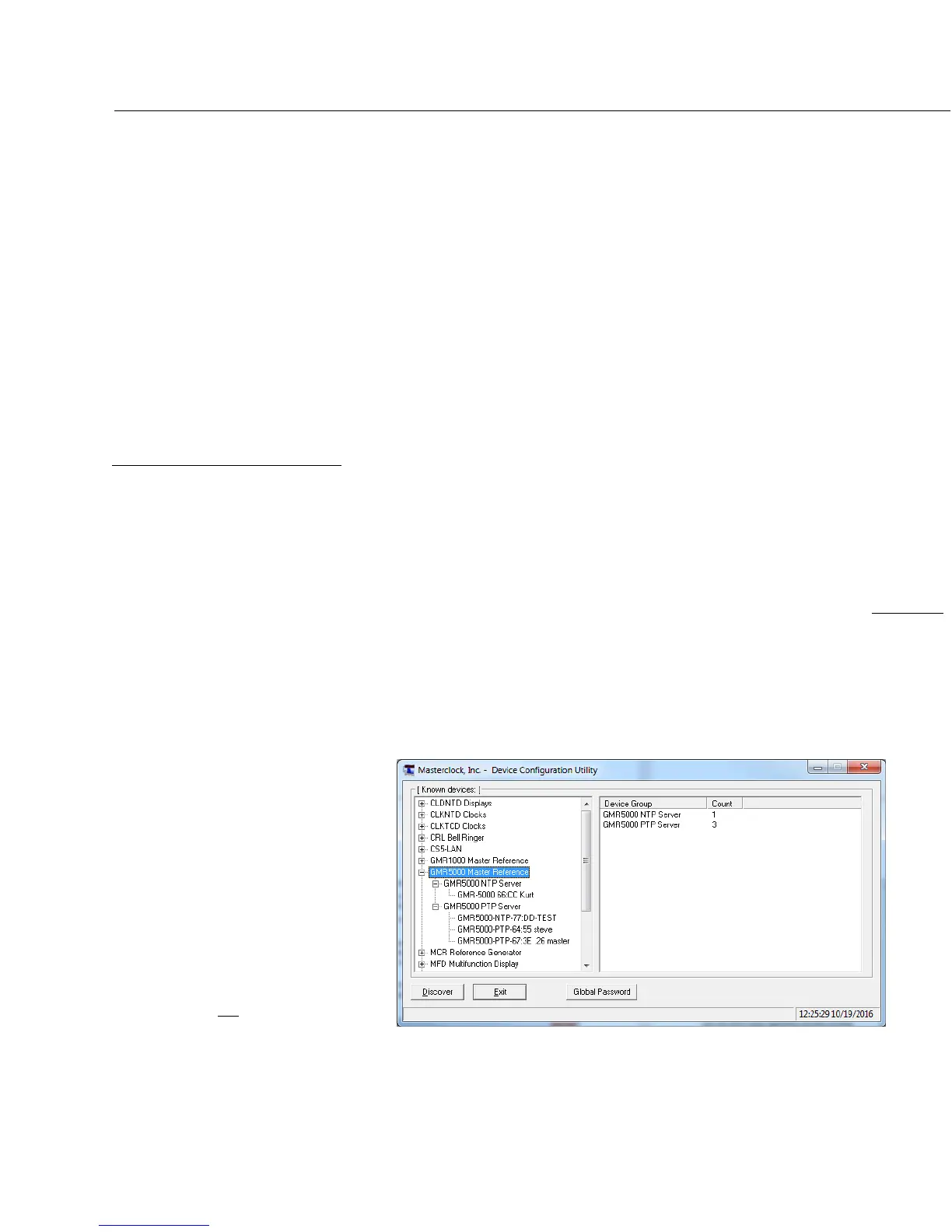
ClicktheDiscoverbuttontorevealallthe
devicesaccessibleonthenetwork.The
statusbarwilldisplaythecountofdevices
found.Whencomplete(pleasewaituntil
“100%”appearsthendisappears),alistof
devicefamiliesandgroupswillbe
displayedintheleftpaneofthe
WinDiscoverywindow.
Clickthe[+]
buttonstorevealtheindividualdevices.
Clickthe[‐]buttonstohidethem.
Itishighlyrecommendedthatonlyone
useropensWinDiscoveryatatime.Other
methodsshouldnotbeusedtomanage
thenetworkdeviceswhileusingthisapp.



 To Next Page